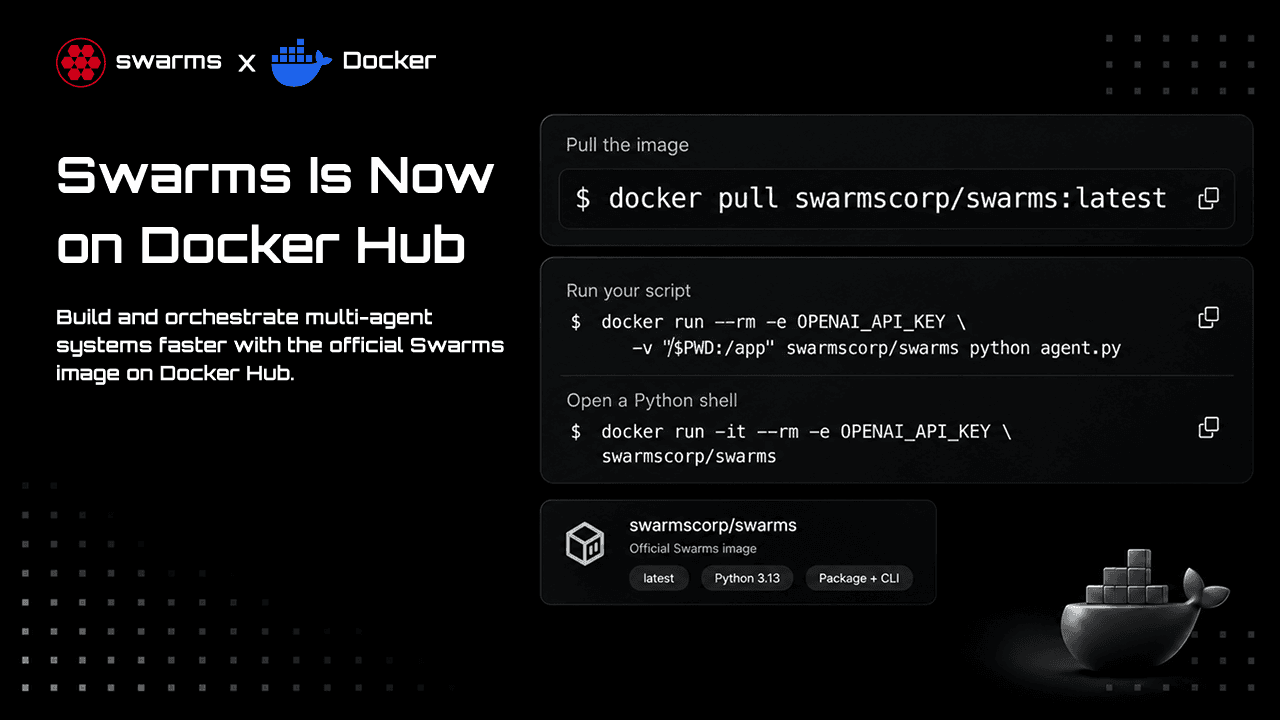
Swarms now ships an official Docker image. swarmscorp/swarms on Docker Hub comes with Python 3.13, the swarms package and the swarms CLI already installed, for both linux/amd64 and linux/arm64. You can run an agent with one command on any machine that has Docker, without a local Python setup, virtual environment or dependency conflicts.
This guide covers what is in the image and how to get started with it: running your first agent, passing API keys safely, giving agents tools, running multi-agent workflows, using the CLI, Docker Compose, and packaging your own agent as an image. Every command below was run against the published image before this post went out.
What Is in the Image
- Python 3.13 with swarms installed into its own environment at
/opt/venv, built with uv straight from the swarms source.
- The
swarms CLI, on the PATH and ready to use.
- A non-root user. Containers run as the
swarms user (uid 1000), and the working directory is /app.
- Python as the default command.
docker run -it swarmscorp/swarms opens a Python shell with swarms ready to import.
- Two architectures. The same tag works on Intel and AMD machines and on Apple Silicon and other ARM machines.
Tags
| Tag | Base | Compressed size | Use it for |
|---|
latest | Debian slim, Python 3.13 | about 112 MB | Trying things out and following this guide |
16.0.1 | Same image as latest | about 112 MB | Pinning a release in production |
16.0.1-alpine | Alpine, Python 3.13 | about 95 MB | Smaller images with fewer known vulnerabilities |
latest moves with new releases. In production, pin a version tag so a new release never changes your containers without you knowing. The Alpine build is smaller, and Docker Scout reports 22 findings for it against 57 for the Debian build. All 22 are in one Python dependency (litellm), with none in the operating system packages.
Quick Start
Pull the image:
docker pull swarmscorp/swarms:latest
Check that the CLI works:
docker run --rm swarmscorp/swarms swarms --help
Open a Python shell with swarms installed, passing your OpenAI key from your shell:
docker run -it --rm -e OPENAI_API_KEY swarmscorp/swarms
>>> from swarms import Agent
>>> agent = Agent(model_name="gpt-5.4-mini", max_loops=1)
>>> agent.run("Say hi in three words")
-e OPENAI_API_KEY with no value copies the variable from your current shell into the container, so the key never appears in your command history. Any provider that LiteLLM supports works the same way: pass ANTHROPIC_API_KEY, GROQ_API_KEY, GEMINI_API_KEY and so on.
Run Your First Agent
Create agent.py in an empty folder:
from swarms import Agent

agent = Agent(
    agent_name="Docker-Analyst",
    model_name="gpt-5.4-mini",
    max_loops=1,
)

print(agent.run("In three short bullet points, why run AI agents in containers?"))
Run it from that folder:
docker run --rm -e OPENAI_API_KEY -v "$PWD:/app" swarmscorp/swarms python agent.py
-v "$PWD:/app" mounts your current folder at /app, the container's working directory. The container sees your script, and anything the agent writes lands back in your folder. After the run you will find an agent_workspace/ folder next to agent.py with the agent's logs and saved state. To put it somewhere else, set WORKSPACE_DIR, for example -e WORKSPACE_DIR=/app/runs.
--rm removes the container when it exits. Nothing is left behind except the files in your mounted folder.
Keep API Keys in a .env File
When you use several providers, keep the keys in a .env file and pass the whole file:
docker run --rm --env-file .env -v "$PWD:/app" swarmscorp/swarms python agent.py
Write the values without quotes. docker run --env-file reads each line literally, so OPENAI_API_KEY="sk-..." gives the container a key that includes the quote marks, and the provider rejects it. Docker Compose's env_file strips the quotes, so the same file works there either way.
Never copy a .env file into an image or put keys in a Dockerfile. Anyone who pulls the image can read them. Pass keys when the container starts, as shown above.
Give the Agent Tools
Any Python function with a docstring can be a tool. This one reports where the agent is running:
import platform

from swarms import Agent


def system_info() -> str:
    """Report the operating system and Python version this agent runs on.

    Returns:
        str: The platform and the Python version.
    """
    return f"{platform.platform()}, Python {platform.python_version()}"


agent = Agent(
    agent_name="Container-Inspector",
    model_name="gpt-5.4-mini",
    tools=[system_info],
    max_loops=2,
)

print(agent.run("Which operating system and Python version are you running on?"))
docker run --rm -e OPENAI_API_KEY -v "$PWD:/app" swarmscorp/swarms python tools_agent.py
The agent calls system_info and answers with the container's Linux kernel and Python 3.13, wherever the host machine is. Tools run inside the container, so a tool that writes files or runs commands only reaches the folders you mount.
Run a Multi-Agent Workflow
Every swarms structure works in the image. Here a researcher and a writer run in sequence:
from swarms import Agent, SequentialWorkflow

researcher = Agent(
    agent_name="Researcher",
    system_prompt="List the key facts about the topic, briefly.",
    model_name="gpt-5.4-mini",
    max_loops=1,
)
writer = Agent(
    agent_name="Writer",
    system_prompt="Turn the facts you are given into one clear paragraph.",
    model_name="gpt-5.4-mini",
    max_loops=1,
)

pipeline = SequentialWorkflow(
    agents=[researcher, writer],
    max_loops=1,
    output_type="final",
)
print(pipeline.run("Multi-stage Docker builds"))
docker run --rm -e OPENAI_API_KEY -v "$PWD:/app" swarmscorp/swarms python workflow.py
Swap SequentialWorkflow for ConcurrentWorkflow, MixtureOfAgents, HierarchicalSwarm, GraphWorkflow or any other structure, and the command stays the same.
Use the CLI Without Writing Python
The swarms CLI is installed in the image, so you can run an agent straight from the command line:
docker run --rm -e OPENAI_API_KEY swarmscorp/swarms \
  swarms agent \
  --name "Explainer" \
  --description "Explains things simply" \
  --system-prompt "You explain technical ideas in plain language." \
  --task "What is a container image? One sentence." \
  --model-name gpt-5.4-mini \
  --max-loops 1 \
  --no-interactive
Or describe a whole swarm in YAML. Save this as agents.yaml:
agents:
  - agent_name: "Researcher"
    model:
      model_name: "gpt-5.4-mini"
    system_prompt: "List the key facts about the topic, briefly."
    max_loops: 1

  - agent_name: "Writer"
    model:
      model_name: "gpt-5.4-mini"
    system_prompt: "Turn the facts you are given into one clear paragraph."
    max_loops: 1

swarm_architecture:
  name: "Research-Pipeline"
  description: "A researcher gathers facts and a writer turns them into prose"
  swarm_type: "SequentialWorkflow"
  max_loops: 1
  task: "Explain Docker volumes"
Then run it:
docker run --rm -e OPENAI_API_KEY -v "$PWD:/app" swarmscorp/swarms \
  swarms run-agents --yaml-file agents.yaml
run-agents needs the swarm_architecture section, which sets how the agents work together and the task they run. Other CLI commands, such as swarms heavy-swarm, swarms llm-council and swarms autoswarm, work the same way. Run swarms --help in the container for the full list.
Docker Compose
For a project you run often, put the settings in compose.yaml:
services:
  agent:
    image: swarmscorp/swarms:16.0.1
    env_file: .env
    volumes:
      - .:/app
    command: python agent.py
docker compose run --rm agent
Compose reads your keys from .env, mounts the project folder and pins the image to a release, so everyone on your team runs the same version.
Package Your Own Agent as an Image
To ship an agent, build an image on top of swarmscorp/swarms with your code and any extra packages your tools need:
FROM swarmscorp/swarms:16.0.1

USER root
RUN --mount=from=ghcr.io/astral-sh/uv:0.12.23,source=/uv,target=/bin/uv \
    uv pip install --python /opt/venv/bin/python --no-cache yfinance
USER swarms

COPY --chown=swarms:swarms agent.py .
CMD ["python", "agent.py"]
docker build -t my-agent .
docker run --rm -e OPENAI_API_KEY my-agent
A few details matter here:
- Install with uv. The swarms environment in
/opt/venv has no pip, which keeps the image small. The --mount line makes uv available for that one step without adding it to your image.
- Install as root, run as
swarms. /opt/venv belongs to root, so the install step switches to root and the next line switches back. Your container still runs without root.
- Copy only your code. Keep
.env and other secrets out of the build with a .dockerignore.
The result is one image you can run on a server, in a scheduled job, in Kubernetes or in CI, with the agent, its tools and its dependencies inside.
Build the Image From Source
The Dockerfile is at the root of the swarms repository, so you can build the image from any commit:
git clone https://github.com/kyegomez/swarms.git
cd swarms
docker build -t swarms .
It installs swarms from your checkout, so local changes end up in the image. The build only receives pyproject.toml, README.md and the swarms/ package, so .env files and .git never reach it. To build for another Python version, pass a build argument:
docker build --build-arg PYTHON_VERSION=3.12 -t swarms:py312 .
To build for both architectures and push to your own registry, use Buildx:
docker buildx build --platform linux/amd64,linux/arm64 -t <your-registry>/swarms:dev --push .
Troubleshooting
- "No API key found" in the banner. The container doesn't see a provider key. Pass it with
-e OPENAI_API_KEY or --env-file .env, and run swarms setup-check in the container to confirm.
- The provider rejects a key that works locally. Check your
.env for quotes around the value when you use docker run --env-file.
- "Permission denied" writing to a mounted folder on Linux. The container runs as uid 1000. If your user has a different uid, add
--user "$(id -u):$(id -g)" to docker run. Docker Desktop on macOS and Windows handles this for you.
swarms upgrade doesn't update the image. Containers are rebuilt, not upgraded in place. Pull a newer tag instead: docker pull swarmscorp/swarms:latest.- A platform mismatch warning. Docker picks the right architecture on its own. If you see the warning, you have an older single-architecture copy cached. Run
docker pull swarmscorp/swarms:latest again.
What Changed in the Repository
The image is built from a new Dockerfile at the root of the swarms repository (#2509, #2510). It replaces the old scripts/docker/ setup, which no longer built. The new build is a two-stage uv build that copies only the finished Python environment into the final image. The same change removed the unused setuptools dependency from swarms, and the README now documents the image.
Next Steps
- Pull the image from Docker Hub.
- Read the README in the swarms repository for every structure the image can run.
- See what shipped in Swarms 16 in the Overclock release notes.