指南工程
如何在 Swarms 中用 GPT-6 Astra 构建智能体与多智能体系统
面向 OpenAI GPT-6 Astra 的分步教程:用开源 Swarms 框架构建自定义智能体与 Mixture of Agents,再通过 Swarms API 运行同样的系统,无需基础设施,每次运行都有成本报告,夜间 token 费用半价。
Swarms 团队9 分钟阅读

面向 OpenAI GPT-6 Astra 的分步教程:用开源 Swarms 框架构建自定义智能体与 Mixture of Agents,再通过 Swarms API 运行同样的系统,无需基础设施,每次运行都有成本报告,夜间 token 费用半价。
OpenAI 的 GPT-6 Astra 是一个推理模型:它在回答之前先思考,并且会报告输出中有多少是思考。这让它非常适合需要规划、比较和决策的智能体,但对于推理模型出现之前编写的工具链来说,它又稍显别扭,这正是本教程存在的原因。在本文中,你将用开源的 Swarms 框架构建一个自定义的 GPT-6 Astra 智能体,把它扩展成一个 Mixture of Agents,然后通过 Swarms API 运行这两者。在 API 上,同样的工作只需要一个密钥、零基础设施,并且会自动报告成本。这里的每一个脚本都在仓库的 examples/models/gpt_astra 目录下,你看到的每一个数字都来自实际运行。
| Swarms 框架 | Swarms API | |
|---|---|---|
| 运行位置 | 你的机器,你的 OpenAI 密钥 | Swarms Cloud,一个 Swarms 密钥覆盖所有模型 |
| 安装 | pip install swarms | pip install requests |
| 成本可见性 | agent.usage:token 数、推理 token 数 | 每个响应中的 usage:token 数和美元金额 |
| 适用场景 | 本地开发、自定义工具、完全控制 | 上线部署、批处理任务、不想自己运维基础设施的团队 |
它们不是互相竞争的选项。框架是你构建智能体原型的地方,API 是你规模化运行它的地方。两边的智能体定义形状完全一致,所以在它们之间迁移只是一次复制粘贴。
uv init astra-swarms && cd astra-swarms
uv add swarms python-dotenv requests
pip install swarms python-dotenv requests 同样可行。
使用框架需要一个 OpenAI 密钥。使用 API 需要一个 Swarms 密钥,可在 swarms.world/platform/api-keys 获取。新账户附带注册赠送额度,所以本教程的 API 部分可以零成本试用。
cat > .env <<'EOF'
OPENAI_API_KEY="sk-..."
SWARMS_API_KEY="..."
EOF
两者都通过 load_dotenv() 加载,所以任何密钥都不会出现在脚本里。
创建 astra_agent.py。模型名称是 gpt-6-astra,这个字符串是文件中唯一提到 "Astra" 的地方:
from dotenv import load_dotenv
from swarms import Agent

load_dotenv()

agent = Agent(
    agent_name="Astra-Agent",
    system_prompt="You are a concise research assistant.",
    model_name="gpt-6-astra",
    max_loops=1,
    persistent_memory=False,
    streaming_on=True,
)

out = agent.run(
    "A bat and a ball cost $1.10 in total. The bat costs $1.00 more than "
    "the ball. How much does the ball cost? Answer with the number only."
)

print(out)
print(agent.usage)
运行:
uv run astra_agent.py0.05
{'input_tokens': 55, 'output_tokens': 23, 'cached_tokens': 0, 'reasoning_tokens': 11, 'total_tokens': 78}
有两点值得注意。答案在生成过程中流式输出到了你的终端,而 agent.usage 在结束后仍然被填充了:提供商会在流的最后一个分块里发送 token 计数,Swarms 会把它们读出来。另外,reasoning_tokens: 11 就是 GPT-6 Astra 在思考:23 个输出 token 中有 11 个花在了写出 "0.05" 之前的推理上。这些 token 是要计费的,所以能看到它们很有价值。
Swarms 替你处理了一个细节:GPT-6 Astra 和 OpenAI 的其他推理模型一样,会拒绝经典的 max_tokens 参数,要求使用 max_completion_tokens。Swarms 会按模型家族发送正确的参数,如果某个它从未见过的模型拒绝了发送的参数,它会用另一个参数重试一次。你永远不会看到这个错误。
自定义智能体就是一个角色加一个任务。这个例子是一位量化交易分析师:系统提示词告诉它要权衡什么、怎么表达,其余部分还是同样的三行代码。创建 quant_agent.py:
from dotenv import load_dotenv
from swarms import Agent

load_dotenv()

system_prompt = (
    "You are Quantitative-Trading-Agent, a highly advanced and helpful assistant specializing "
    "in quantitative trading, algorithmic analysis, and financial research. "
    "When evaluating investment options, you critically analyze metrics such as performance, "
    "expense ratios, holdings, strategy, and notable risk factors. Provide data-driven "
    "recommendations, explain your reasoning, and always clarify any assumptions or "
    "limitations in your analysis."
)

agent = Agent(
    agent_name="Quantitative-Trading-Agent",
    agent_description="Advanced quantitative trading and algorithmic analysis agent",
    system_prompt=system_prompt,
    model_name="gpt-6-astra",
    max_loops=1,
    persistent_memory=False,
)

out = agent.run(
    "Analyze the best semiconductor ETFs and provide a detailed comparison. "
    "Include metrics such as performance, expense ratio, holdings, and any notable strategies."
)

print(out)
print(agent.usage)
运行后你会得到一份关于 SMH、SOXX、SOXQ 和 XSD 的结构化对比,包含风险部分和按目标排序的排名。在我们的运行中,完整报告消耗了 149 个输入 token 和 3,397 个输出 token。要给这个智能体添加工具,把任何带 docstring 的 Python 函数以 tools=[...] 传入即可;要让它跨多个步骤自主工作,设置 max_loops="auto"。角色保持不变。
一个智能体只能给你一个视角。Mixture of Agents 让多个专家并行处理同一个任务,然后把它们的答案交给一个聚合者,由它撰写最终回复。当一个问题有多个角度、而你希望它们被调和而不是简单罗列时,这就是该用的模式。创建 astra_moa.py:
from dotenv import load_dotenv
from swarms import Agent, MixtureOfAgents

load_dotenv()

MODEL = "gpt-6-astra"

analyst = Agent(
    agent_name="Fundamentals-Analyst",
    system_prompt="You are a fund analyst. Compare ETFs on holdings, concentration and expense ratio. Be concrete and brief.",
    model_name=MODEL,
    max_loops=1,
)

risk = Agent(
    agent_name="Risk-Officer",
    system_prompt="You are a risk officer. State the main risks of each option and who should avoid it. Be concrete and brief.",
    model_name=MODEL,
    max_loops=1,
)

manager = Agent(
    agent_name="Portfolio-Manager",
    system_prompt="You are a portfolio manager for long-term retail investors. Give a clear recommendation and the reason. Be brief.",
    model_name=MODEL,
    max_loops=1,
)

synthesizer = Agent(
    agent_name="Synthesizer",
    system_prompt="You combine the expert answers you are given into one short, decision-oriented brief. Keep every concrete number.",
    model_name=MODEL,
    max_loops=1,
)

moa = MixtureOfAgents(
    agents=[analyst, risk, manager],
    aggregator_agent=synthesizer,
    layers=1,
)

result = moa.run(
    "Should a long-term investor choose SMH or SOXX for semiconductor exposure? "
    "Compare concentration, expense ratio and risk."
)
print(result)
三个 GPT-6 Astra 智能体同时作答,第四个把它们的答案整合成一份简报。与第 4 步相比,智能体本身没有任何变化:你定义了角色,然后把它们放进一个结构里。把 MixtureOfAgents 换成 SequentialWorkflow、HierarchicalSwarm 或 GroupChat,四个 Agent 定义原封不动。
现在看另一条路线。Swarms API 在 Swarms Cloud 上运行同一个智能体:你把智能体的配置和任务以 JSON 发送过去,收到的是对话记录和账单。除了 requests 之外没有任何东西需要安装,也不涉及你的 OpenAI 密钥:一个 Swarms 密钥覆盖 GPT-6 Astra 以及 API 提供的其他 1,900 多个模型。创建 api_single_agent.py:
import json
import os

import requests
from dotenv import load_dotenv

load_dotenv()

API_KEY = os.getenv("SWARMS_API_KEY")
BASE_URL = "https://api.swarms.world"

headers = {"x-api-key": API_KEY, "Content-Type": "application/json"}

payload = {
    "agent_config": {
        "agent_name": "Quantitative-Trading-Agent",
        "description": "Quantitative trading and financial research agent.",
        "system_prompt": (
            "You are a quantitative trading assistant. When comparing "
            "investment options, weigh performance, expense ratio, holdings, "
            "strategy and risk, and state your assumptions."
        ),
        "model_name": "gpt-6-astra",
        "max_loops": 1,
        "max_tokens": 8000,
    },
    "task": (
        "Compare the SMH and SOXX semiconductor ETFs in one short paragraph: "
        "concentration, expense ratio, and which suits a long-term investor."
    ),
}

response = requests.post(
    f"{BASE_URL}/v1/agent/completions", headers=headers, json=payload
)
response.raise_for_status()
result = response.json()

# outputs is the conversation, the agent's answer is the last entry
print(result["outputs"][-1]["content"])
print(json.dumps(result["usage"], indent=2))
agent_config 块就是第 4 步中的 Agent(...) 调用写成了 JSON:字段名相同,含义相同。响应如下(其中的 total_cost 是按此前的固定 token 费率算出的):
{
  "job_id": "agent-feb1a3ae700d21180f2cceba12763546",
  "success": true,
  "outputs": [
    {"role": "Human", "content": "..."},
    {"role": "Astra-Agent", "content": "A semiconductor ETF is an exchange-traded fund that holds ..."}
  ],
  "usage": {
    "input_tokens": 27,
    "output_tokens": 31,
    "total_tokens": 58,
    "total_cost": 0.00073
  }
}
这个 total_cost 就是实践中的差别。用框架你知道消耗了多少 token;用 API 你在同一个响应里就知道这次运行花了多少美元。这正是你为一个功能定价、给批处理任务设上限、或者向客户计费时所需要的。
多智能体系统是 API 真正发挥价值的地方。第 5 步中的四个智能体变成 agents 列表里的四个条目,swarm_type 选择架构,Swarms Cloud 负责扇出、聚合和记账。创建 api_moa.py:
import json
import os

import requests
from dotenv import load_dotenv

load_dotenv()

API_KEY = os.getenv("SWARMS_API_KEY")
BASE_URL = "https://api.swarms.world"

headers = {"x-api-key": API_KEY, "Content-Type": "application/json"}

MODEL = "gpt-6-astra"

payload = {
    "name": "Semiconductor-ETF-Council",
    "description": "Three views on a semiconductor ETF question, then a synthesis.",
    "swarm_type": "MixtureOfAgents",
    "max_loops": 1,
    "agents": [
        {
            "agent_name": "Fundamentals-Analyst",
            "description": "Weighs holdings, concentration and expense ratios.",
            "system_prompt": "You are a fund analyst. Compare ETFs on holdings, concentration and expense ratio. Be concrete and brief.",
            "model_name": MODEL,
            "max_loops": 1,
            "max_tokens": 4000,
        },
        {
            "agent_name": "Risk-Officer",
            "description": "Names the risks an investor is taking on.",
            "system_prompt": "You are a risk officer. State the main risks of each option and who should avoid it. Be concrete and brief.",
            "model_name": MODEL,
            "max_loops": 1,
            "max_tokens": 4000,
        },
        {
            "agent_name": "Portfolio-Manager",
            "description": "Recommends an allocation for a long-term investor.",
            "system_prompt": "You are a portfolio manager for long-term retail investors. Give a clear recommendation and the reason. Be brief.",
            "model_name": MODEL,
            "max_loops": 1,
            "max_tokens": 4000,
        },
        {
            "agent_name": "Synthesizer",
            "description": "Combines the specialists' answers into one brief.",
            "system_prompt": "You combine the expert answers you are given into one short, decision-oriented brief. Keep every concrete number.",
            "model_name": MODEL,
            "max_loops": 1,
            "max_tokens": 4000,
        },
    ],
    "task": (
        "Should a long-term investor choose SMH or SOXX for semiconductor "
        "exposure? Compare concentration, expense ratio and risk."
    ),
}

response = requests.post(
    f"{BASE_URL}/v1/swarm/completions", headers=headers, json=payload
)
response.raise_for_status()
result = response.json()

# output is the whole conversation, the synthesis is the last entry
for message in result["output"]:
    print(f"[{message['role']}]\n{message['content']}\n")
print(json.dumps(result["usage"], indent=2))
我们原样运行了这段代码。三位专家各自给出了一张对比表;Synthesizer 的最终简报开头是 "SOXX is the more balanced default for a long-term semiconductor allocation. Choose SMH if you intentionally want a larger bet on dominant companies, particularly Nvidia and TSMC,"(SOXX 是长期半导体配置中更均衡的默认选择;如果你有意加大对 Nvidia 和 TSMC 等主导企业的押注,就选 SMH),保留了专家们引用的每一个数字(约 25 只持仓对 30 只,前十大权重 70% 到 80% 对 55% 到 65%,费率 0.35% 对 0.34%),并以费用差异"每 10,000 美元每年 1 美元"作结,所以应该由集中度来决定。usage 块返回如下:
"usage": {
  "input_tokens": 165,
  "output_tokens": 2244,
  "total_tokens": 2409,
  "total_cost": 0.082586,
  "billing_info": {
    "cost_breakdown": {
      "agent_cost": 0.04,
      "input_token_cost": 0.001073,
      "output_token_cost": 0.041514,
      "num_agents": 4,
      "night_time_discount_applied": false
    }
  }
}
四个 GPT-6 Astra 智能体,一份综合答案,39 秒,8.3 美分,逐项列明。这次运行是按此前的固定 token 费率计费的。截至本文撰写时,GPT-6 Astra 在 Swarms 上的价格是每百万输入 token 11.50 美元、每百万输出 token 57.50 美元(提供商价格加 15% 服务费),按这个价格,同样的 165 个输入 token 和 2,244 个输出 token 分别是 0.0019 美元和 0.1290 美元,加上 0.04 美元的智能体费用,合计约 17.1 美分。Swarms 现在按提供商报告的 token 计费,涵盖每个智能体的每一次调用,推理 token 也包括在内,所以重新运行时 token 数会有所不同。注意 night_time_discount_applied 字段,下文会详细说明。
框架确实非常适合构建。但一旦智能体跑通了,问题就变了:那次运行花了多少钱,我们能同时跑多少个,密钥由谁保管。API 回答了这三个问题。
x-api-key 之后。把上面整个委员会切换到另一个模型只需改一个字符串。total_cost,swarm 运行还会返回逐项的 cost_breakdown。定价公开且按模型计算:每个模型的 token 按其提供商价格加 15% 服务费计费,swarm 运行另收每个智能体 0.01 美元。GET /v1/models/pricing 返回任意模型当前的 token 价格,GET /v1/usage/costs 返回固定费用,让你在运行前先算出工作负载的价格。night_time_discount_applied 标志会告诉你折扣是否生效。批处理任务、夜间流水线,以及任何对延迟不敏感的工作,都应该直接安排在这个时段。夜间模式定价指南详细讲解了这一点,成本优化手册则覆盖了其他手段:给模型分层,让便宜的智能体起草、GPT-6 Astra 做综合,以及在智能体之间压缩上下文。agents 列表在 Swarms Cloud 上运行;你的笔记本只发送了 60 行 JSON。swarm_type 接受 SequentialWorkflow、ConcurrentWorkflow、HierarchicalSwarm、GroupChat、MajorityVoting、HeavySwarm 等。把上面的委员会改成带主管的分层结构只需改一个字段。你构建了一个 GPT-6 Astra 智能体,给它设定了角色,看到了它的推理 token,把四个这样的智能体组合成了一个 Mixture of Agents,然后通过 Swarms API 运行了同样的两样东西,并获得了每次运行的成本报告。真正重要的模式是分离:智能体是角色加任务,结构是智能体的连接方式,API 是结构运行的地方。改动任何一个都不必触碰其他部分。
从这里出发:给框架智能体添加工具(tools=[any_python_function]),尝试 max_loops="auto" 实现多步自主,在 API 这边,把你的批量 swarm 安排到夜间时段,并反复阅读 cost_breakdown,直到你清楚自己的系统每次运行的成本。本文中的四个脚本位于 examples/models/gpt_astra;Swarms API Examples 仓库还有上百个示例。
GPT-6 Astra 带来的推理能力值得付费,也值得度量。Swarms 框架给了你一个围绕它构建智能体的地方,并且能精确到 token 地看到推理花了多少。Swarms API 给了你一个运行这些智能体的地方,无论是单独运行还是作为一个委员会,只需一个密钥、不用服务器、每个响应都有美元金额、夜间 token 半价。从 astra_agent.py 开始;跑通之后,把配置粘贴到 api_single_agent.py 里,它就上线了。
| 资源 | 链接 |
|---|---|
| GPT-6 Astra 示例(本文) | examples/models/gpt_astra |
| 获取 Swarms API 密钥 | swarms.world/platform/api-keys |
| API 密钥设置指南 | docs.swarms.ai/.../api-key-setup |
| Agent completions 参考 | docs.swarms.ai/.../execute-agent-completion |
| Swarm completions 参考 | docs.swarms.ai/.../execute-swarm-completion |
| 定价 | docs.swarms.ai/.../pricing |
| 夜间模式定价策略 | docs.swarms.ai/.../night-mode-pricing-strategy |
| 成本优化手册 | docs.swarms.ai/.../cost-optimization-playbook |
| Swarms API Examples 仓库 | github.com/The-Swarm-Corporation/Swarms-API-Examples |
| Swarms 框架 GitHub | github.com/kyegomez/swarms |
| Swarms 文档 | docs.swarms.ai |
| Discord 社区 | discord.gg/VapjxpSyHC |
有问题或反馈?加入我们的 Discord 社区,或查阅文档。
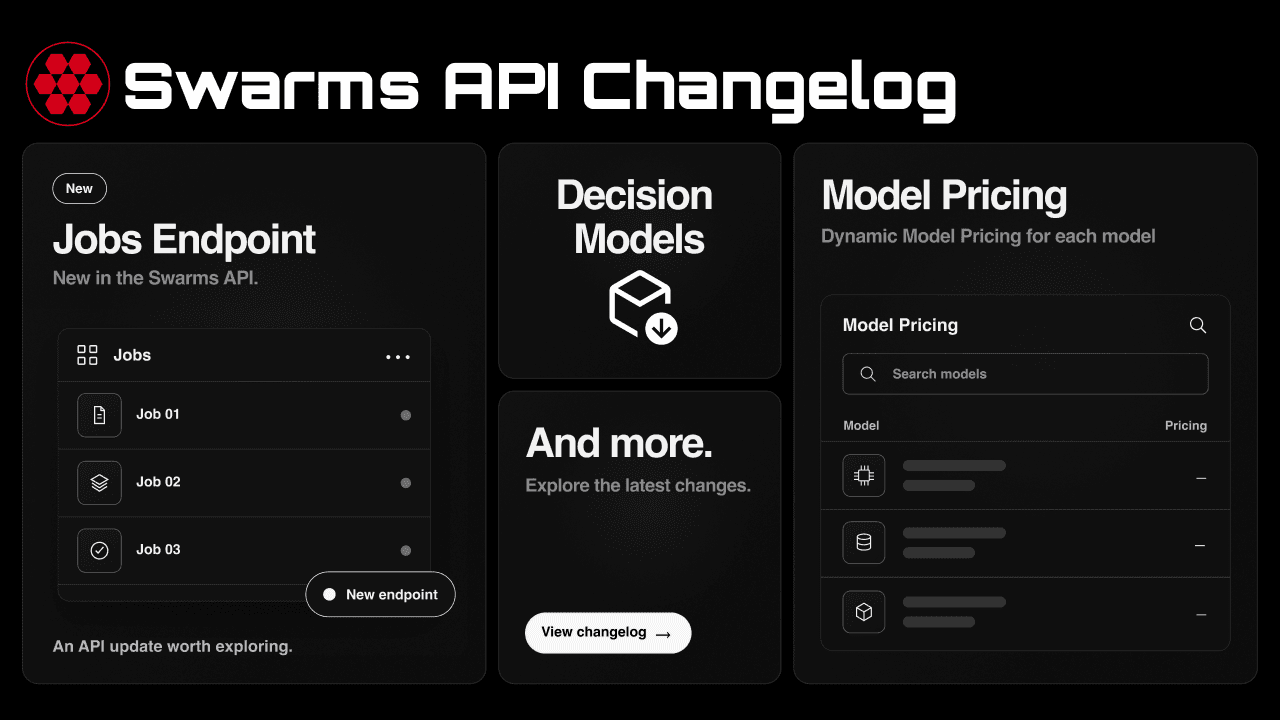
八个月的 API 工作汇于一处:OpenAI、Anthropic 与 TypeSafe 兼容端点、按模型计价加固定服务费、真正的逐 token 流式输出、决策模型、备用模型、工具调用、任务结果查询端点、四区域部署,以及一长串针对计费、校验与错误处理的修复,并专设一节说明现有客户端需要了解的变化。
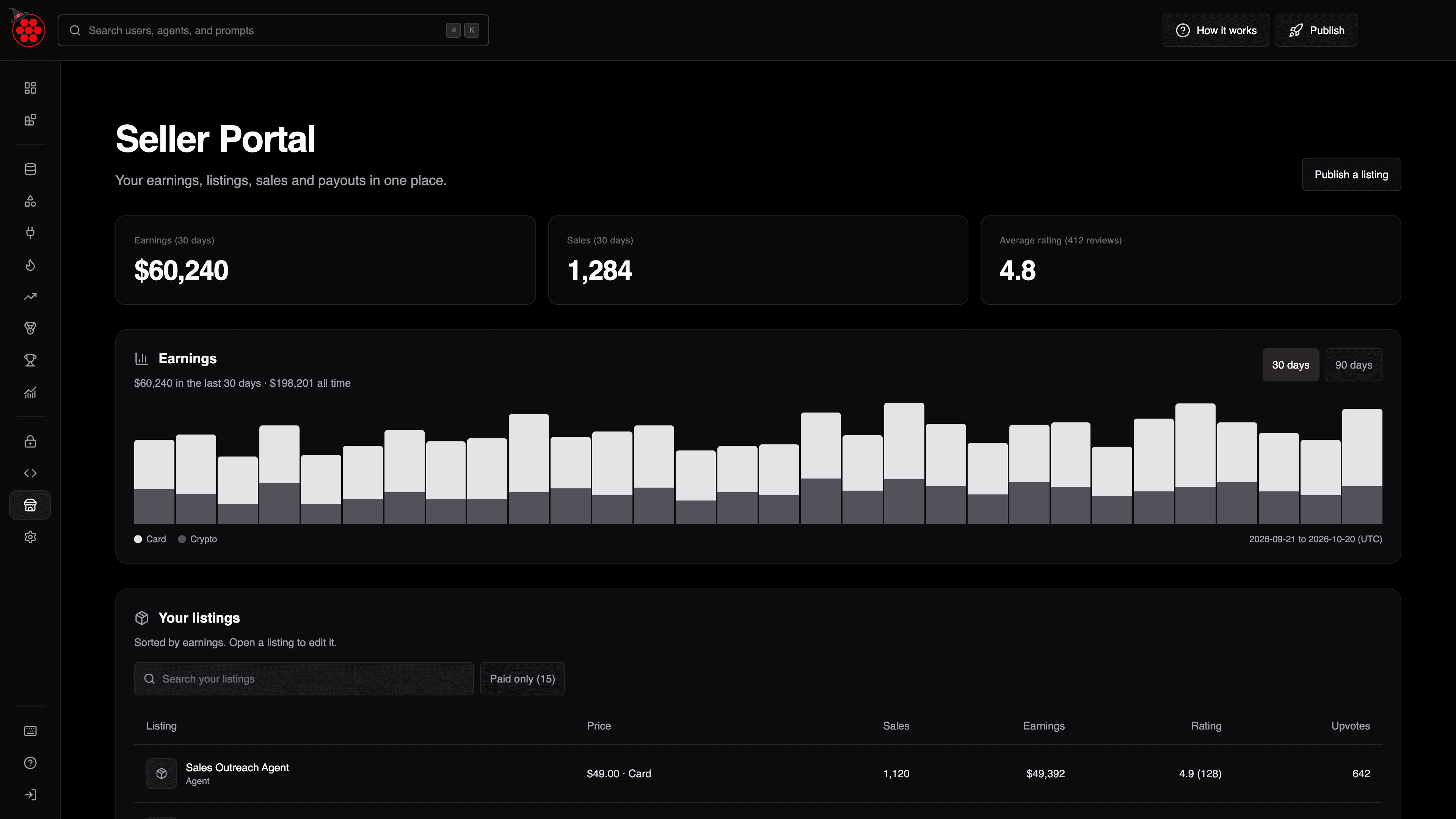
全新的卖家中心(swarms.world/platform/seller)为 Swarms 市场上的每位卖家提供一个统一页面,集中查看收入、商品、销售、评价与收款,并提供可导出为 CSV 的完整销售记录。本文介绍它的功能和使用方法。
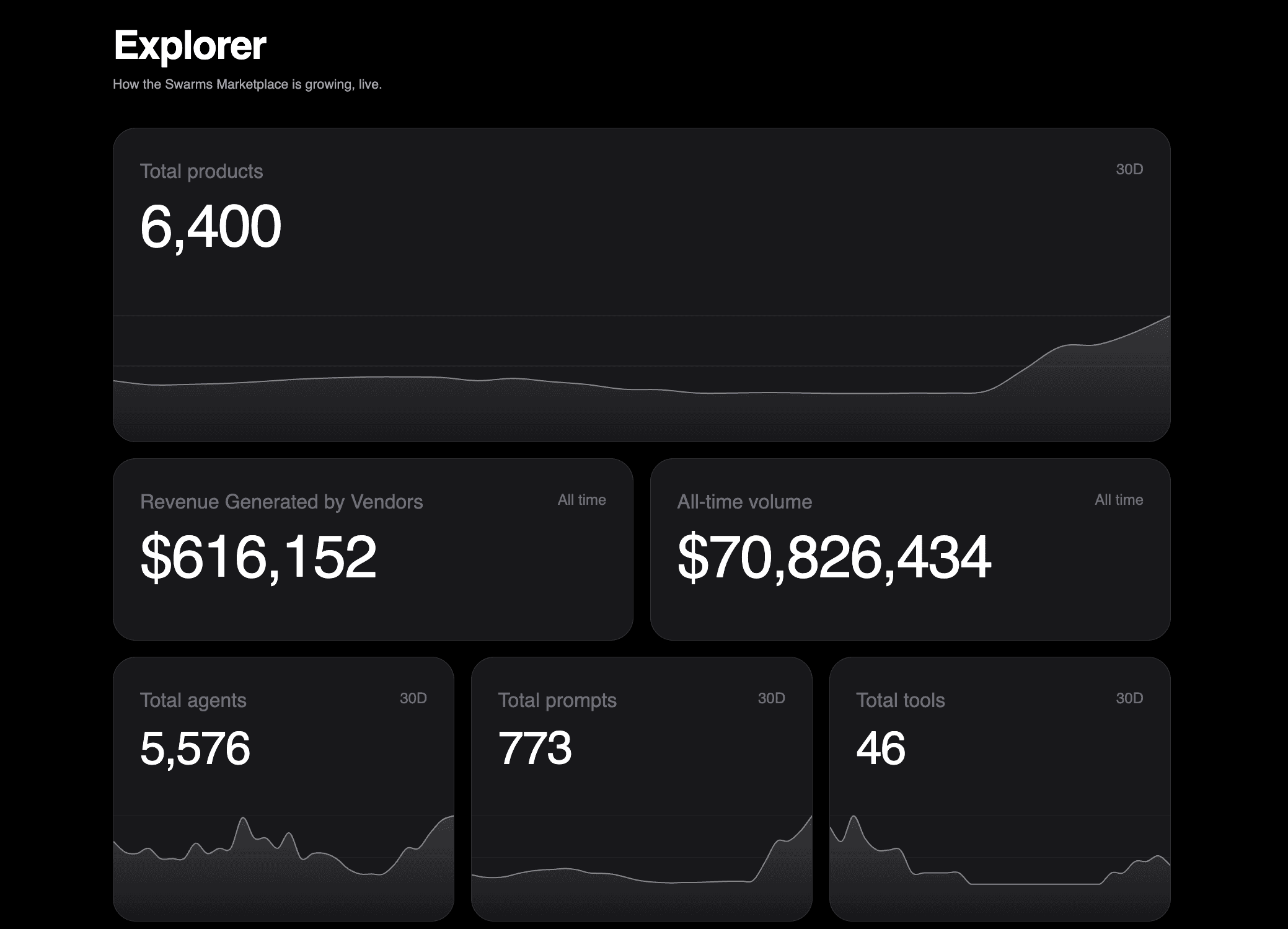
全新的 Explorer 页面(swarms.world/explorer)实时展示 Swarms 市场的增长情况:产品、智能体、提示词、工具、卖家、新发布、代币化产品、创作者收入以及交易量。本文介绍每个数字的含义,以及开发者如何使用它。