"How much will this cost at scale?" is the first question an engineering lead asks about a multi-agent design and the one most tutorials skip. The answer is not mysterious. Every response from the Swarms API carries a usage block with the exact charge for that run, so you can measure instead of guess.
That is what this guide does. We took one task, a 500-word competitive brief on the Berlin e-scooter market, and ran it as a single agent and as four different three-agent swarms. Below are the costs the API reported, the projection to 1,000 runs, a breakdown of where the money goes, and the three changes that move the number most. The script that produced the data is included so you can run it on your own task.
How the Swarms API bills
Three line items make up a swarm request:
- Agent fee: $0.01 per agent in the request. Three agents, three cents. Agents on OpenRouter free models are exempt.
- Tokens: each agent's input and output tokens at its own model's price, plus a 15% service fee.
GET /v1/models/pricing?model_name=... returns the current rate with the fee already included.
- Extras only if you use them: $0.25 per image, $0.04 per request that enables the
auto_search web search tool. MCP servers and the web_scraper tool are free apart from tokens.
Single-agent calls to /v1/agent/completions have no agent fee, only tokens. Paid plans get a night-time discount of 50% off token costs on swarm completions between 8pm and 6am Pacific, which matters for batch work you can schedule.
The prices on the day we ran the benchmark, per million tokens with the fee included:
| Model | Input | Output |
|---|
claude-haiku-5-5 | $0.115 | $0.575 |
gemini-2.5-flash | $0.345 | $2.875 |
gpt-5.4-mini | $0.8625 | $5.175 |
claude-sonnet-5-5 | $2.30 | $11.50 |
gpt-5.4 | $2.875 | $17.25 |
A hundredfold spread between the cheapest and the most expensive model is the single biggest fact in multi-agent cost planning. Which agent gets which model matters more than which architecture you pick.
The benchmark
The same three agents in every swarm: a researcher on gpt-5.4-mini, an analyst on claude-haiku-5-5 and a writer on claude-sonnet-5-5. The single-agent baseline is one claude-sonnet-5-5 agent asked to produce the whole brief. The script runs everything and prints a table.
# swarm_cost_benchmark.py
# Runs the same task through one agent and four swarm architectures, then
# prints what each one cost. Requires: pip install requests
import os
import requests

API = "https://api.swarms.world"
HEADERS = {"x-api-key": os.environ["SWARMS_API_KEY"], "Content-Type": "application/json"}

TASK = (
    "Write a competitive brief on the shared electric scooter market in Berlin for an "
    "operator considering entry in 2027. Cover market size, three main competitors, "
    "regulatory risks and a recommendation. Keep the final brief under 500 words."
)

AGENTS = [
    {
        "agent_name": "Researcher",
        "system_prompt": "You are a market researcher. List the facts, figures and competitor details relevant to the task as concise bullet points. Do not write the brief.",
        "model_name": "gpt-5.4-mini",
        "max_loops": 1,
        "max_tokens": 1200,
    },
    {
        "agent_name": "Analyst",
        "system_prompt": "You are a strategy analyst. Turn the research into structured findings: market size, competitors, regulatory risks, and a recommendation with reasoning. Concise bullet points.",
        "model_name": "claude-haiku-5-5",
        "max_loops": 1,
        "max_tokens": 1200,
    },
    {
        "agent_name": "Writer",
        "system_prompt": "You are a business writer. Write the final competitive brief under 500 words with the sections: Market size, Main competitors, Regulatory risks, Recommendation.",
        "model_name": "claude-sonnet-5-5",
        "max_loops": 1,
        "max_tokens": 1500,
    },
]

ARCHITECTURES = ["SequentialWorkflow", "ConcurrentWorkflow", "HierarchicalSwarm", "MixtureOfAgents"]


def run_single_agent() -> dict:
    body = {
        "agent_config": {
            "agent_name": "Solo Analyst",
            "system_prompt": "You are a market analyst. Write a competitive brief with these sections: Market size, Main competitors (three), Regulatory risks, Recommendation. Keep it under 500 words and be specific.",
            "model_name": "claude-sonnet-5-5",
            "max_loops": 1,
            "max_tokens": 1500,
        },
        "task": TASK,
    }
    r = requests.post(f"{API}/v1/agent/completions", headers=HEADERS, json=body, timeout=300)
    r.raise_for_status()
    return r.json()


def run_swarm(swarm_type: str) -> dict:
    body = {
        "name": f"Cost Benchmark {swarm_type}",
        "swarm_type": swarm_type,
        "task": TASK,
        "agents": AGENTS,
        "max_loops": 1,
    }
    r = requests.post(f"{API}/v1/swarm/completions", headers=HEADERS, json=body, timeout=300)
    r.raise_for_status()
    return r.json()


def price(model_name: str) -> tuple[float, float]:
    r = requests.get(f"{API}/v1/models/pricing", headers=HEADERS, params={"model_name": model_name}, timeout=30)
    r.raise_for_status()
    data = r.json()
    return data["input_cost_per_1m"], data["output_cost_per_1m"]


if __name__ == "__main__":
    print("Model prices per 1M tokens (service fee included):")
    for model in sorted({a["model_name"] for a in AGENTS}):
        inp, out = price(model)
        print(f"  {model}: ${inp:.4f} in, ${out:.4f} out")

    rows = []
    single = run_single_agent()
    rows.append(("Single agent", 1, single["usage"], None))

    for swarm_type in ARCHITECTURES:
        data = run_swarm(swarm_type)
        rows.append((swarm_type, data["number_of_agents"], data["usage"], data["execution_time"]))

    print("\n| Architecture | Agents | Tokens | Agent fee | Per run | Per 1,000 | Time |")
    print("|---|---|---|---|---|---|---|")
    for name, agents, usage, seconds in rows:
        fee = usage.get("billing_info", {}).get("cost_breakdown", {}).get("agent_cost", 0.0)
        time_str = f"{seconds:.1f}s" if seconds else "n/a"
        print(
            f"| {name} | {agents} | {usage['total_tokens']:,} | ${fee:.2f} | "
            f"${usage['total_cost']:.4f} | ${usage['total_cost'] * 1000:,.2f} | {time_str} |"
        )
pip install requests
export SWARMS_API_KEY=your_key
python swarm_cost_benchmark.py
The whole benchmark costs about 25 cents to run.
What the API charged
These are the usage blocks from our runs on 8 November 2026, one run per architecture, with the per-1,000 column multiplied out. Token counts vary a little from run to run because the models do, so treat the figures as representative rather than fixed.
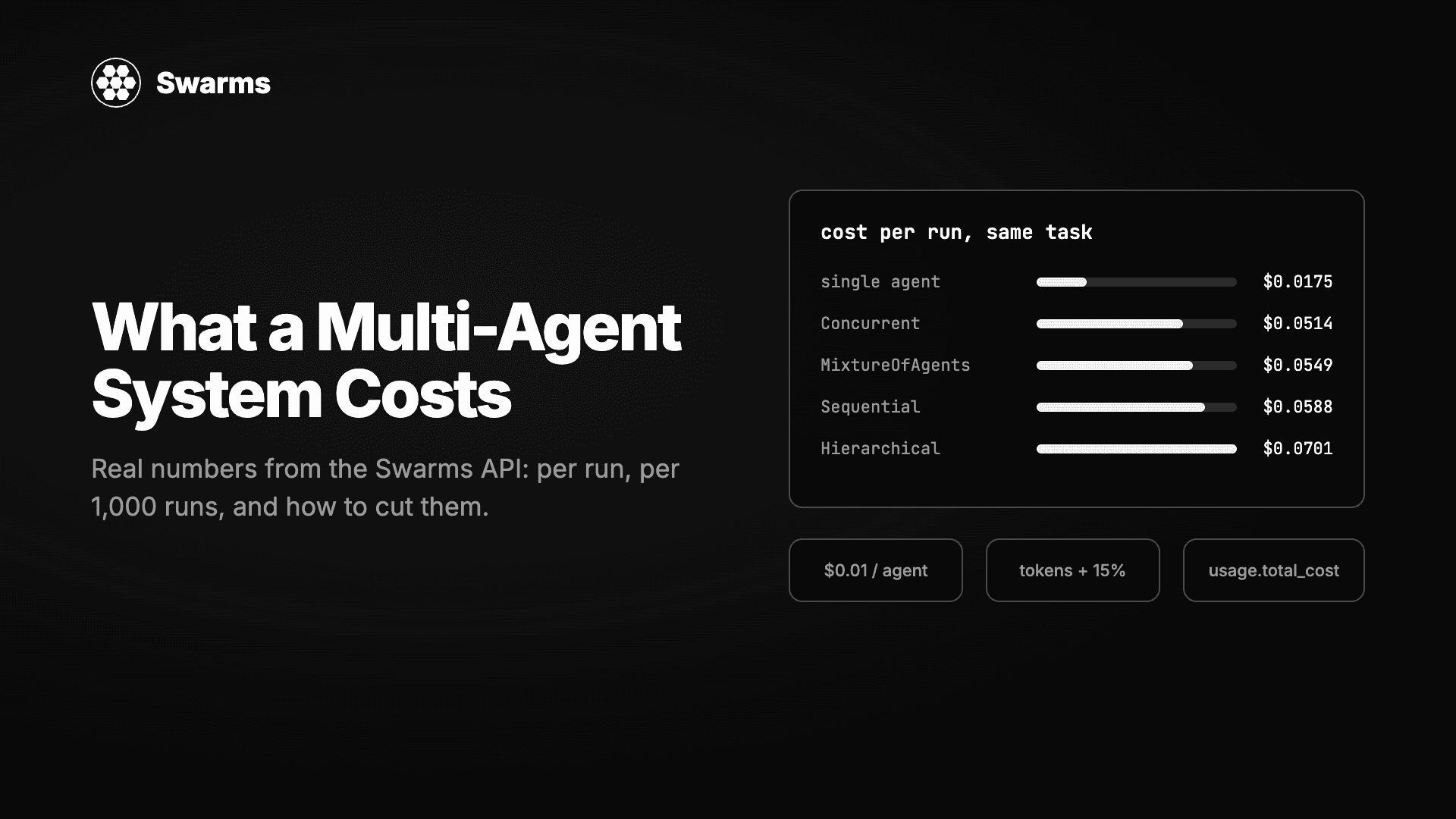
| Architecture | Agents | Input tokens | Output tokens | Agent fee | Token cost | Per run | Per 1,000 runs | Time |
|---|
Single agent (claude-sonnet-5-5) | 1 | 106 | 1,500 | $0.00 | $0.0175 | $0.0175 | $17.49 | n/a |
| SequentialWorkflow | 3 | 5,064 | 3,424 | $0.03 | $0.0288 | $0.0588 | $58.76 | 22.2s |
| ConcurrentWorkflow | 3 | 355 | 3,289 | $0.03 | $0.0214 | $0.0514 | $51.38 | 13.7s |
| HierarchicalSwarm | 3 | 5,460 | 3,994 | $0.03 | $0.0401 | $0.0701 | $70.10 | 18.7s |
| MixtureOfAgents | 3 | 1,818 | 3,316 | $0.03 | $0.0249 | $0.0549 | $54.89 | 18.9s |
We also planned a HeavySwarm row, but that architecture returned a 503 during our test window, so it is left out rather than estimated.
A few things stand out.
The agent fee is half the bill for small swarms. Three cents of fee against two to four cents of tokens. For short tasks on cheap models, the fee dominates; for long tasks on expensive models, tokens do. This is why a two-agent swarm on small models, like the lead-enrichment recipe many teams run per CRM record, comes in near two cents.
Input tokens show you the architecture. ConcurrentWorkflow used 355 input tokens because each agent saw only the task. SequentialWorkflow used 5,064 because each agent also received everything before it. HierarchicalSwarm used the most because the director writes orders for every agent and then reads their results. When you pick an architecture you are also picking how many times the context gets re-read.
Output tokens are roughly constant. Three agents each writing a page produce about 3,300 to 4,000 output tokens whatever the topology. Output is the expensive side of every price list, so this is where max_tokens earns its keep.
The single agent is a third of the price and worse. The solo Sonnet run hit its 1,500-token limit before finishing the brief and flagged its own uncertainty. The swarms produced a complete brief with a research pass behind it. Whether that is worth 3x is a product question, but the comparison should be made on finished output, not on the cost column alone.
Three levers that change the number
1. Give each agent the cheapest model that does its job
Re-pricing the SequentialWorkflow token counts with one model for all three agents shows how much the mix matters:
| All three agents on | Per run | Per 1,000 runs |
|---|
claude-haiku-5-5 | $0.0326 | $32.55 |
gpt-5.4-mini | $0.0521 | $52.09 |
| Our mix (mini, haiku, sonnet) | $0.0588 | $58.76 |
claude-sonnet-5-5 | $0.0810 | $81.02 |
gpt-5.4 | $0.1036 | $103.62 |
The pattern that holds up in practice: a strong model for the agent whose output the user reads, and small fast models for the agents that gather, classify or structure. Our writer on Sonnet with a Haiku analyst and a mini researcher costs 27% less than Sonnet everywhere and reads the same, because the research and analysis steps are bullet points nobody sees.
2. Keep max_loops at 1 unless a second pass is the point
Every loop runs every agent again with the previous round in context. A HierarchicalSwarm at max_loops: 2 roughly doubles output tokens and more than doubles input tokens, because round two carries round one. Use a second loop when you want the director to synthesise or the critic to revise. Do not use it as a quality hedge.
The same logic applies to max_tokens. Our agents were capped at 1,200 to 1,500, which is plenty for a 500-word brief. An uncapped Sonnet writer can run to several thousand tokens on an open-ended prompt, at $11.50 per million.
3. Schedule batch work into the discount window
On paid plans, swarm completions between 8pm and 6am Pacific get 50% off token costs. Applied to our runs:
| Architecture | Daytime per 1,000 | Night-time per 1,000 |
|---|
| SequentialWorkflow | $58.76 | $44.38 |
| ConcurrentWorkflow | $51.38 | $40.69 |
| HierarchicalSwarm | $70.10 | $50.05 |
| MixtureOfAgents | $54.89 | $42.44 |
The agent fee is not discounted, which is why the saving is about a quarter rather than a half on these small swarms. On token-heavy runs with long documents the saving approaches 50%. The billing_info.cost_breakdown.night_time_discount_applied field in every response tells you whether a run got it.
Turning usage into a cost table
You do not need the benchmark to get these numbers. Every swarm response contains them, and a few lines turn a day of responses into a report.
# cost_table.py
# Turns the usage blocks returned by the Swarms API into a per-run and
# per-1,000-run cost table. Paste in the "usage" object from each response.

RUNS = {
    "SequentialWorkflow": {
        "agents": 3, "seconds": 22.2,
        "usage": {"input_tokens": 5064, "output_tokens": 3424, "total_tokens": 8488, "total_cost": 0.058763,
                  "billing_info": {"cost_breakdown": {"agent_cost": 0.03, "input_token_cost": 0.007076, "output_token_cost": 0.021687}}},
    },
    "ConcurrentWorkflow": {
        "agents": 3, "seconds": 13.7,
        "usage": {"input_tokens": 355, "output_tokens": 3289, "total_tokens": 3644, "total_cost": 0.051382,
                  "billing_info": {"cost_breakdown": {"agent_cost": 0.03, "input_token_cost": 0.000394, "output_token_cost": 0.020988}}},
    },
}


def row(name: str, run: dict) -> str:
    u = run["usage"]
    breakdown = u.get("billing_info", {}).get("cost_breakdown", {})
    agent_fee = breakdown.get("agent_cost", 0.0)
    token_cost = u["total_cost"] - agent_fee
    per_1k = u["total_cost"] * 1000
    secs = f"{run['seconds']:.1f}s" if run["seconds"] else "n/a"
    return (
        f"| {name} | {run['agents']} | {u['input_tokens']:,} | {u['output_tokens']:,} | "
        f"${agent_fee:.3f} | ${token_cost:.4f} | ${u['total_cost']:.4f} | ${per_1k:,.2f} | {secs} |"
    )


print("| Architecture | Agents | Input tokens | Output tokens | Agent fee | Token cost | Per run | Per 1,000 runs | Time |")
print("|---|---|---|---|---|---|---|---|---|")
for name, run in RUNS.items():
    print(row(name, run))
For production, log job_id and usage.total_cost from every response, or pull them later from GET /v1/swarm/logs, and roll them up by customer or feature. GET /v1/account/credits returns the live balance for alerting, and GET /v1/usage/costs returns the current fee schedule if you want to compute estimates before a run.
A worked estimate
Suppose you are adding a "research this account" button to a sales tool. Two agents, small models, about 3,000 tokens per run, like the lead-enrichment pattern:
- Agent fee: $0.02
- Tokens: about $0.003 at mini and Haiku prices
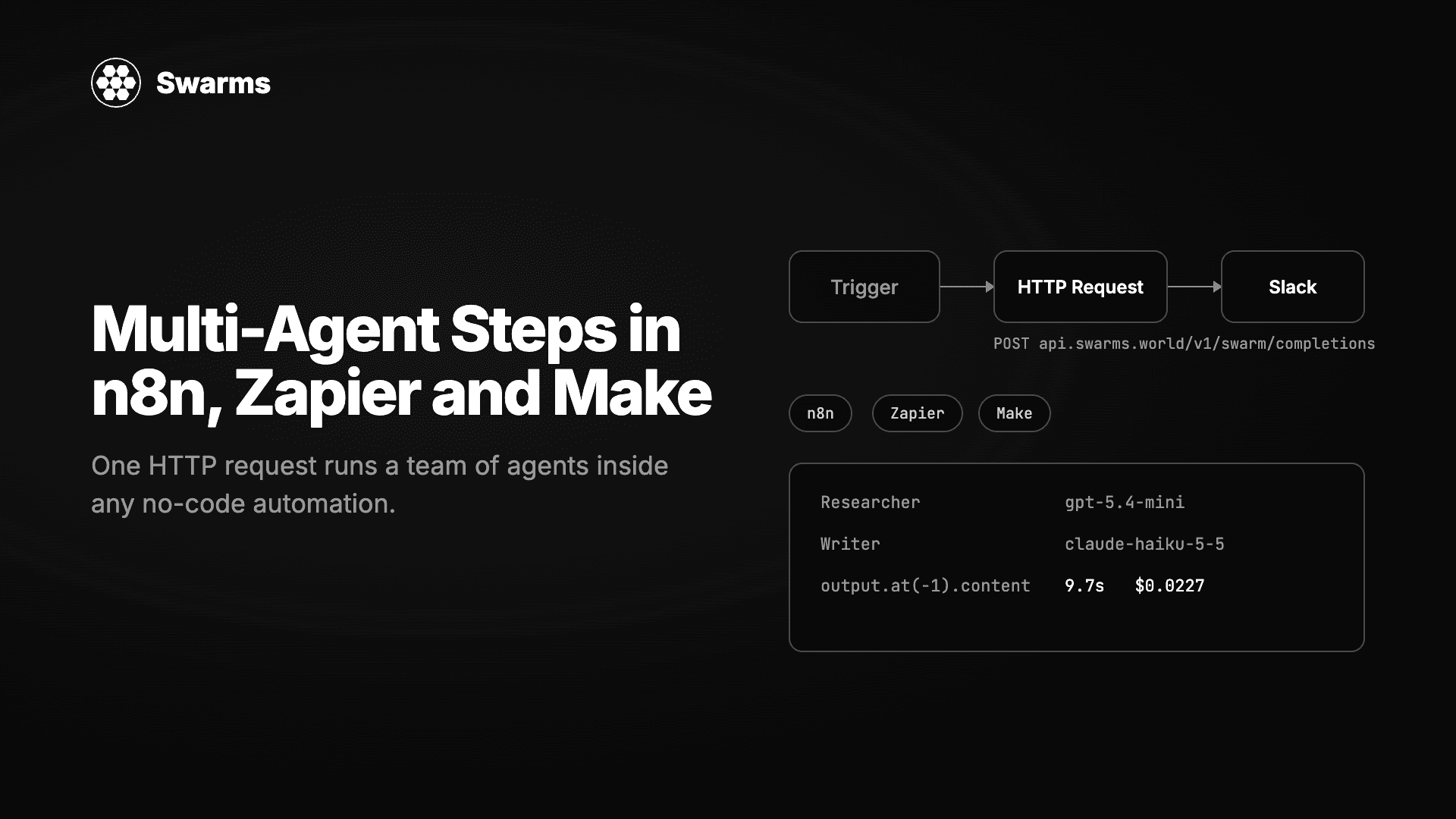
- Per run: about $0.023, which matches the $0.0227 we measured for that exact swarm
- 500 reps clicking it 10 times a day: 5,000 runs, about $115 per day, about $2,500 per month
Now suppose the same button ran a three-agent HierarchicalSwarm with a Sonnet writer: about $0.07 per run, $350 per day, $7,700 per month. Same feature, three times the bill. The difference is almost entirely the model mix and the architecture's re-reading of context. Measure both with the benchmark script before you commit, and build the per-record choice into the product: a cheap swarm by default and the expensive one behind a "deep research" option.
FAQ
How much does a multi-agent system cost per request?
On the Swarms API, a three-agent swarm on a mixed set of small and mid-size models cost between $0.051 and $0.070 per run in our benchmark, depending on architecture. A two-agent swarm on small models costs about $0.023. A single mid-size agent on the same task cost $0.0175 but produced a weaker, truncated result.
What is the Swarms API pricing model?
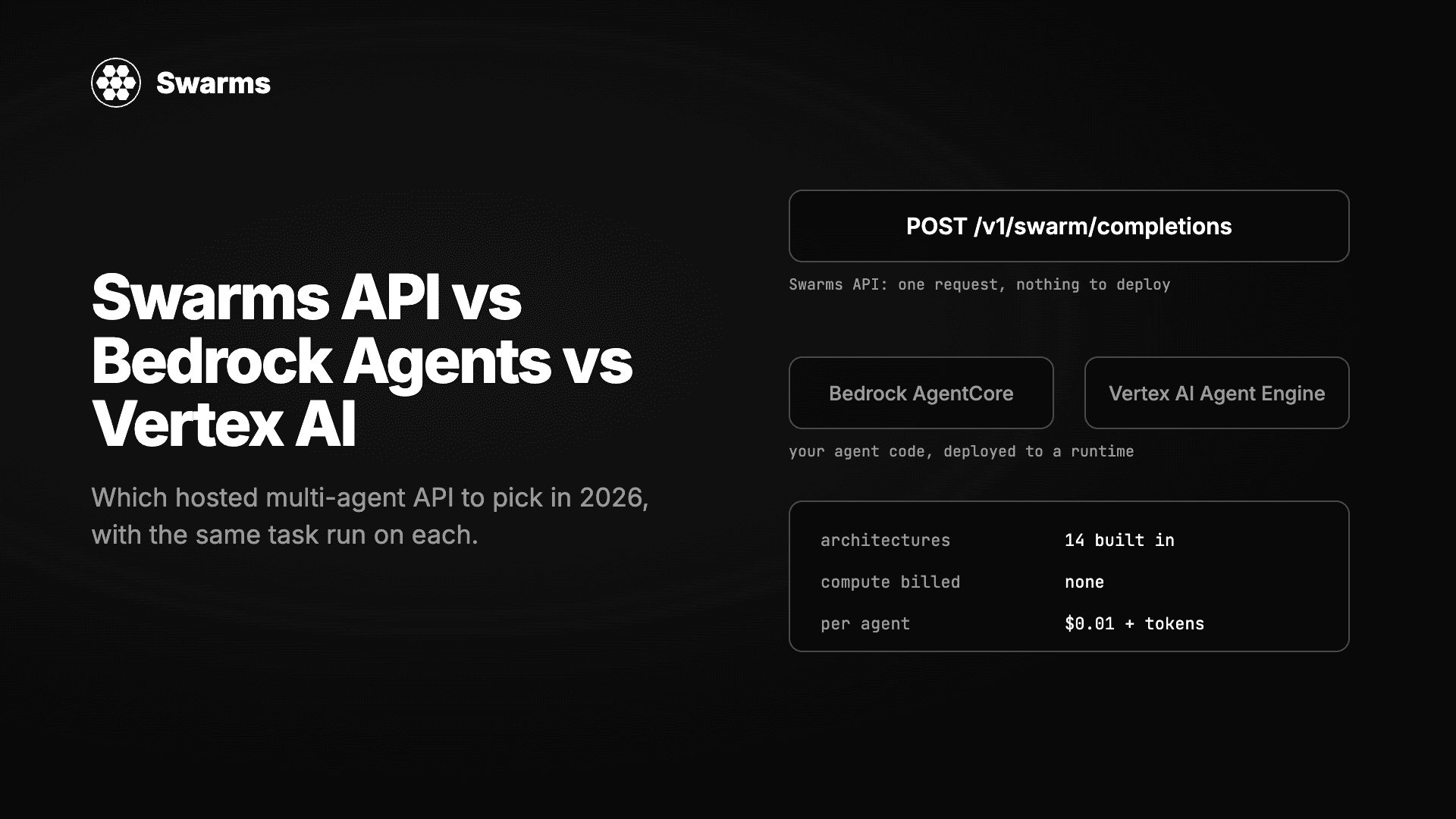
$0.01 per agent per swarm request, plus each agent's tokens at its model's price with a 15% service fee. Single-agent completions have no agent fee. Images are $0.25 each and web search is $0.04 per request that enables it. Paid plans get 50% off swarm token costs between 8pm and 6am Pacific.
Which multi-agent architecture is cheapest?
For the same agents and task, ConcurrentWorkflow was cheapest at $0.051 because each agent reads only the task, and HierarchicalSwarm was the most expensive at $0.070 because the director adds its own tokens and every agent's context. The spread across architectures (36%) was smaller than the spread across model choices (over 200%).
Does running agents in parallel cost more than running them in sequence?
No, it cost less in our test. Parallel agents each receive the original task, while sequential agents receive the accumulated outputs of every previous agent, so sequential runs read more input tokens. Parallel runs were also 38% faster.
How can I reduce LLM agent costs without hurting quality?
Put the expensive model only on the agent whose output a person reads, cap max_tokens on every agent, keep max_loops at 1 unless a revision pass is the goal, and schedule batch jobs into the night-time discount window. Our mixed-model swarm cost 27% less than the same swarm on one strong model with no visible difference in the final brief.
Get started
curl -H "x-api-key: $SWARMS_API_KEY" \
  "https://api.swarms.world/v1/models/pricing?model_name=claude-haiku-5-5"
Run the benchmark script above on your own task before you design around a number. Prices are live at GET /v1/models/available, the full fee schedule is on the pricing page, and the Swarms API documentation covers every field in the usage block. For the architectures themselves, Swarm architectures explained describes when each one fits.