Most multi-agent tutorials assume Python. If your product is a Next.js app, an Express service or a Bun worker, you do not want a second runtime just to run agents. You want an HTTP call you can type, test and deploy with the rest of your code.
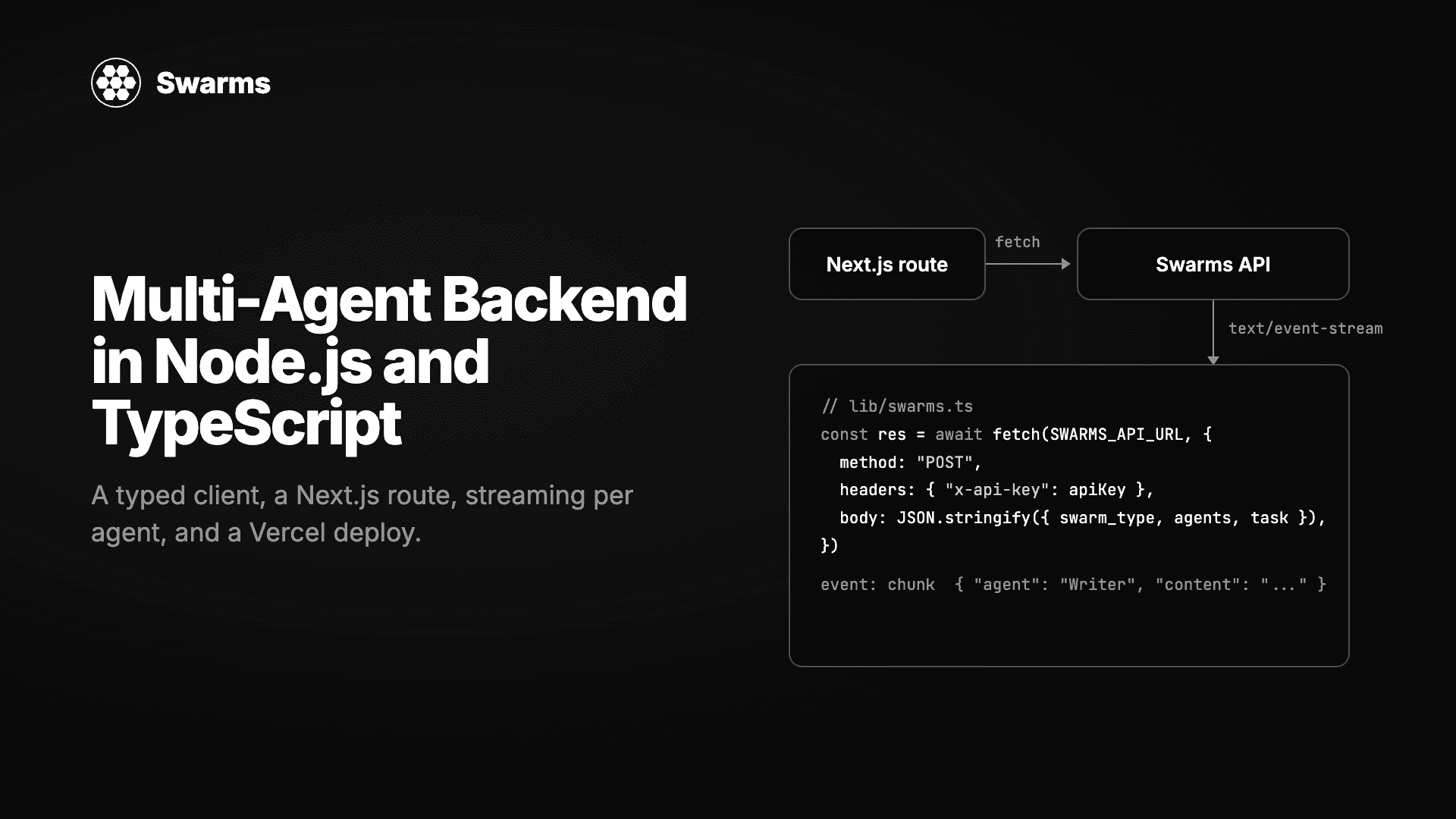
The Swarms API is that call. Every architecture it supports, from a sequential pipeline to a hierarchical swarm with a director, is one POST to /v1/swarm/completions. This guide builds a small production backend around it in TypeScript: a typed client with no dependencies, a reusable swarm definition, a command-line runner, a JSON route handler, a streaming route that shows each agent's tokens as they arrive, and the deploy to Vercel. Every file below typechecks under strict and the CLI runs on Node 24 with no build step.
What we are building
A "market brief desk": three agents that research a topic, analyse it and write a short competitive brief. A researcher on gpt-5.4-mini, an analyst on claude-haiku-5-5 and a writer on claude-sonnet-5-5, run in order as a SequentialWorkflow. Mixing providers in one swarm is a normal thing to do on the Swarms API, since each agent sets its own model_name.
The file layout, which matches a default Next.js App Router project:
lib/swarms.ts               typed client
lib/brief-swarm.ts          the swarm definition
scripts/run.ts              CLI runner
app/api/brief/route.ts      JSON endpoint
app/api/brief/stream/route.ts   SSE endpoint
components/brief-stream.tsx client component
You need a Swarms API key from swarms.world in SWARMS_API_KEY. Nothing else to install: fetch is built into Node 18+, Bun, Deno and every edge runtime.
Step 1: a typed client
The API's request and response shapes are small enough to type by hand. Doing so means the compiler catches a misspelled swarm_type before the API returns a 422.
// lib/swarms.ts
// A small typed client for the Swarms API. No SDK, no dependencies: fetch is
// built into Node 18+, Bun, Deno and every edge runtime.

export const SWARMS_API_URL = "https://api.swarms.world"

export type SwarmType =
  | "SequentialWorkflow"
  | "ConcurrentWorkflow"
  | "HierarchicalSwarm"
  | "MixtureOfAgents"
  | "MajorityVoting"
  | "GroupChat"
  | "AgentRearrange"
  | "MultiAgentRouter"
  | "CouncilAsAJudge"
  | "HeavySwarm"
  | "LLMCouncil"
  | "DebateWithJudge"
  | "RoundRobin"
  | "PlannerWorkerSwarm"

export type AgentSpec = {
  agent_name: string
  system_prompt: string
  model_name?: string
  description?: string
  max_loops?: number
  max_tokens?: number
  temperature?: number
}

export type SwarmRequest = {
  name: string
  description?: string
  swarm_type: SwarmType
  task: string
  agents: AgentSpec[]
  max_loops?: number
  rearrange_flow?: string
  stream?: boolean
}

export type SwarmMessage = { role: string; content: string }

export type SwarmUsage = {
  input_tokens: number
  output_tokens: number
  total_tokens: number
  total_cost: number
  billing_info?: {
    cost_breakdown: {
      agent_cost: number
      input_token_cost: number
      output_token_cost: number
      num_agents: number
    }
  }
}

export type SwarmResponse = {
  job_id: string
  status: string
  swarm_name: string
  swarm_type: SwarmType
  output: SwarmMessage[]
  number_of_agents: number
  execution_time: number
  usage: SwarmUsage
}

export class SwarmsError extends Error {
  status: number
  body: string

  constructor(status: number, body: string) {
    super(`Swarms API ${status}: ${body}`)
    this.name = "SwarmsError"
    this.status = status
    this.body = body
  }
}

export async function runSwarm(
  request: SwarmRequest,
  apiKey: string | undefined = process.env.SWARMS_API_KEY,
): Promise<SwarmResponse> {
  if (!apiKey) throw new Error("SWARMS_API_KEY is not set")

  const res = await fetch(`${SWARMS_API_URL}/v1/swarm/completions`, {
    method: "POST",
    headers: { "x-api-key": apiKey, "Content-Type": "application/json" },
    body: JSON.stringify({ ...request, stream: false }),
  })

  if (!res.ok) throw new SwarmsError(res.status, await res.text())
  return (await res.json()) as SwarmResponse
}

/** Opens a streaming run and returns the raw Server-Sent Events body. */
export async function streamSwarm(
  request: SwarmRequest,
  apiKey: string | undefined = process.env.SWARMS_API_KEY,
): Promise<Response> {
  if (!apiKey) throw new Error("SWARMS_API_KEY is not set")

  return fetch(`${SWARMS_API_URL}/v1/swarm/completions`, {
    method: "POST",
    headers: {
      "x-api-key": apiKey,
      "Content-Type": "application/json",
      "X-Accel-Buffering": "no",
    },
    body: JSON.stringify({ ...request, stream: true }),
  })
}
Two details worth noting. SwarmsError declares its fields explicitly instead of using constructor parameter properties, because Node's native TypeScript support only strips erasable syntax and parameter properties are not erasable. And output is typed as a list of { role, content } entries, which is what every architecture used in this guide returns, with the final agent's message last.
Step 2: define the swarm once
The CLI, the JSON route and the streaming route should run the same agents. Put the request in one function.
// lib/brief-swarm.ts
import type { SwarmRequest } from "./swarms.ts"

// One function builds the request, so the CLI, the JSON route and the
// streaming route all run exactly the same swarm.
export function briefSwarm(topic: string): SwarmRequest {
  return {
    name: "Market Brief Desk",
    swarm_type: "SequentialWorkflow",
    task:
      `Write a competitive brief on ${topic}. Cover market size, three main ` +
      "competitors, key risks and a recommendation. Keep it under 500 words.",
    max_loops: 1,
    agents: [
      {
        agent_name: "Researcher",
        system_prompt:
          "You are a market researcher. List the facts, figures and competitor details relevant to the task as concise bullet points. Do not write the brief.",
        model_name: "gpt-5.4-mini",
        max_loops: 1,
        max_tokens: 1200,
      },
      {
        agent_name: "Analyst",
        system_prompt:
          "You are a strategy analyst. Turn the research into structured findings: market size, competitors, risks, and a recommendation with reasoning.",
        model_name: "claude-haiku-5-5",
        max_loops: 1,
        max_tokens: 1200,
      },
      {
        agent_name: "Writer",
        system_prompt:
          "You are a business writer. Write the final brief under 500 words with the sections: Market size, Main competitors, Key risks, Recommendation.",
        model_name: "claude-sonnet-5-5",
        max_loops: 1,
        max_tokens: 1500,
      },
    ],
  }
}
The .ts extension on the import is deliberate. Node's native TypeScript loader requires it, and TypeScript accepts it with allowImportingTsExtensions when noEmit is on. Bundlers such as Next.js and Vite handle it too.
Step 3: run it from the command line
Node 24 runs TypeScript directly, so a script is the fastest way to check that the key works and to see what the swarm produces.
// scripts/run.ts
// Run with: SWARMS_API_KEY=... node scripts/run.ts "shared e-scooters in Berlin"
import { briefSwarm } from "../lib/brief-swarm.ts"
import { runSwarm } from "../lib/swarms.ts"

const topic = process.argv[2] ?? "shared e-scooters in Berlin"
const result = await runSwarm(briefSwarm(topic))

for (const step of result.output) {
  console.log(`\n## ${step.role}\n${step.content}`)
}

const { total_tokens, total_cost } = result.usage
console.log(`\n${result.number_of_agents} agents, ${result.execution_time.toFixed(1)}s, ${total_tokens} tokens, $${total_cost.toFixed(4)}`)
export SWARMS_API_KEY=your_key
node scripts/run.ts "shared e-scooters in Berlin"
When we ran this exact swarm, the three agents finished in 22 seconds and the last line read 3 agents, 22.2s, 8488 tokens, $0.0588. The cost comes straight from the response, so there is nothing to estimate: the API bills $0.01 per agent plus each model's token price with a 15% service fee, and reports the total in usage.total_cost.
On Node 22 you need the --experimental-strip-types flag. On Bun, bun scripts/run.ts works as is.
Step 4: a JSON route handler in Next.js
The route validates input, calls the swarm and returns the final brief along with the intermediate steps and the cost. The API key stays on the server.
// app/api/brief/route.ts
import { NextResponse } from "next/server"

import { briefSwarm } from "@/lib/brief-swarm"
import { runSwarm, SwarmsError } from "@/lib/swarms"

// A three-agent swarm takes 15 to 30 seconds. Vercel's default function
// timeout is shorter than that on some plans, so raise it explicitly.
export const maxDuration = 60

export async function POST(req: Request) {
  const { topic } = (await req.json().catch(() => ({}))) as { topic?: string }

  if (!topic || topic.length > 300) {
    return NextResponse.json({ error: "topic is required (max 300 characters)" }, { status: 400 })
  }

  try {
    const result = await runSwarm(briefSwarm(topic))
    const brief = result.output.at(-1)?.content ?? ""

    return NextResponse.json({
      brief,
      steps: result.output,
      seconds: result.execution_time,
      cost: result.usage.total_cost,
    })
  } catch (err) {
    if (err instanceof SwarmsError) {
      // 429 is the only upstream status worth passing through unchanged: it
      // tells the client to back off. Everything else is our problem.
      const status = err.status === 429 ? 429 : 502
      return NextResponse.json({ error: err.body }, { status })
    }
    throw err
  }
}
Test it locally:
pnpm dev
curl -X POST http://localhost:3000/api/brief \
  -H "Content-Type: application/json" \
  -d '{"topic": "shared e-scooters in Berlin"}'
The topic.length check matters more than it looks. The task string goes into every agent's prompt, so an unbounded topic is an unbounded bill. Cap it, and if you expose the route publicly, put it behind your own auth or rate limit.
Step 5: stream each agent to the browser
A 20-second spinner is a poor experience. With stream: true the API returns Server-Sent Events, and for SequentialWorkflow and AgentRearrange every token chunk carries the name of the agent that produced it. The route below passes the upstream body straight through, so the browser never sees the API key and the server buffers nothing.
// app/api/brief/stream/route.ts
import { briefSwarm } from "@/lib/brief-swarm"
import { streamSwarm } from "@/lib/swarms"

export const maxDuration = 60

export async function POST(req: Request) {
  const { topic } = (await req.json().catch(() => ({}))) as { topic?: string }

  if (!topic || topic.length > 300) {
    return Response.json({ error: "topic is required (max 300 characters)" }, { status: 400 })
  }

  const upstream = await streamSwarm(briefSwarm(topic))

  if (!upstream.ok || !upstream.body) {
    return new Response(await upstream.text(), { status: upstream.status })
  }

  // Pass the Server-Sent Events through untouched. The browser never sees
  // the API key, and the route holds nothing in memory.
  return new Response(upstream.body, {
    headers: {
      "Content-Type": "text/event-stream",
      "Cache-Control": "no-cache, no-transform",
      Connection: "keep-alive",
      "X-Accel-Buffering": "no",
    },
  })
}
The stream emits a fixed sequence of named events: metadata, start, status, then per agent agent_start, many chunk events and agent_end, then usage, end and done. If anything fails, a single error event arrives instead. The client component below cares about three of them: chunk to append text under the right agent, usage to show the final cost, and error.
// components/brief-stream.tsx
"use client"

import { useState } from "react"

type ChunkEvent = { agent: string; content: string }
type UsageEvent = { total_cost: number; total_tokens: number }
type ErrorEvent = { error: string }

export function BriefStream() {
  const [topic, setTopic] = useState("shared e-scooters in Berlin")
  const [byAgent, setByAgent] = useState<Record<string, string>>({})
  const [status, setStatus] = useState("idle")

  async function run() {
    setByAgent({})
    setStatus("running")

    const res = await fetch("/api/brief/stream", {
      method: "POST",
      headers: { "Content-Type": "application/json" },
      body: JSON.stringify({ topic }),
    })

    if (!res.ok || !res.body) {
      setStatus(`error ${res.status}`)
      return
    }

    const reader = res.body.getReader()
    const decoder = new TextDecoder()
    let buffer = ""
    let event = "message"

    while (true) {
      const { value, done } = await reader.read()
      if (done) break

      buffer += decoder.decode(value, { stream: true })
      const lines = buffer.split("\n")
      buffer = lines.pop() ?? ""

      for (const line of lines) {
        if (line.startsWith("event:")) {
          event = line.slice("event:".length).trim()
          continue
        }
        if (!line.startsWith("data:")) continue

        const data: unknown = JSON.parse(line.slice("data:".length))

        if (event === "chunk" && isChunk(data)) {
          // Every chunk names the agent that produced it, so the UI can keep
          // one panel per agent even when two of them stream at once.
          setByAgent((prev) => ({ ...prev, [data.agent]: (prev[data.agent] ?? "") + data.content }))
        } else if (event === "usage") {
          const usage = data as UsageEvent
          setStatus(`done: ${usage.total_tokens} tokens, $${usage.total_cost.toFixed(4)}`)
        } else if (event === "error") {
          setStatus((data as ErrorEvent).error)
        }
      }
    }
  }

  return (
    <div className="space-y-4">
      <div className="flex gap-2">
        <input
          className="flex-1 rounded border border-white/20 bg-black px-3 py-2"
          value={topic}
          onChange={(e) => setTopic(e.target.value)}
        />
        <button className="rounded bg-white px-4 py-2 text-black" onClick={run} disabled={status === "running"}>
          Run swarm
        </button>
      </div>
      <p className="font-mono text-xs text-white/60">{status}</p>
      {Object.entries(byAgent).map(([agent, text]) => (
        <section key={agent}>
          <h3 className="font-semibold">{agent}</h3>
          <pre className="whitespace-pre-wrap text-sm text-white/80">{text}</pre>
        </section>
      ))}
    </div>
  )
}

function isChunk(data: unknown): data is ChunkEvent {
  return typeof data === "object" && data !== null && "agent" in data && "content" in data
}
Drop <BriefStream /> into any page and you have a live view of the researcher finishing, then the analyst picking up, then the writer. If you switch the swarm to AgentRearrange with a flow such as "Researcher, Analyst -> Writer", the first two agents stream at the same time and the per-agent panels fill in parallel. For the other architectures the API runs the whole swarm first and sends one chunk with the complete output, so the same component still works, it just arrives at once.
Step 6: deploy to Vercel
vercel env add SWARMS_API_KEY
vercel --prod
Three things to check in production:
- Function duration. Both routes export
maxDuration = 60. Swarm runs with more agents or higher max_loops take longer, so raise it or move long jobs to a queue.
- Rate limits. A free Swarms account allows 100 requests per minute and 1,200 per day; paid tiers raise that to 2,000 per minute. Pass a 429 through to the client, as the JSON route does, and retry with backoff on 503.
- Cost visibility. Log
usage.total_cost and job_id from every response. The same numbers are available later from GET /v1/swarm/logs, which makes reconciling a customer's bill a query rather than a guess.
Going further
Everything above used one architecture. Changing it is a one-line edit in briefSwarm:
ConcurrentWorkflow runs the three agents at once on the same task, useful when they are independent perspectives rather than a pipeline. Our test run finished in 14 seconds instead of 22.HierarchicalSwarm adds a director (director_model_name, default gpt-5.4) that writes each agent's orders from the task, then collects their output.MajorityVoting sends the same question to several agents and returns the consensus, a good fit for classification and approval checks.
For batch work, POST /v1/swarm/batch/completions accepts up to 50 swarm requests in one call on paid tiers. For single agents with web search, POST /v1/agent/completions with tools_enabled: ["auto_search"] uses the same client pattern with a different body.
FAQ
Does the Swarms API have an official TypeScript SDK?
The API is plain HTTP with JSON, and the typed client in this guide is about 100 lines with no dependencies. The Swarms API Examples repository includes TypeScript and cURL examples alongside Python, and the OpenAI-compatible endpoint lets you use the official OpenAI Node SDK for single-model chat completions by changing baseURL and apiKey.
Can I run the Swarms API on Vercel Edge or Cloudflare Workers?
Yes for the request itself, since it is a single fetch. The routes in this guide use the Node runtime so they can read process.env and set maxDuration; on an edge runtime read the key from the platform's bindings instead. Streaming pass-through works on both.
How do I keep the API key out of the browser?
Call the Swarms API only from server code: route handlers, server actions or a worker. The streaming route above forwards the event stream to the client without exposing the header. Never ship SWARMS_API_KEY in a NEXT_PUBLIC_ variable.
How long does a swarm request take?
It depends on the models, the number of agents and the architecture. Our three-agent SequentialWorkflow took 22 seconds and the same agents as a ConcurrentWorkflow took 14 seconds. Streaming makes the wait visible rather than shorter. For anything above a minute, start the run from a background job and store the result.
What does a three-agent swarm cost per request?
Our run cost $0.0588: $0.03 for three agents plus $0.0288 for 8,488 tokens across GPT-5.4 mini, Claude Haiku 5.5 and Claude Sonnet 5.5. The response includes the breakdown under usage.billing_info, and GET /v1/models/pricing?model_name=... returns current per-token prices with the service fee included.
Get started
npx create-next-app@latest brief-desk --ts --app
cd brief-desk
export SWARMS_API_KEY=your_key
Copy the five files from this guide into the project, run node scripts/run.ts to confirm the key works, then pnpm dev and open the page that renders BriefStream. Get an API key at swarms.world, read the Swarms API documentation for every request field, and browse the Swarms API Examples repository for more runnable code. The Swarms Academy course walks through each architecture with live API calls you can run from the lesson.