指南工程
用 Node.js 和 TypeScript 基于 Swarms API 构建多智能体后端
一份完整的 Swarms API TypeScript 指南:一个带类型的 fetch 客户端、一个 Next.js 路由处理器、一个在浏览器中实时显示每个智能体输出的流式路由、一个无需构建即可在 Node 24 上运行的命令行脚本,以及 Vercel 部署。不需要 Python。
Kye Gomez13 分钟阅读

一份完整的 Swarms API TypeScript 指南:一个带类型的 fetch 客户端、一个 Next.js 路由处理器、一个在浏览器中实时显示每个智能体输出的流式路由、一个无需构建即可在 Node 24 上运行的命令行脚本,以及 Vercel 部署。不需要 Python。
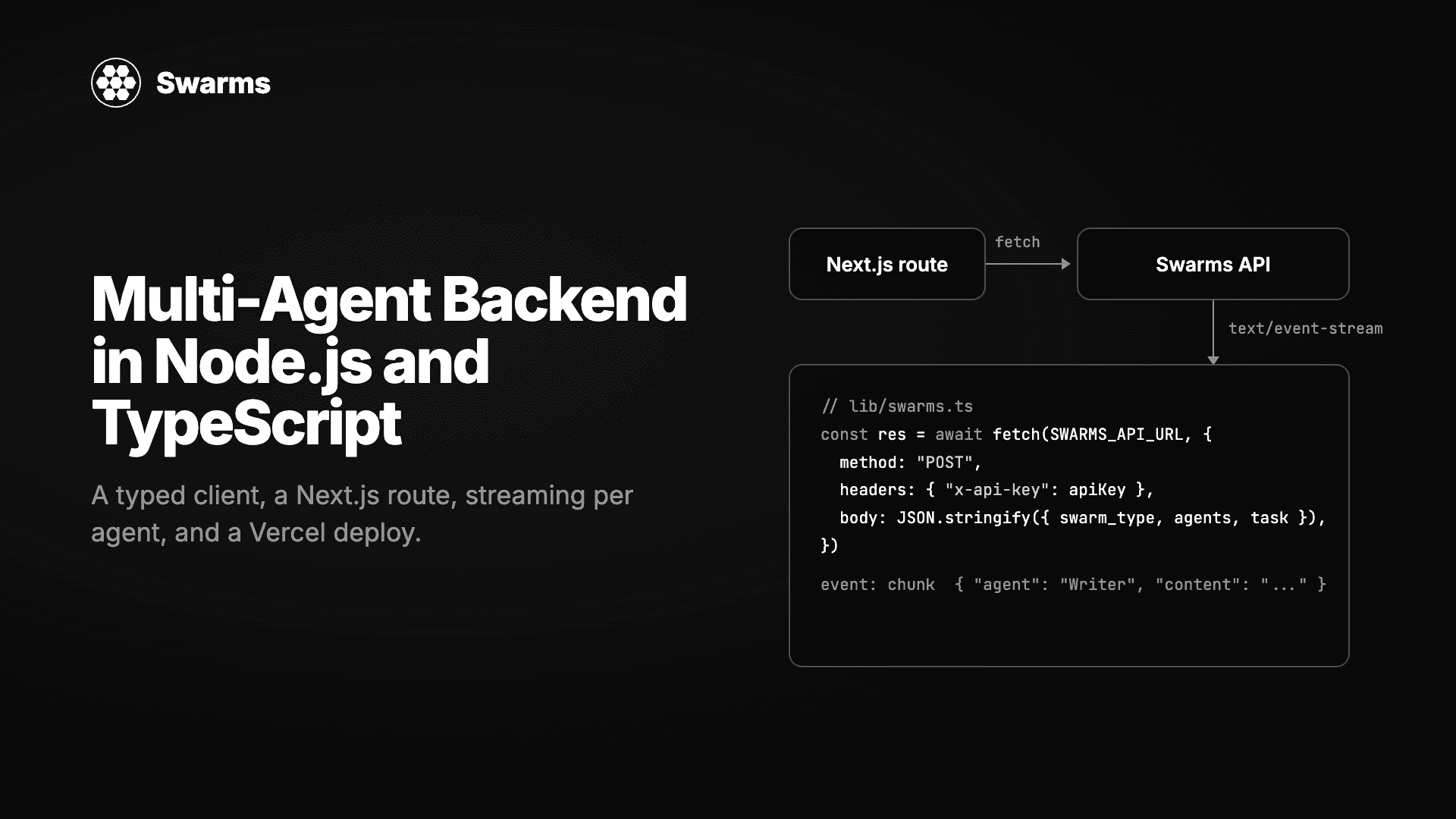
大多数多智能体教程都默认你用 Python。如果你的产品是一个 Next.js 应用、一个 Express 服务或一个 Bun worker,你不会想为了跑智能体而再维护第二套运行时。你想要的是一次可以加类型、可以测试、可以和其余代码一起部署的 HTTP 调用。
Swarms API 就是这样一次调用。它支持的每一种架构,从顺序流水线到带主管的层级集群,都是对 /v1/swarm/completions 的一次 POST。本指南用 TypeScript 围绕它搭建一个小型生产后端:一个零依赖的带类型客户端、一个可复用的集群定义、一个命令行运行器、一个 JSON 路由处理器、一个在 token 到达时就显示每个智能体输出的流式路由,以及到 Vercel 的部署。下面每个文件都在 strict 模式下通过类型检查,命令行脚本在 Node 24 上无需构建即可运行。
一个“市场简报台”:三个智能体研究一个主题、进行分析,然后写一份简短的竞争简报。研究员用 gpt-5.4-mini,分析师用 claude-haiku-5-5,撰稿人用 claude-sonnet-5-5,以 SequentialWorkflow 顺序运行。在 Swarms API 上,一个集群里混用多家供应商是很平常的事,因为每个智能体各自设置 model_name。
文件布局与默认的 Next.js App Router 项目一致:
lib/swarms.ts               带类型的客户端
lib/brief-swarm.ts          集群定义
scripts/run.ts              命令行运行器
app/api/brief/route.ts      JSON 端点
app/api/brief/stream/route.ts   SSE 端点
components/brief-stream.tsx 客户端组件
你需要在 swarms.world 获取一个 Swarms API 密钥,放进 SWARMS_API_KEY。不需要安装其他东西:fetch 内置于 Node 18+、Bun、Deno 和所有边缘运行时。
API 的请求和响应结构足够小,可以手写类型。这样做的好处是,拼错的 swarm_type 会在编译时被抓住,而不是等 API 返回 422。
// lib/swarms.ts
// A small typed client for the Swarms API. No SDK, no dependencies: fetch is
// built into Node 18+, Bun, Deno and every edge runtime.

export const SWARMS_API_URL = "https://api.swarms.world"

export type SwarmType =
  | "SequentialWorkflow"
  | "ConcurrentWorkflow"
  | "HierarchicalSwarm"
  | "MixtureOfAgents"
  | "MajorityVoting"
  | "GroupChat"
  | "AgentRearrange"
  | "MultiAgentRouter"
  | "CouncilAsAJudge"
  | "HeavySwarm"
  | "LLMCouncil"
  | "DebateWithJudge"
  | "RoundRobin"
  | "PlannerWorkerSwarm"

export type AgentSpec = {
  agent_name: string
  system_prompt: string
  model_name?: string
  description?: string
  max_loops?: number
  max_tokens?: number
  temperature?: number
}

export type SwarmRequest = {
  name: string
  description?: string
  swarm_type: SwarmType
  task: string
  agents: AgentSpec[]
  max_loops?: number
  rearrange_flow?: string
  stream?: boolean
}

export type SwarmMessage = { role: string; content: string }

export type SwarmUsage = {
  input_tokens: number
  output_tokens: number
  total_tokens: number
  total_cost: number
  billing_info?: {
    cost_breakdown: {
      agent_cost: number
      input_token_cost: number
      output_token_cost: number
      num_agents: number
    }
  }
}

export type SwarmResponse = {
  job_id: string
  status: string
  swarm_name: string
  swarm_type: SwarmType
  output: SwarmMessage[]
  number_of_agents: number
  execution_time: number
  usage: SwarmUsage
}

export class SwarmsError extends Error {
  status: number
  body: string

  constructor(status: number, body: string) {
    super(`Swarms API ${status}: ${body}`)
    this.name = "SwarmsError"
    this.status = status
    this.body = body
  }
}

export async function runSwarm(
  request: SwarmRequest,
  apiKey: string | undefined = process.env.SWARMS_API_KEY,
): Promise<SwarmResponse> {
  if (!apiKey) throw new Error("SWARMS_API_KEY is not set")

  const res = await fetch(`${SWARMS_API_URL}/v1/swarm/completions`, {
    method: "POST",
    headers: { "x-api-key": apiKey, "Content-Type": "application/json" },
    body: JSON.stringify({ ...request, stream: false }),
  })

  if (!res.ok) throw new SwarmsError(res.status, await res.text())
  return (await res.json()) as SwarmResponse
}

/** Opens a streaming run and returns the raw Server-Sent Events body. */
export async function streamSwarm(
  request: SwarmRequest,
  apiKey: string | undefined = process.env.SWARMS_API_KEY,
): Promise<Response> {
  if (!apiKey) throw new Error("SWARMS_API_KEY is not set")

  return fetch(`${SWARMS_API_URL}/v1/swarm/completions`, {
    method: "POST",
    headers: {
      "x-api-key": apiKey,
      "Content-Type": "application/json",
      "X-Accel-Buffering": "no",
    },
    body: JSON.stringify({ ...request, stream: true }),
  })
}两个值得注意的细节。SwarmsError 显式声明字段,而不是使用构造函数参数属性,因为 Node 的原生 TypeScript 支持只会剥离可擦除的语法,参数属性不可擦除。另外 output 的类型是 { role, content } 条目的列表,这是本指南用到的每种架构返回的形态,最后一个智能体的消息排在最后。
命令行、JSON 路由和流式路由应该运行同一组智能体。把请求放进一个函数。
// lib/brief-swarm.ts
import type { SwarmRequest } from "./swarms.ts"

// One function builds the request, so the CLI, the JSON route and the
// streaming route all run exactly the same swarm.
export function briefSwarm(topic: string): SwarmRequest {
  return {
    name: "Market Brief Desk",
    swarm_type: "SequentialWorkflow",
    task:
      `Write a competitive brief on ${topic}. Cover market size, three main ` +
      "competitors, key risks and a recommendation. Keep it under 500 words.",
    max_loops: 1,
    agents: [
      {
        agent_name: "Researcher",
        system_prompt:
          "You are a market researcher. List the facts, figures and competitor details relevant to the task as concise bullet points. Do not write the brief.",
        model_name: "gpt-5.4-mini",
        max_loops: 1,
        max_tokens: 1200,
      },
      {
        agent_name: "Analyst",
        system_prompt:
          "You are a strategy analyst. Turn the research into structured findings: market size, competitors, risks, and a recommendation with reasoning.",
        model_name: "claude-haiku-5-5",
        max_loops: 1,
        max_tokens: 1200,
      },
      {
        agent_name: "Writer",
        system_prompt:
          "You are a business writer. Write the final brief under 500 words with the sections: Market size, Main competitors, Key risks, Recommendation.",
        model_name: "claude-sonnet-5-5",
        max_loops: 1,
        max_tokens: 1500,
      },
    ],
  }
}
导入语句里的 .ts 扩展名是有意为之。Node 的原生 TypeScript 加载器要求写出它,而 TypeScript 在开启 noEmit 并设置 allowImportingTsExtensions 时也接受它。Next.js 和 Vite 这类打包器同样能处理。
Node 24 可以直接运行 TypeScript,所以一个脚本是检查密钥是否可用、看看集群产出什么的最快方式。
// scripts/run.ts
// Run with: SWARMS_API_KEY=... node scripts/run.ts "shared e-scooters in Berlin"
import { briefSwarm } from "../lib/brief-swarm.ts"
import { runSwarm } from "../lib/swarms.ts"

const topic = process.argv[2] ?? "shared e-scooters in Berlin"
const result = await runSwarm(briefSwarm(topic))

for (const step of result.output) {
  console.log(`\n## ${step.role}\n${step.content}`)
}

const { total_tokens, total_cost } = result.usage
console.log(`\n${result.number_of_agents} agents, ${result.execution_time.toFixed(1)}s, ${total_tokens} tokens, $${total_cost.toFixed(4)}`)export SWARMS_API_KEY=your_key
node scripts/run.ts "shared e-scooters in Berlin"我们实际运行这个集群时,三个智能体在 22 秒内完成,最后一行输出是 3 agents, 22.2s, 8488 tokens, $0.0588。费用直接来自响应,无需估算:API 按每个智能体 $0.01 加上每个模型的 token 价格及 15% 服务费计费,并在 usage.total_cost 中报告总额。
在 Node 22 上需要加 --experimental-strip-types 参数。在 Bun 上,bun scripts/run.ts 直接可用。
这个路由校验输入、调用集群,然后返回最终简报以及中间步骤和费用。API 密钥留在服务端。
// app/api/brief/route.ts
import { NextResponse } from "next/server"

import { briefSwarm } from "@/lib/brief-swarm"
import { runSwarm, SwarmsError } from "@/lib/swarms"

// A three-agent swarm takes 15 to 30 seconds. Vercel's default function
// timeout is shorter than that on some plans, so raise it explicitly.
export const maxDuration = 60

export async function POST(req: Request) {
  const { topic } = (await req.json().catch(() => ({}))) as { topic?: string }

  if (!topic || topic.length > 300) {
    return NextResponse.json({ error: "topic is required (max 300 characters)" }, { status: 400 })
  }

  try {
    const result = await runSwarm(briefSwarm(topic))
    const brief = result.output.at(-1)?.content ?? ""

    return NextResponse.json({
      brief,
      steps: result.output,
      seconds: result.execution_time,
      cost: result.usage.total_cost,
    })
  } catch (err) {
    if (err instanceof SwarmsError) {
      // 429 is the only upstream status worth passing through unchanged: it
      // tells the client to back off. Everything else is our problem.
      const status = err.status === 429 ? 429 : 502
      return NextResponse.json({ error: err.body }, { status })
    }
    throw err
  }
}
本地测试:
pnpm dev
curl -X POST http://localhost:3000/api/brief \
  -H "Content-Type: application/json" \
  -d '{"topic": "shared e-scooters in Berlin"}'
topic.length 的检查比看上去更重要。任务字符串会进入每个智能体的提示词,所以一个不设上限的主题就是一张不设上限的账单。给它设上限,如果路由对外公开,再加上你自己的鉴权或限流。
转 20 秒的加载圈体验很差。设置 stream: true 后,API 返回 Server-Sent Events,对于 SequentialWorkflow 和 AgentRearrange,每个 token 分块都带有产出它的智能体名称。下面的路由把上游的响应体原样透传,浏览器看不到 API 密钥,服务端也不缓存任何内容。
// app/api/brief/stream/route.ts
import { briefSwarm } from "@/lib/brief-swarm"
import { streamSwarm } from "@/lib/swarms"

export const maxDuration = 60

export async function POST(req: Request) {
  const { topic } = (await req.json().catch(() => ({}))) as { topic?: string }

  if (!topic || topic.length > 300) {
    return Response.json({ error: "topic is required (max 300 characters)" }, { status: 400 })
  }

  const upstream = await streamSwarm(briefSwarm(topic))

  if (!upstream.ok || !upstream.body) {
    return new Response(await upstream.text(), { status: upstream.status })
  }

  // Pass the Server-Sent Events through untouched. The browser never sees
  // the API key, and the route holds nothing in memory.
  return new Response(upstream.body, {
    headers: {
      "Content-Type": "text/event-stream",
      "Cache-Control": "no-cache, no-transform",
      Connection: "keep-alive",
      "X-Accel-Buffering": "no",
    },
  })
}事件流会按固定顺序发出命名事件:metadata、start、status,然后每个智能体依次是 agent_start、许多 chunk 事件和 agent_end,最后是 usage、end 和 done。如果出错,则只会收到一个 error 事件。下面的客户端组件关心其中三个:chunk 用来把文本追加到对应的智能体下,usage 用来显示最终费用,以及 error。
// components/brief-stream.tsx
"use client"

import { useState } from "react"

type ChunkEvent = { agent: string; content: string }
type UsageEvent = { total_cost: number; total_tokens: number }
type ErrorEvent = { error: string }

export function BriefStream() {
  const [topic, setTopic] = useState("shared e-scooters in Berlin")
  const [byAgent, setByAgent] = useState<Record<string, string>>({})
  const [status, setStatus] = useState("idle")

  async function run() {
    setByAgent({})
    setStatus("running")

    const res = await fetch("/api/brief/stream", {
      method: "POST",
      headers: { "Content-Type": "application/json" },
      body: JSON.stringify({ topic }),
    })

    if (!res.ok || !res.body) {
      setStatus(`error ${res.status}`)
      return
    }

    const reader = res.body.getReader()
    const decoder = new TextDecoder()
    let buffer = ""
    let event = "message"

    while (true) {
      const { value, done } = await reader.read()
      if (done) break

      buffer += decoder.decode(value, { stream: true })
      const lines = buffer.split("\n")
      buffer = lines.pop() ?? ""

      for (const line of lines) {
        if (line.startsWith("event:")) {
          event = line.slice("event:".length).trim()
          continue
        }
        if (!line.startsWith("data:")) continue

        const data: unknown = JSON.parse(line.slice("data:".length))

        if (event === "chunk" && isChunk(data)) {
          // Every chunk names the agent that produced it, so the UI can keep
          // one panel per agent even when two of them stream at once.
          setByAgent((prev) => ({ ...prev, [data.agent]: (prev[data.agent] ?? "") + data.content }))
        } else if (event === "usage") {
          const usage = data as UsageEvent
          setStatus(`done: ${usage.total_tokens} tokens, $${usage.total_cost.toFixed(4)}`)
        } else if (event === "error") {
          setStatus((data as ErrorEvent).error)
        }
      }
    }
  }

  return (
    <div className="space-y-4">
      <div className="flex gap-2">
        <input
          className="flex-1 rounded border border-white/20 bg-black px-3 py-2"
          value={topic}
          onChange={(e) => setTopic(e.target.value)}
        />
        <button className="rounded bg-white px-4 py-2 text-black" onClick={run} disabled={status === "running"}>
          Run swarm
        </button>
      </div>
      <p className="font-mono text-xs text-white/60">{status}</p>
      {Object.entries(byAgent).map(([agent, text]) => (
        <section key={agent}>
          <h3 className="font-semibold">{agent}</h3>
          <pre className="whitespace-pre-wrap text-sm text-white/80">{text}</pre>
        </section>
      ))}
    </div>
  )
}

function isChunk(data: unknown): data is ChunkEvent {
  return typeof data === "object" && data !== null && "agent" in data && "content" in data
}
把 <BriefStream /> 放进任意页面,你就能实时看到研究员完成、分析师接手、撰稿人收尾。如果把集群切换为 AgentRearrange 并使用类似 "Researcher, Analyst -> Writer" 的流程,前两个智能体会同时输出,各自的面板并行填充。对于其他架构,API 会先运行整个集群,再发送一个包含完整输出的 chunk,所以同一个组件照样能用,只是内容一次性到达。
vercel env add SWARMS_API_KEY
vercel --prod
生产环境中要检查三件事:
maxDuration = 60。智能体更多或 max_loops 更高的集群运行时间更长,所以要调高它,或者把长任务移到队列里。usage.total_cost 和 job_id。同样的数字之后也能从 GET /v1/swarm/logs 取到,对账客户账单就变成了一次查询而不是猜测。上面全部用的是一种架构。更换架构只需在 briefSwarm 里改一行:
ConcurrentWorkflow 让三个智能体同时处理同一任务,适合它们是独立视角而非流水线的情况。我们的测试运行 14 秒完成,而不是 22 秒。HierarchicalSwarm 增加一个主管(director_model_name,默认 gpt-5.4),由它根据任务为每个智能体下达指令,再收集它们的输出。MajorityVoting 把同一个问题发给多个智能体并返回共识,很适合分类和审批检查。批量工作可以用 POST /v1/swarm/batch/completions,付费层级一次最多接受 50 个集群请求。需要联网搜索的单智能体可以用 POST /v1/agent/completions 并设置 tools_enabled: ["auto_search"],客户端模式相同,只是请求体不同。
这个 API 就是普通的 HTTP 加 JSON,本指南中的带类型客户端大约 100 行、零依赖。Swarms API Examples 仓库在 Python 之外也提供 TypeScript 和 cURL 示例,而兼容 OpenAI 的端点让你只需修改 baseURL 和 apiKey,就能用官方 OpenAI Node SDK 进行单模型聊天补全。
请求本身可以,因为它只是一次 fetch。本指南中的路由使用 Node 运行时,以便读取 process.env 并设置 maxDuration;在边缘运行时上,请改从平台的绑定中读取密钥。流式透传在两者上都可用。
只在服务端代码中调用 Swarms API:路由处理器、服务端动作或 worker。上面的流式路由把事件流转发给客户端,而不暴露请求头。永远不要把 SWARMS_API_KEY 放进 NEXT_PUBLIC_ 变量。
取决于模型、智能体数量和架构。我们的三智能体 SequentialWorkflow 用了 22 秒,同一组智能体作为 ConcurrentWorkflow 用了 14 秒。流式输出让等待变得可见,而不是变短。超过一分钟的任务,请从后台作业发起运行并存储结果。
我们的运行费用为 $0.0588:三个智能体 $0.03,加上 GPT-5.4 mini、Claude Haiku 5.5 和 Claude Sonnet 5.5 共 8,488 个 token 的 $0.0288。响应在 usage.billing_info 下包含明细,GET /v1/models/pricing?model_name=... 返回已含服务费的当前单价。
npx create-next-app@latest brief-desk --ts --app
cd brief-desk
export SWARMS_API_KEY=your_key
把本指南中的五个文件复制进项目,运行 node scripts/run.ts 确认密钥可用,然后 pnpm dev 并打开渲染 BriefStream 的页面。在 swarms.world 获取 API 密钥,在 Swarms API 文档查看每个请求字段,并浏览 Swarms API Examples 仓库获取更多可运行代码。Swarms Academy 课程会带你逐个走过每种架构,并提供可以直接在课程中运行的 API 调用。
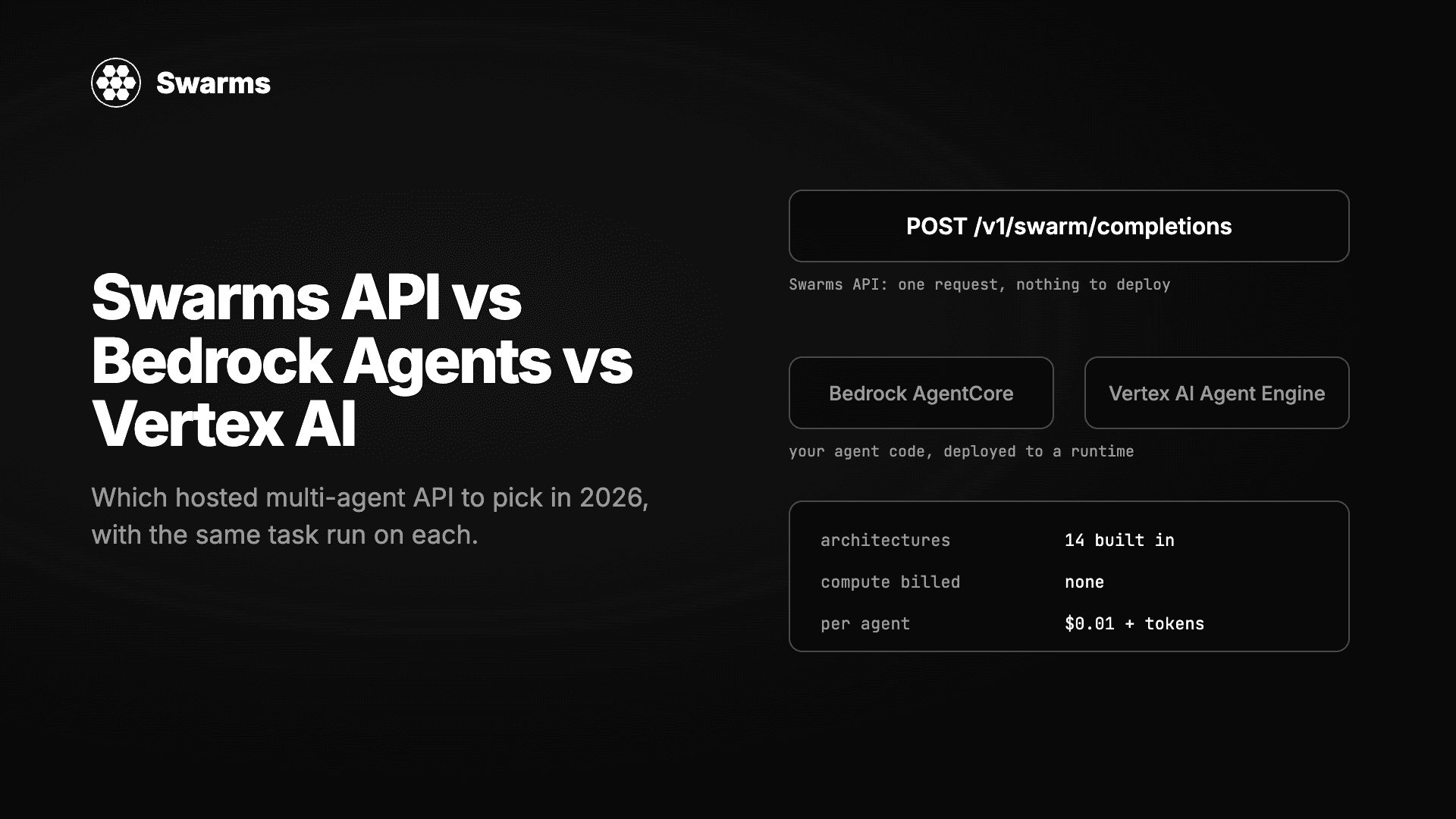
三种无需自建服务器即可运行多智能体系统的方式实测对比:Swarms API、Amazon Bedrock Agents 与 AgentCore、Google 的 Vertex AI Agent Builder 与 ADK。同一任务分别实现,逐项比较架构、模型选择、流式输出、批处理、定价以及拿到第一个结果所需的时间。
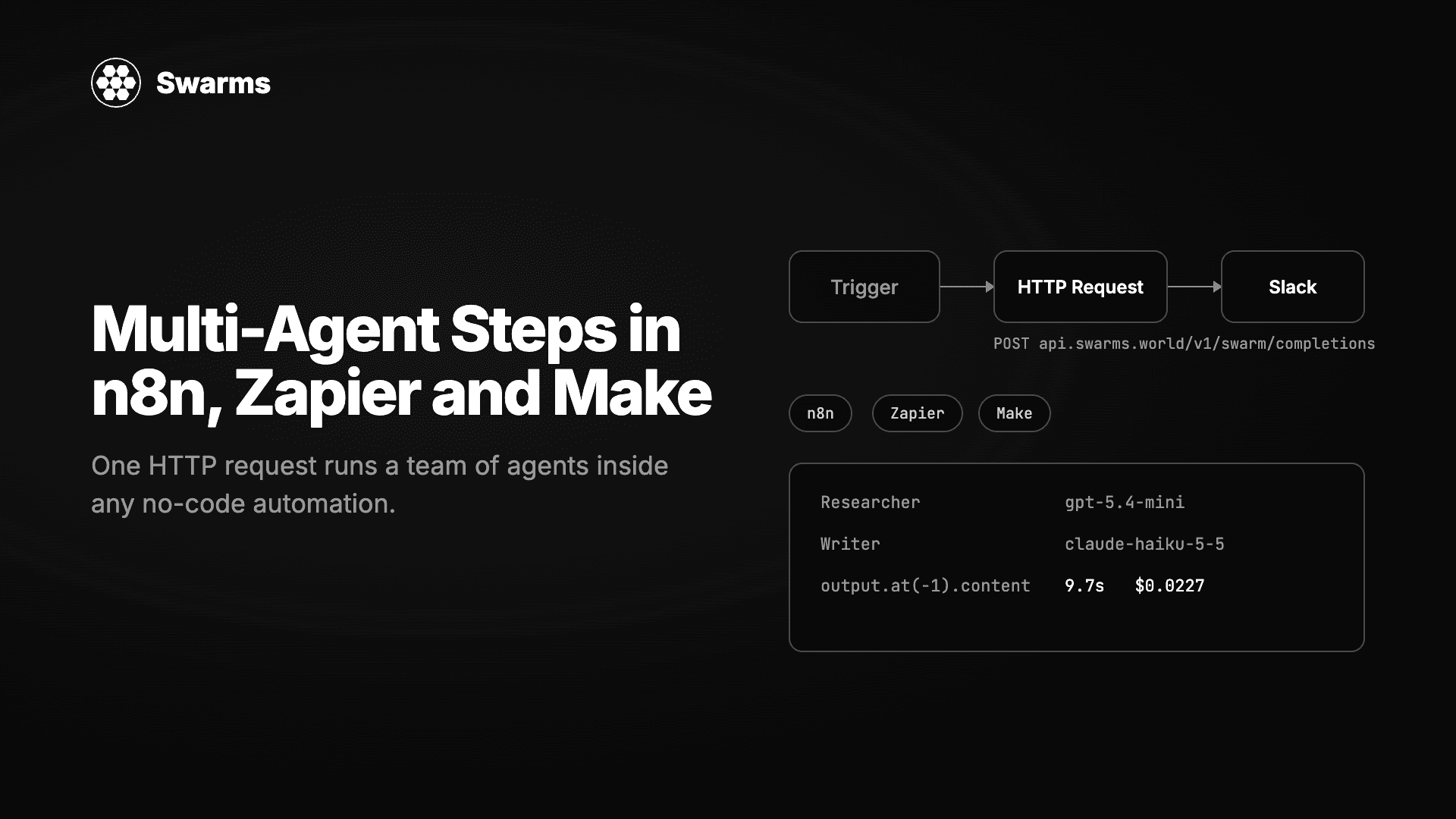
在任何无代码自动化工具中运行一支 AI 智能体团队。一个 HTTP Request 节点、一个 JSON 请求体,Swarms API 就会返回完成的工作。n8n、Zapier 和 Make 的逐步配置,外加三个可直接粘贴的配方:线索补全、工单分诊和每周报告。
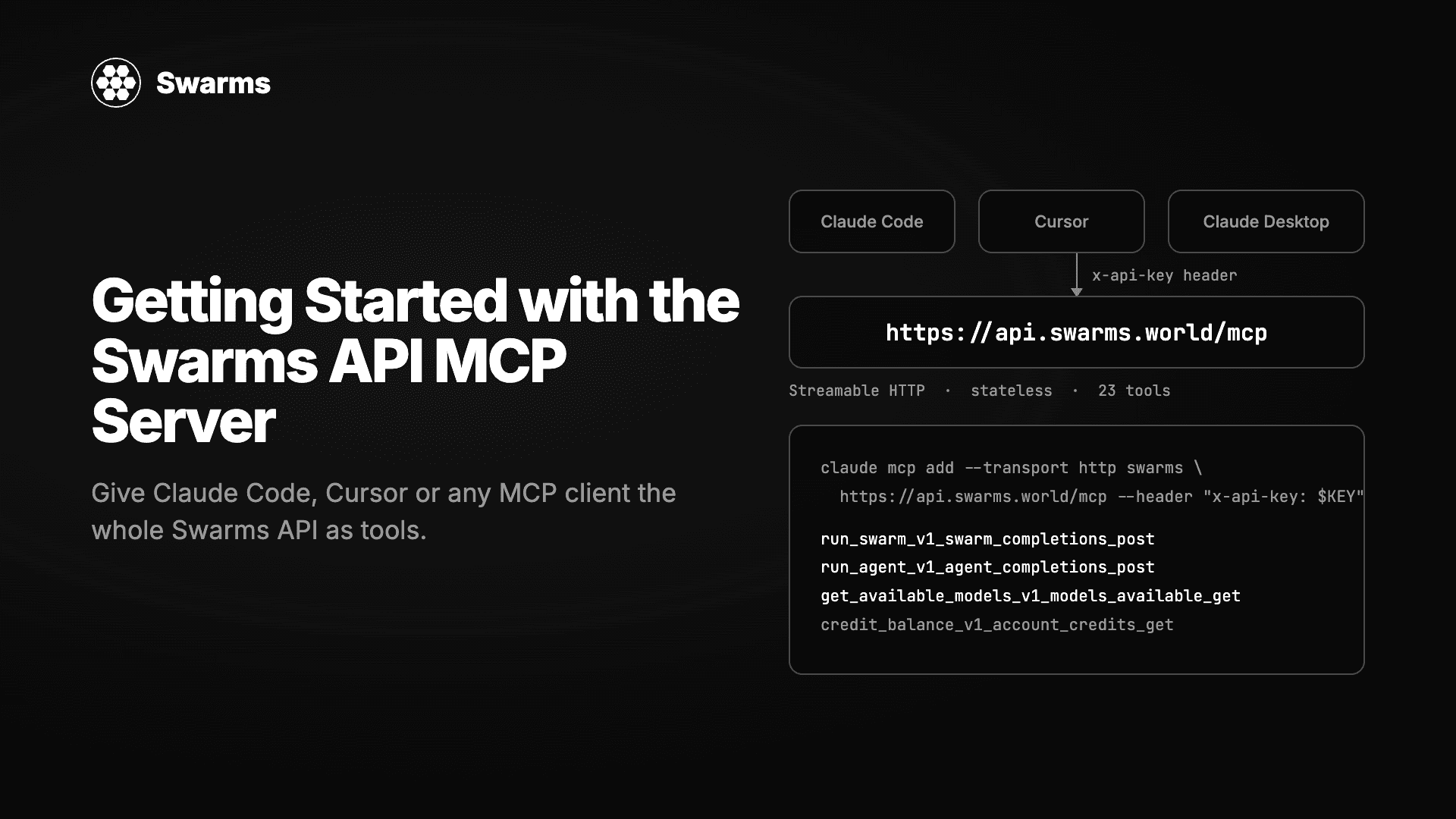
托管在 api.swarms.world/mcp 的 Swarms MCP 服务器完整教程。用两行配置连接 Claude Code、Claude Desktop、Cursor 或你自己的 Python 和 TypeScript 智能体,了解 23 个工具,从一句聊天提示运行你的第一个智能体和集群,读取结果和费用,并解决第一天会遇到的错误。