指南工程
如何用 Python 追踪每个智能体的 LLM token 用量与成本
用 Python 追踪每个智能体的 LLM token 用量与成本:输入、输出、缓存与推理 token,单次运行快照,美元成本换算,以及 Swarms 中整个 swarm 的用量合计。
Swarms 团队11 分钟阅读

用 Python 追踪每个智能体的 LLM token 用量与成本:输入、输出、缓存与推理 token,单次运行快照,美元成本换算,以及 Swarms 中整个 swarm 的用量合计。
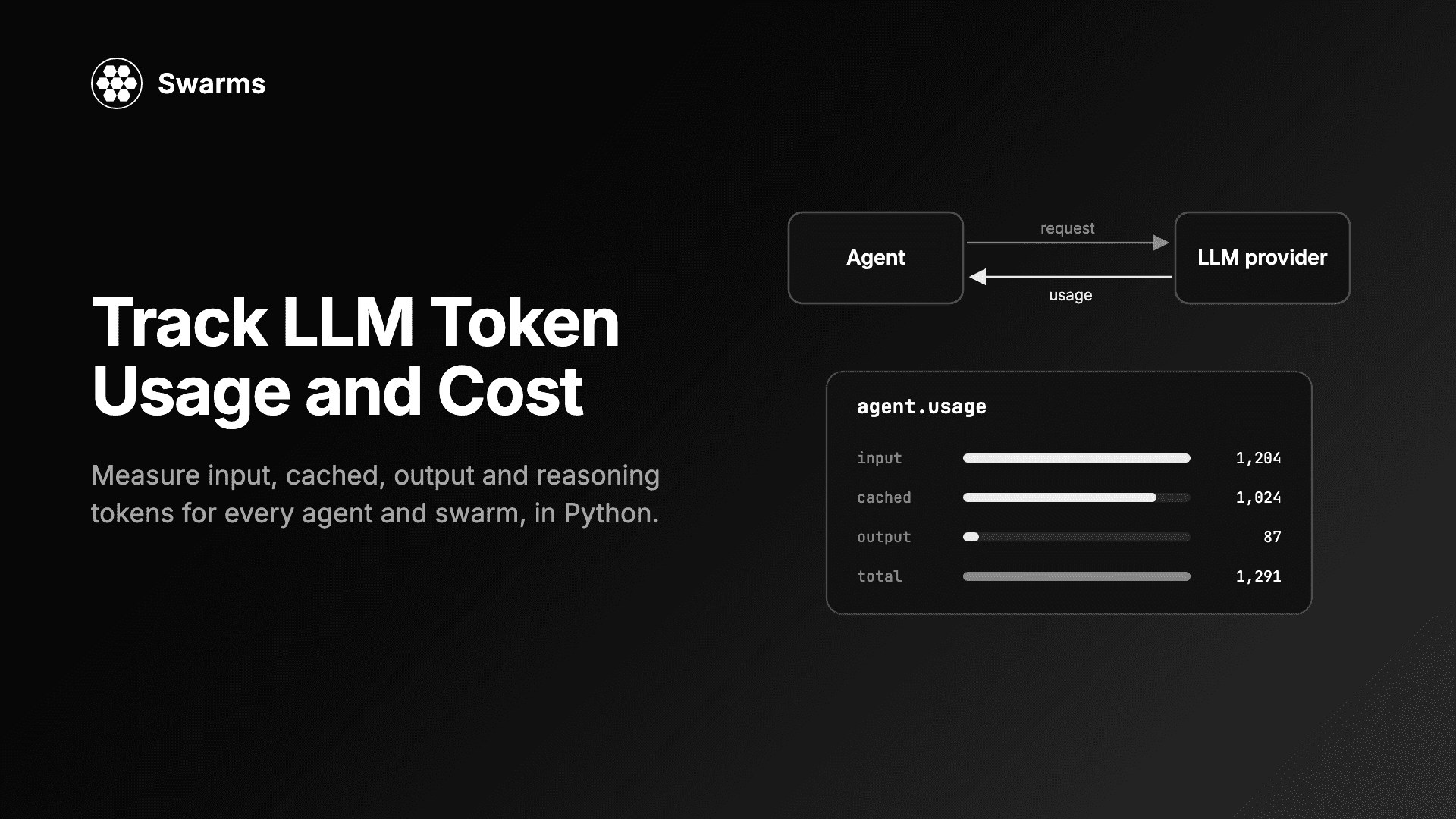
想要追踪 LLM token 用量,你不需要自己去数 token。OpenAI、Anthropic、Google 以及其他 provider 返回的每一次补全,本身就带着一个 usage 块,里面是 provider 实际计费的输入和输出 token 精确数量,包括其中有多少来自提示词缓存,以及推理模型花了多少 token 用于思考。在 Swarms v16 之前,框架把这些数字丢掉了。现在每个 Agent 都会保留它们,每个 swarm 都会把它们加总。本指南介绍如何按智能体、按单次运行、按 swarm 读取这些数字,如何把它们换算成美元,以及如何在发送请求之前检查请求的大小。
pip install -U swarms
# or
uv pip install -U swarms
本指南中的特性需要 Swarms 16 或更高版本。
为你使用的 provider 设置密钥。示例运行在 OpenAI 的 gpt-5.4-mini 上;最后一个示例还需要一个 TypeSafe 密钥:
export OPENAI_API_KEY="sk-..."
export TYPESAFE_API_KEY="..."
在工作目录中放一个包含同样内容的 .env 文件也可以,Swarms 在导入时会自动加载它。然后检查版本:
python -c "import swarms; print(swarms.__version__)"agent.usage 追踪每个智能体的 LLM token 用量agent.usage 是一个包含五个计数器的字典,对这个智能体发出过的每一次 LLM 调用进行累计:
| 键 | 计的是什么 |
|---|---|
input_tokens | 发送给模型的 token,按 provider 的计费数 |
output_tokens | 模型生成的 token,按计费数 |
cached_tokens | input_tokens 中由 provider 的提示词缓存提供的部分 |
reasoning_tokens | output_tokens 中推理模型用于思考的部分 |
total_tokens | 输入加输出 |
其中两个是细分项,而不是额外的数量。缓存 token 已经包含在 input_tokens 里,推理 token 已经包含在 output_tokens 里。不报告细分的 provider 会得到 0,表示未知,而不是没有。
from swarms import Agent

agent = Agent(
    agent_name="Usage-Demo",
    system_prompt="You answer in two sentences.",
    model_name="gpt-5.4-mini",
    max_loops=1,
    output_type="final",
    print_on=False,
)

answer = agent.run("What is prompt caching, and why does it lower LLM costs?")
print(answer)
print(agent.usage)
我们的运行先打印出回答,然后是:
{'input_tokens': 30, 'output_tokens': 65, 'cached_tokens': 0, 'reasoning_tokens': 0, 'total_tokens': 95}
usage 统计的是每一次调用,而不只是第一次。带工具的智能体在每个循环里还会再发起一次调用来总结工具结果,这次调用也会计入同一个总数。这个属性返回的是一份副本,所以你对这个字典做任何修改都不会破坏累计值。output_type="final" 让 run() 只返回回答,而不是整段对话记录;print_on=False 让输出面板不出现在终端里。
agent.usage 是累计总数。它会在多次 run() 调用之间不断增长,对于长期存活的智能体来说这正是你想要的,但当你想问"这一次请求花了多少钱"时就不是了。办法是在运行前取一份快照,运行后用新值减去它。
这个示例还把 token 换算成了美元,这是 LLM 成本追踪的核心。Swarms 本身已经依赖 LiteLLM,而 LiteLLM 为大多数模型内置了价格表,可以通过 litellm.cost_per_token 使用。把缓存 token 作为 cache_read_input_tokens 传入,LiteLLM 就会按缓存价格计费,并把它们视为 prompt_tokens 的一部分,这与 agent.usage 的报告方式一致。推理 token 不需要额外的一项:它们已经包含在 output_tokens 里,按输出价格计费。
import litellm
from swarms import Agent

MODEL = "gpt-5.4-mini"


def usage_cost(model: str, usage: dict) -> float:
    """Dollar cost of a usage dict, priced from litellm's model price table."""
    input_cost, output_cost = litellm.cost_per_token(
        model=model,
        prompt_tokens=usage["input_tokens"],
        completion_tokens=usage["output_tokens"],
        cache_read_input_tokens=usage["cached_tokens"],
    )
    return input_cost + output_cost


def usage_delta(before: dict, after: dict) -> dict:
    """Usage between two snapshots of agent.usage."""
    return {key: after[key] - before[key] for key in after}


agent = Agent(
    agent_name="Cost-Demo",
    system_prompt="You are a concise database consultant.",
    model_name=MODEL,
    max_loops=1,
    output_type="final",
    print_on=False,
)

agent.run("Name three workloads that suit a vector database.")

before = agent.usage
agent.run("Which of those three needs the lowest latency, and why?")
this_run = usage_delta(before, agent.usage)

print(f"second run: {this_run}  ${usage_cost(MODEL, this_run):.6f}")
print(f"lifetime:   {agent.usage}  ${usage_cost(MODEL, agent.usage):.6f}")
我们的输出:
second run: {'input_tokens': 118, 'output_tokens': 129, 'cached_tokens': 0, 'reasoning_tokens': 0, 'total_tokens': 247}  $0.000669
lifetime:   {'input_tokens': 144, 'output_tokens': 202, 'cached_tokens': 0, 'reasoning_tokens': 0, 'total_tokens': 346}  $0.001017
快照揭示了累计总数所掩盖的东西。第一次运行发送了 26 个输入 token;第二次发送了 118 个,因为智能体把第一次的问题和回答作为上下文重新发送了一遍。历史是会自行增长的输入成本,而单次运行的差值就是你看到它的方式。
美元数字的时效性取决于 LiteLLM 的价格表,LiteLLM 会从它自己的仓库更新这张表。请对照你的 provider 的价格表核对费率;如果你有协商价格,请改用 custom_cost_per_token 参数传入。
这两个计数器是账单与朴素 token 计数之间差距最大的地方。
缓存 token。 OpenAI 会自动缓存长提示词的前缀,Anthropic 和 Google 也提供各自的提示词缓存。缓存的输入 token 仍然是输入 token,但按更低的价格计费。推理 token 是推理模型隐藏的思考过程:你在回答里永远看不到它们,但每一个都按输出价格计费。
下面这个智能体有一段很长的固定系统提示词(用来代替一份政策手册或工具指南),并设置了推理强度,它回答两个问题:
from swarms import Agent

# A stand-in for a long, fixed system prompt: a policy manual or tool guide.
POLICY = "\n".join(
    f"Rule {i}: state every figure with its unit and the table it came from."
    for i in range(1, 151)
)

agent = Agent(
    agent_name="Cache-Demo",
    system_prompt=f"You are a careful analyst.\n\n{POLICY}",
    model_name="gpt-5.4-mini",
    reasoning_effort="medium",
    max_loops=1,
    output_type="final",
    print_on=False,
)

tasks = [
    "A train leaves at 09:40 and arrives at 13:05. How long is the trip?",
    "A tank fills at 12 litres per minute. How long does 300 litres take?",
]

for task in tasks:
    before = agent.usage
    agent.run(task)
    run = {key: agent.usage[key] - before[key] for key in before}
    print(
        f"input={run['input_tokens']} cached={run['cached_tokens']} "
        f"output={run['output_tokens']} reasoning={run['reasoning_tokens']}"
    )
我们的输出:
input=2588 cached=0 output=108 reasoning=65
input=2650 cached=2304 output=89 reasoning=45
在第二次调用中,2,650 个输入 token 里有 2,304 个来自缓存。用 litellm.cost_per_token 计价,这次调用的输入花费是 0.00043 美元,而不缓存的话会是 0.0020 美元。在输出一侧,108 个中有 65 个、89 个中有 45 个是推理 token,超过了每个回答花费的一半。对可见回答运行分词器,会把这些全部漏掉。
实际的结论是:把提示词中长而稳定的部分放在前面,可变的部分放在末尾,让 provider 缓存的前缀尽可能长。
流式响应不会携带用量信息,除非客户端主动请求。在 v16 之前,流式智能体报告的用量为零。现在 Swarms 会发送 stream_options={"include_usage": True},并在消费流的过程中记录 provider 最后那个只含用量的数据块,所以流式运行和非流式运行的报告方式完全相同:
from swarms import Agent

agent = Agent(
    agent_name="Stream-Demo",
    model_name="gpt-5.4-mini",
    max_loops=1,
    print_on=False,
)

for token in agent.run_stream("Write a haiku about token budgets."):
    print(token, end="", flush=True)

print()
print(agent.usage)
我们的运行流式输出了俳句,然后打印出 {'input_tokens': 217, 'output_tokens': 20, 'cached_tokens': 0, 'reasoning_tokens': 0, 'total_tokens': 237}。这 217 个输入 token 大部分是默认系统提示词,因为这个智能体自己没有设置。唯一的规则是:流式调用要在流被完全消费之后才会计入,因为用量数据块要到那时才到达。
agent.input_tokensagent.usage 告诉你过去的调用花了多少。agent.input_tokens 回答的是另一个问题:下一次请求会有多大?它在本地、不发起任何 API 调用,用智能体自身 model_name 对应的分词器,统计系统提示词、智能体记忆中的整段对话以及所有工具 schema。
常见用法是在发送大请求之前做预算检查。input_tokens 不包含尚未发送的任务,所以要用 count_tokens 把任务加上:
import litellm
from swarms import Agent, count_tokens

MODEL = "gpt-5.4-mini"

agent = Agent(
    agent_name="Budget-Demo",
    system_prompt="You summarise documents in three bullets.",
    model_name=MODEL,
    max_loops=1,
    output_type="final",
    print_on=False,
)

document = "\n".join(
    f"Q{q} revenue grew {q * 3}% while support tickets fell {q * 2}%."
    for q in range(1, 41)
)
task = f"Summarise this report:\n\n{document}"

window = litellm.get_model_info(MODEL)["max_input_tokens"]
planned = agent.input_tokens + count_tokens(task, model=MODEL)
print(f"planned input: {planned} of {window} tokens")

if planned > 0.9 * window:
    raise SystemExit("Too large: split the document first.")

agent.run(task)
print(f"billed input:  {agent.usage['input_tokens']} tokens")
print(f"next request:  {agent.input_tokens} tokens")
我们的输出:
planned input: 632 of 272000 tokens
billed input:  584 tokens
next request:  746 tokens
所以 input_tokens 和 usage["input_tokens"] 的区别在于方向和来源。input_tokens 向前看:它是对智能体当前所持内容的本地估算,运行之后它增长到了 746,因为回答现在也成了历史的一部分。usage["input_tokens"] 向后看:它是 provider 计费的数字,对迄今为止的每一次调用进行累计。用前者决定是否发送请求,用后者为它记账。
上面的估算比计费数字多了 48 个 token(约 8%),因为它把对话按渲染后的文本来计数,角色标签也算在内。对于预算检查来说,这是预期的偏差方向;对于账单来说,这是错误的数字。本地分词器适合做防护,不适合做账本,原因适用于所有 provider:
这就是为什么 agent.usage 读取的是 provider 的 usage 块(LiteLLM 会把每个 provider 的这个块规范化为同一种结构),而不是去数文本。
SwarmRouter.usage、GraphWorkflow.usage、HeavySwarm.usage在多智能体系统中,问题是整次运行花了多少,而只加总你自己的智能体是不够的。许多结构会自己构建智能体,例如 HierarchicalSwarm 的主管、MixtureOfAgents 的聚合器或评审团的评审,这些智能体从不出现在你传入的列表里。(如果你正在不同结构之间做选择,智能体编排模式对它们做了比较。)
SwarmRouter.usage 会加总你的智能体,以及已构建的 swarm 自己持有的任何智能体,并按对象身份去重,所以同时出现在两处的智能体只计一次:
from swarms import Agent, SwarmRouter

workers = [
    Agent(
        agent_name=name,
        system_prompt=prompt,
        model_name="gpt-5.4-mini",
        max_loops=1,
        print_on=False,
    )
    for name, prompt in [
        ("Researcher", "Gather the key facts. Be brief."),
        ("Writer", "Write a three-sentence brief. Be brief."),
    ]
]

router = SwarmRouter(
    agents=workers,
    swarm_type="HierarchicalSwarm",
    director_model_name="gpt-5.4-mini",
    max_loops=1,
)
router.run("Should a five-person startup self-host its LLM? Recommend one option.")

worker_total = sum(agent.usage["total_tokens"] for agent in workers)
print("workers:", worker_total)
print("router: ", router.usage["total_tokens"])
print("director share:", router.usage["total_tokens"] - worker_total)
这个 swarm 会打印自己的面板;我们运行的最后几行是:
workers: 890
router:  4176
director share: 3286
你从未创建过的主管花掉了 79% 的 token。如果只加总工作智能体,这次运行的用量会被低报将近五倍。
GraphWorkflow.usage 会遍历每个节点,包括任意深度嵌套子图中的智能体,并且即使一个智能体支撑多个节点,也只计一次:
from swarms import Agent, GraphWorkflow

def make(name: str, prompt: str) -> Agent:
    return Agent(
        agent_name=name,
        system_prompt=prompt,
        model_name="gpt-5.4-mini",
        max_loops=1,
        print_on=False,
    )

planner = make("Planner", "List two angles to analyse. One line each.")
bull = make("Bull", "Give the strongest case for. Two sentences.")
bear = make("Bear", "Give the strongest case against. Two sentences.")
judge = make("Judge", "Weigh both cases and decide. Two sentences.")

graph = GraphWorkflow(name="usage-graph")
for agent in (planner, bull, bear, judge):
    graph.add_node(agent)
graph.add_edge("Planner", "Bull")
graph.add_edge("Planner", "Bear")
graph.add_edge("Bull", "Judge")
graph.add_edge("Bear", "Judge")

graph.run("Should a mid-size retailer move its data warehouse to the cloud?")

for agent in (planner, bull, bear, judge):
    print(f"{agent.agent_name:<8} {agent.usage['total_tokens']}")
print(f"graph    {graph.usage['total_tokens']}")
我们的运行中,四个智能体分别打印出 74、253、242 和 648 个 token,整个图为 1,217 个。位于扇入点的评审花费最多,因为它要读取两个分支的输出。
HeavySwarm.usage 还会统计问题生成,这一步运行在一个裸的 LiteLLM 客户端上,而不是 Agent 上,所以在 v16 之前,它的 token 被计费了,却没有被任何地方统计:
from swarms import HeavySwarm

swarm = HeavySwarm(
    question_agent_model_name="gpt-5.4-mini",
    worker_model_name="gpt-5.4-mini",
    max_loops=1,
)
swarm.run("Is a four-day work week viable for a 40-person agency? Be brief.")

agent_total = sum(agent.usage["total_tokens"] for agent in swarm.agents.values())
print("agents:", agent_total)
print("swarm: ", swarm.usage["total_tokens"])
print("question generation:", swarm.usage["total_tokens"] - agent_total)
我们的运行以这几行结束:
agents: 743088
swarm:  743703
question generation: 615
问题生成的 615 个 token 很少。而 swarm 中各智能体用掉的 743,088 个 token 可不少,尽管任务里写了"Be brief"。HeavySwarm 是为深度分析而构建的,它的工作智能体会做大量工作,这正是为什么你要先在一个任务上读一下 swarm.usage,再把它放进循环里。多智能体系统中的失控花费是 usage 计数器能够及早发现的故障模式之一。
这三个合计都和 agent.usage 一样是累计总数,所以同样的"取快照再相减"的方法可以得出单次 swarm 运行的成本。TreeOfThoughts 也有同样的 usage 属性,覆盖其搜索发出的每一次调用;参见 Tree of Thoughts 指南。
DecisionModel 的用量与单次请求成本DecisionModel 回答带类型的问题(一个选择、一个评分、一个是/否概率),给出经过校准的置信度,而不是生成文本,所以一个路由器或护栏只需要一次很小的请求。最新的 master 为它加入了 token 计量和价格:DecisionModel.usage 对 provider 报告的每一次请求的输入和输出 token 进行累计,包括 noul 这样的单问题辅助方法;calculate_cost() 为单个响应的用量计价,不带参数调用时则为累计总数计价。
from swarms import DecisionModel

model = DecisionModel()  # TypeSafe jev-latest, reads TYPESAFE_API_KEY

result = model.run(
    state={"message": "I was charged twice for my subscription this month."},
    questions={
        "team": {
            "type": "choice",
            "instructions": "Which team should handle this?",
            "criteria": {"billing": "Payments and refunds", "technical": "Bugs and outages"},
        },
        "urgent": {"type": "noul", "instructions": "Is this urgent?"},
    },
)
print(result["answers"]["team"]["choice"], result["usage"])
print(model.calculate_cost(result["usage"]))

model.noul(state="The site is down for everyone.", instructions="Is this urgent?")
print(model.usage)
print(model.calculate_cost())
我们的输出(浮点数位已截短):
billing {'input_tokens': 339, 'output_tokens': 48}
{'input_tokens': 339, 'output_tokens': 48, 'input_cost': 1.4238e-05, 'output_cost': 0.0, 'total_cost': 1.4238e-05}
{'input_tokens': 616, 'output_tokens': 68}
{'input_tokens': 616, 'output_tokens': 68, 'input_cost': 2.5872e-05, 'output_cost': 0.0, 'total_cost': 2.5872e-05}
TypeSafe 不通过 API 报告价格,所以 jev 模型使用内置价格:每百万输入 token 0.042 美元,输出免费;get_decision_model_prices() 会列出每个模型的价格,而在设置了 CLOUDFLARE_ACCOUNT_ID 和 CLOUDFLARE_AUTH_TOKEN 时,Cloudflare 的 clef 价格会实时获取。在这里,用决策模型路由一个请求花了我们约 0.000014 美元。这如何改变多智能体系统的经济账,是如何用决策模型降低 LLM 成本一文的主题,而什么是决策模型解释了模型本身。
从一个习惯开始:开发时在每次运行后打印 agent.usage,并在任何你想计价的操作前后取快照。当你转向多智能体系统时,读取 swarm 的 usage,而不是你的智能体之和,因为主管、聚合器或评审往往是最大的一项。如果你还不熟悉智能体在调用之间持有并重新发送哪些内容,可以从什么是智能体开始。token 计量相关改动的完整列表及其 pull request,见 Swarms v16「Overclock」发布说明。可运行的演示脚本位于仓库中的 examples/single_agent/utils/agent_usage.py 和 examples/multi_agent/swarm_router/swarm_router_usage.py。
每个聊天补全都有一个 usage 字段,包含 prompt_tokens、completion_tokens 和 total_tokens,以及 prompt_tokens_details.cached_tokens 和 completion_tokens_details.reasoning_tokens。在 Swarms 中你不需要手动读取它:每次调用的 usage 块都会加进 agent.usage,OpenAI 如此,LiteLLM 支持的其他所有 provider 也是如此。
是的。cached_tokens 是 input_tokens 中由提示词缓存提供的部分,而不是额外的数量。为一次运行计价时,把 input_tokens - cached_tokens 按输入价格计费,把 cached_tokens 按缓存价格计费,或者像上文那样把两者都传给 litellm.cost_per_token。
会,前提是客户端请求了它。Swarms 在每次流式调用中都会发送 stream_options={"include_usage": True},并在流结束时记录用量数据块,所以流被消费完之后,agent.usage 就是完整的。
把每类 token 乘以其价格:未缓存输入、缓存输入和输出,推理 token 按输出计费。litellm.cost_per_token(model=..., prompt_tokens=..., completion_tokens=..., cache_read_input_tokens=...) 会根据 LiteLLM 的价格表完成这一计算,并以美元返回输入和输出成本。
agent.usage 会在两次运行之间重置吗?不会。它是智能体整个生命周期的总数,router.usage、GraphWorkflow.usage 和 HeavySwarm.usage 也是如此。要计算单次运行的成本,在运行前复制一份 usage,运行后用新的 usage 减去它。
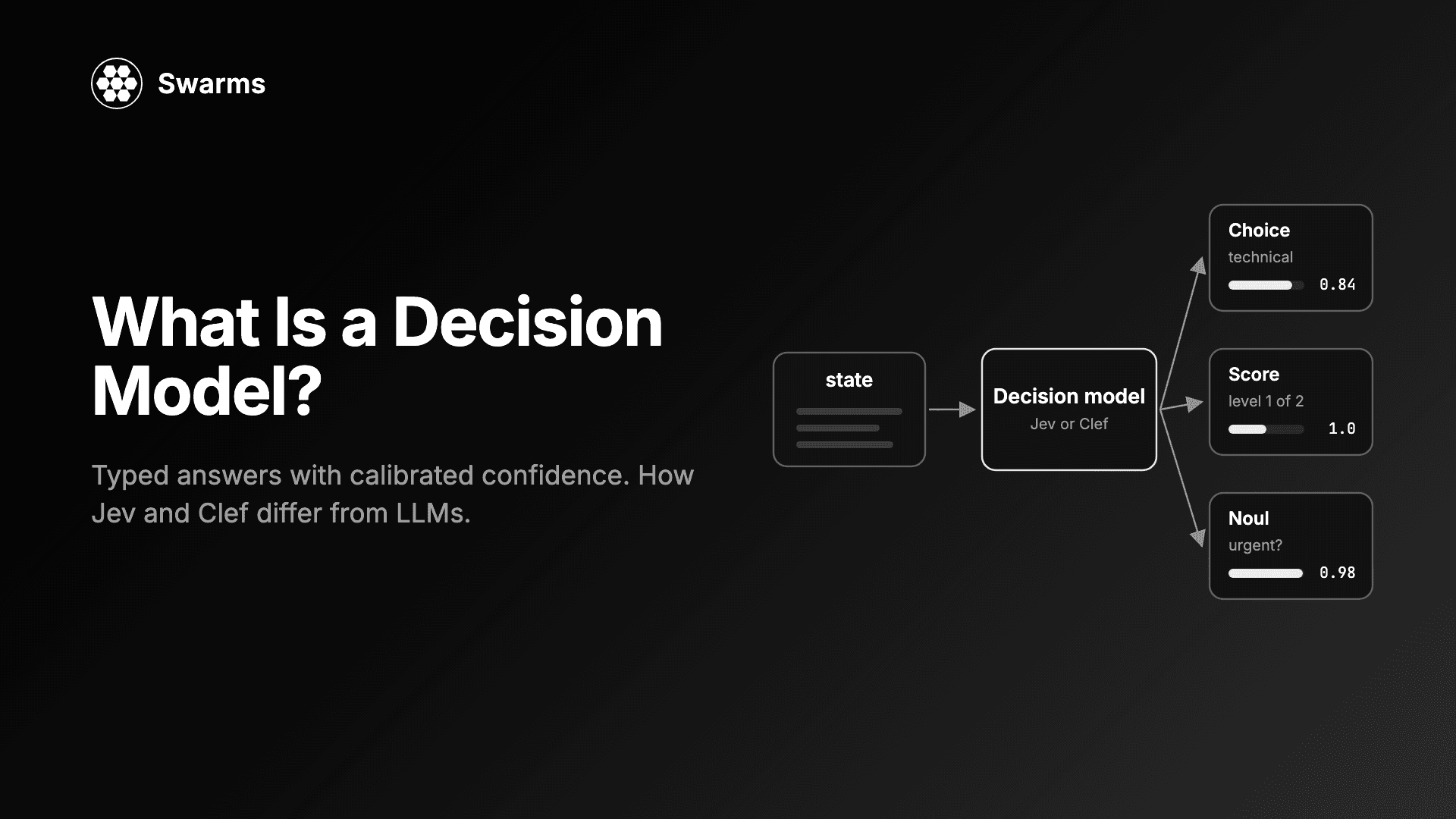
什么是决策模型?TypeSafe Jev 与 Cloudflare Clef 如何用经过校准的置信度回答带类型的问题,而不是生成文本,以及如何在 Swarms 中使用它们。
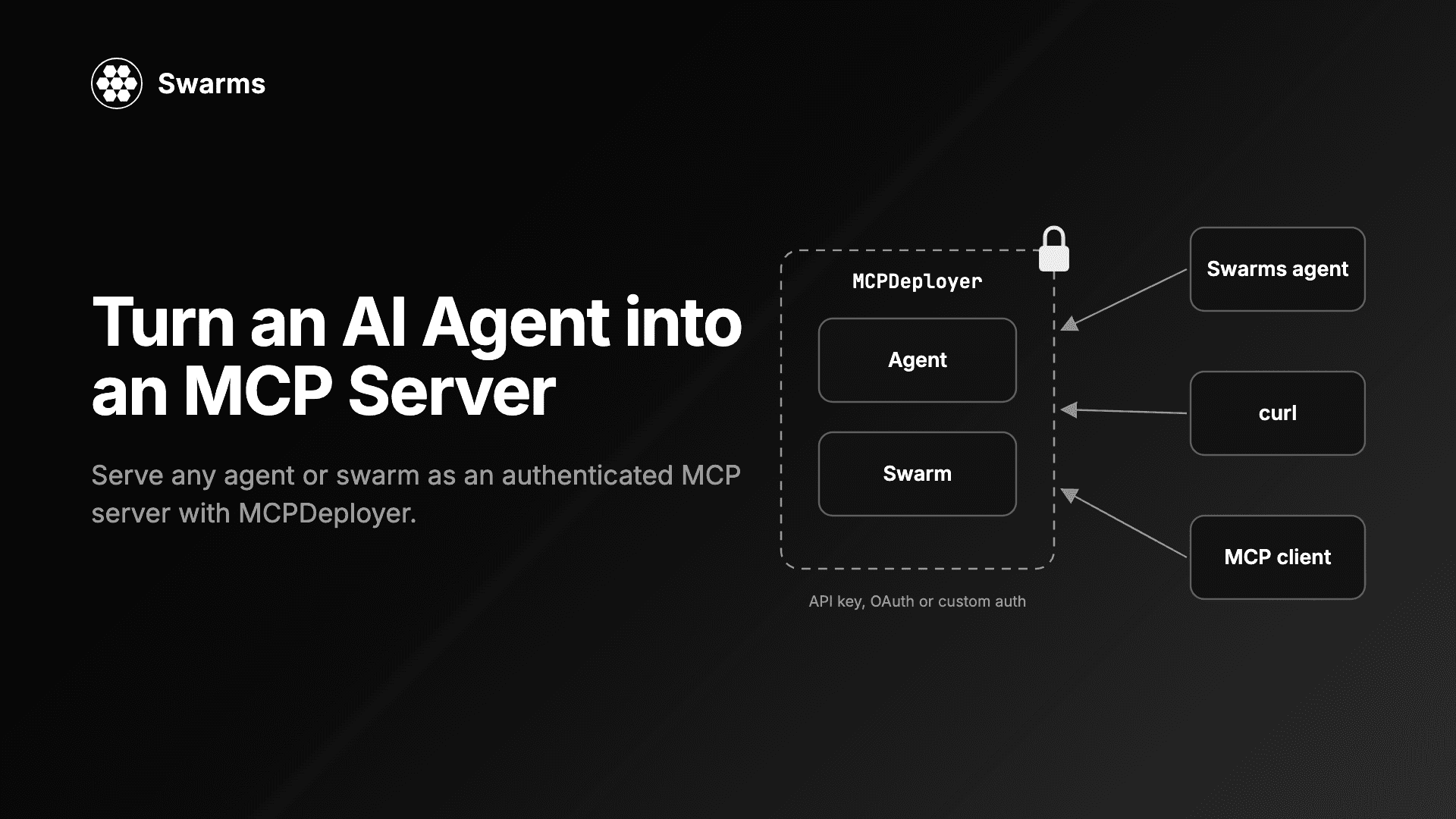
用 Swarms MCPDeployer 在 Python 中把 AI 智能体变成 MCP 服务器:API key、自定义认证、token 校验器、把 swarm 作为工具,以及一个调用它的客户端智能体。
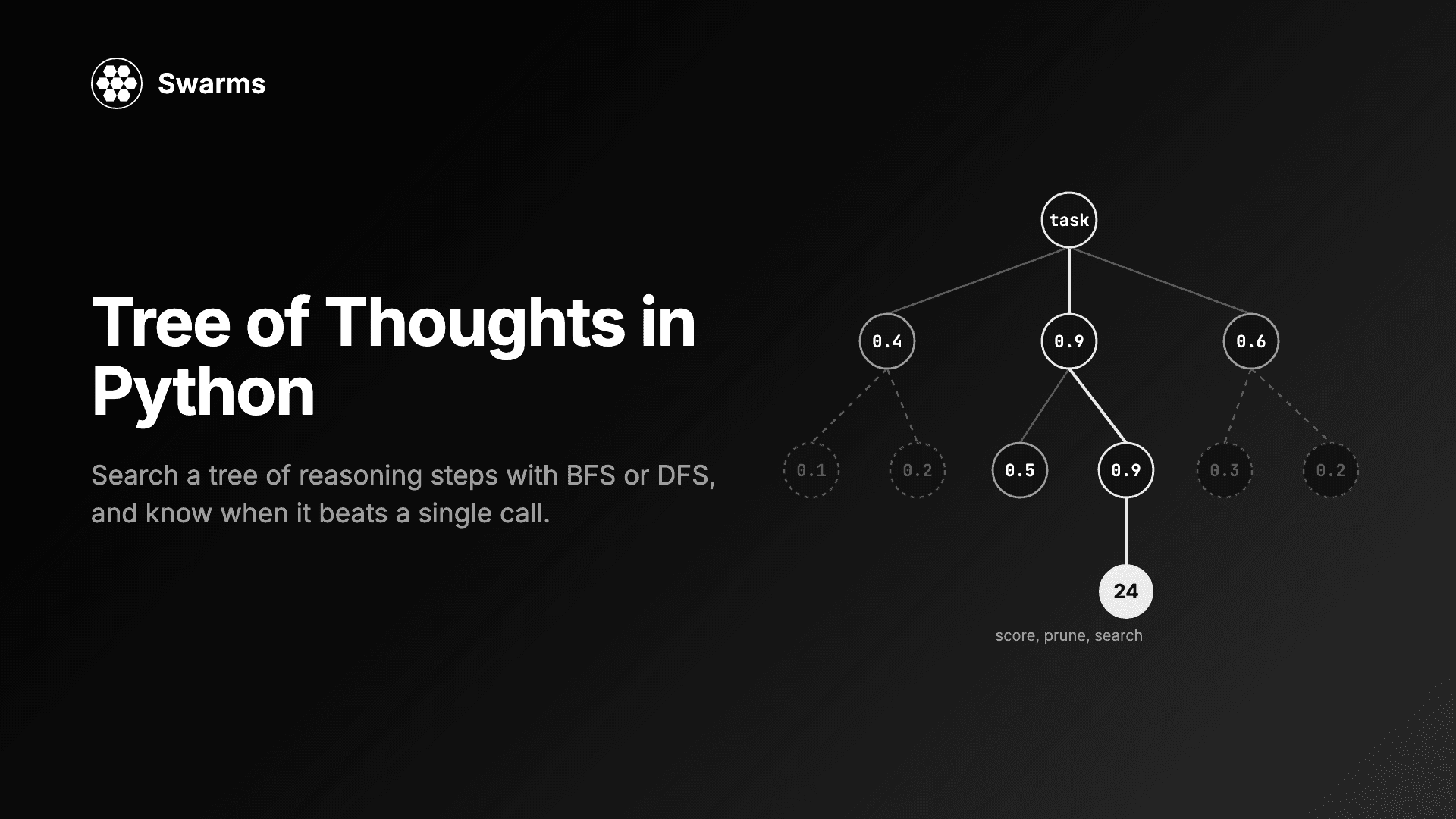
用 Swarms 在 Python 中实现 tree of thoughts:求解 24 点游戏,对比 BFS 与 DFS、propose 与 sample、value 与 vote,控制成本,并查看真实的调用次数。