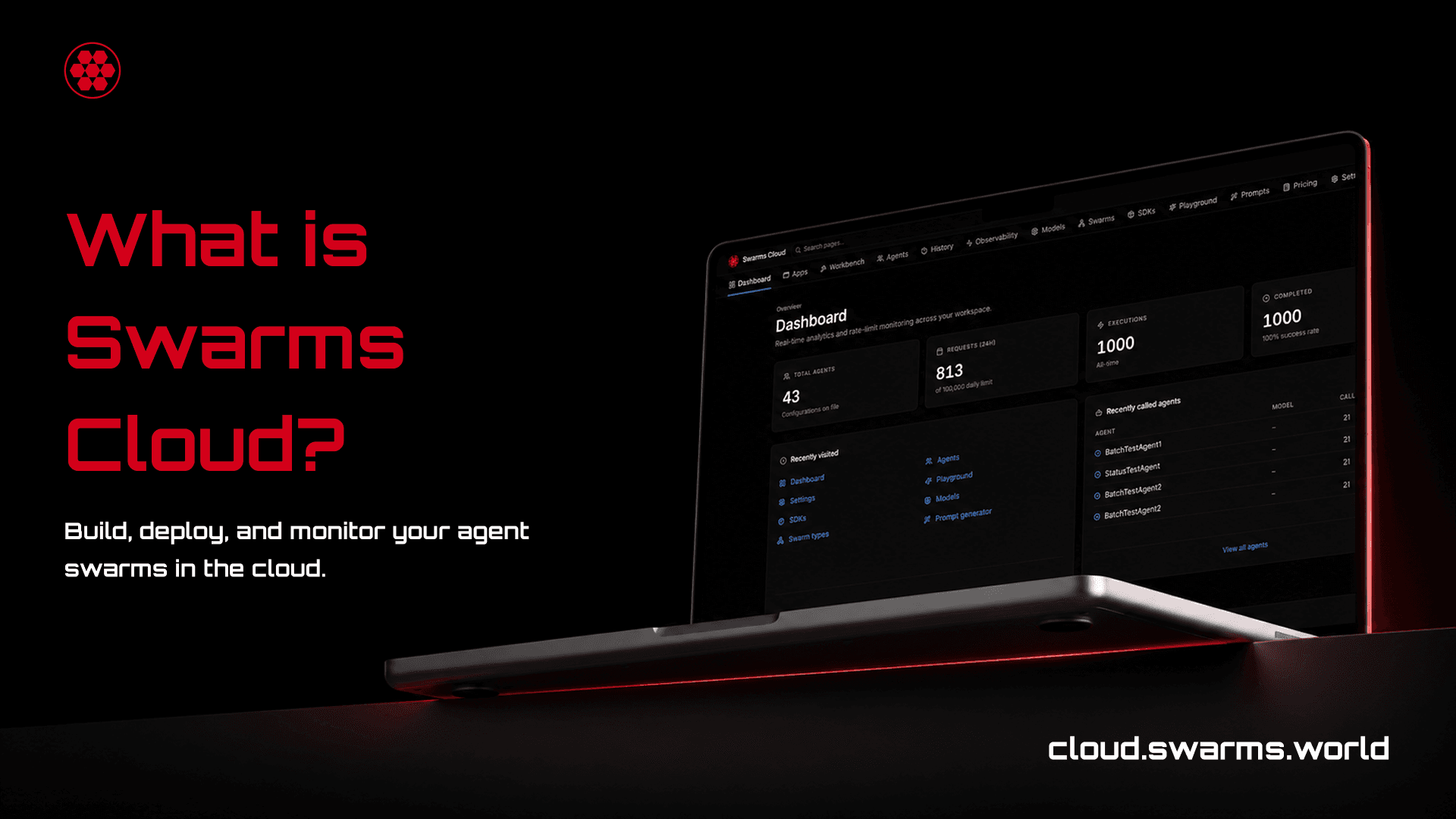
Swarms Cloud is the control plane for multi-agent systems. It is a hosted platform at cloud.swarms.world that takes the whole lifecycle of an agent team, designing it, running it, watching it, paying for it, and hosting it, and puts all of it behind one account and one API key.
The word that matters there is scale. A single agent answering a single prompt is a solved problem, and you do not need a platform for it. What is not solved is the shape of work that agent teams actually take in production: forty agents evaluating the same corpus, a graph of specialists handing results down a pipeline, a task list of five hundred documents that has to finish tonight, a roster you need to compare against a different roster before you commit to one. Swarms Cloud is built for that shape, and it is built to keep working when the roster is not five agents but five thousand.
This guide walks through what the platform is, what each surface does, and why the pieces are arranged the way they are.
The Problem a Control Plane Solves
Teams that build multi-agent systems on raw model APIs converge on the same set of homemade parts. A script to fan a task out across agents. A CSV somewhere recording what each run cost. A folder of prompts that three people edit and nobody versions. A retry loop. A spreadsheet of which model each agent is pinned to, kept current by hand. None of these are hard to write. All of them are load-bearing, and none of them are the product anyone set out to build.
The cost of that arrangement shows up later. When a run misbehaves, the payload that caused it is gone, because nothing stored it. When the bill arrives, it cannot be attributed to an agent, because nothing tracked it per agent. When a provider has an outage, every agent is pinned to that provider by a string repeated across a dozen files. When a teammate asks what a given agent's configuration actually is, the answer lives in whichever script ran it last.
A control plane replaces those parts with surfaces that are already built, already correct, and shared across everything you run. That is the argument for Swarms Cloud: the infrastructure underneath agent teams is common enough that it should be infrastructure, and specific enough that a general cloud will not give it to you.
One API Key, Every Model
Swarms Cloud sits in front of 2,000+ models from the major providers, including Anthropic, OpenAI, Google, xAI, DeepSeek, Meta, Moonshot, and more. Every one of them is reachable with the same API key, the same request shape, and the same billing.
Model choice in Swarms is a string. An agent's model_name is a field like any other, so moving an agent from one provider to another is a one-line change that touches no prompt, no tool definition, and no orchestration logic. The practical consequence is portability. When four frontier providers went down on the same afternoon earlier this month, teams running on Swarms switched their agents to models outside those families and kept working, because the base model is a dependency you can swap rather than a foundation you are standing on.
Every model in the catalog has its own page on the platform with context window, pricing, and the parameters it accepts, and the whole catalog is searchable. Pricing is read from the API's published rate card rather than a copy, so what the page quotes is what you are charged.
Here is the entire surface area of a single agent call:
curl -X POST 'https://api.swarms.world/v1/agent/completions' \
  -H 'x-api-key: $SWARMS_API_KEY' \
  -H 'Content-Type: application/json' \
  -d '{
    "agent_config": {
      "agent_name": "ETF Research Analyst",
      "model_name": "claude-opus-5",
      "system_prompt": "You are an expert in exchange-traded funds.",
      "max_loops": 1,
      "max_tokens": 16000
    },
    "task": "Compare the three largest semiconductor ETFs by expense ratio."
  }'
Swap model_name and the same call runs on a different provider. Nothing else changes.
Sixteen Swarm Architectures
Beyond single agents, Swarms Cloud exposes 16 swarm architectures through the API, each one a different answer to the question of how work moves between agents. Sequential pipelines pass output down a chain. Concurrent swarms run every agent against the same task at once. Graph workflows execute a directed graph with fan-out and fan-in. Hierarchical swarms put a director agent above a team of workers. There are routing architectures, group chat architectures, and mixture-of-agents architectures for aggregating many opinions into one answer.
The architecture list on the platform is read live from the API rather than a checked-in copy, so the catalog describes what the API actually offers on the day you read it. Each architecture has its own page with a description, its category, and a quickstart, and the catalog filters by category in one click.
Choosing among them is the main design decision in a multi-agent system, and it is worth making deliberately. A concurrent swarm is the right call when you want many independent opinions. A graph workflow is the right call when step three genuinely needs the output of steps one and two. Running the wrong one costs the same tokens and produces worse answers.
Designing Agent Teams
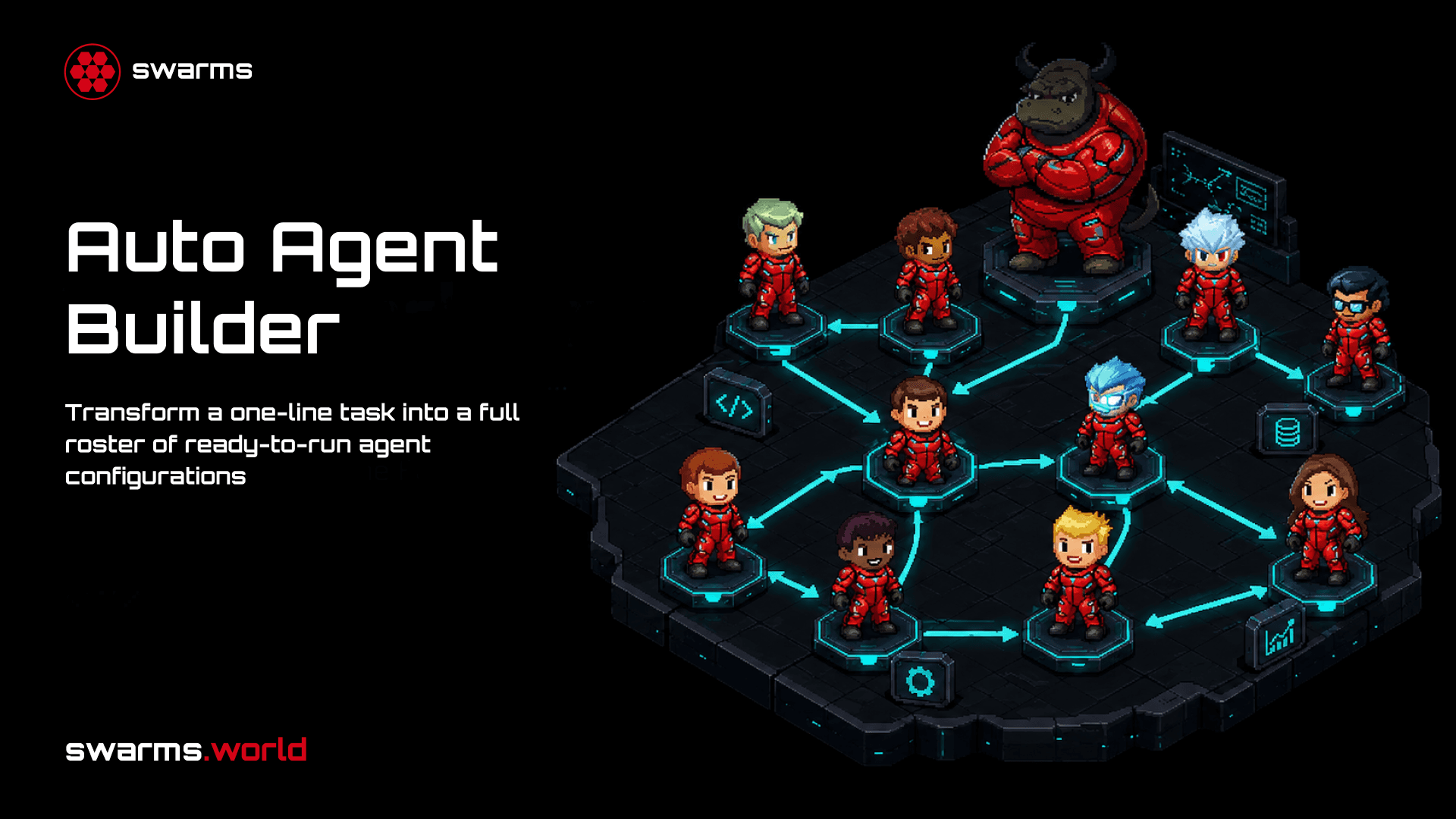
The Auto Agent Builder turns a task description into a complete roster. Describe what you want done and a builder agent designs the team: agent names, system prompts, models, and every parameter, as full configurations ready to post to the swarm endpoints without modification. You can cap the roster size or demand an exact count, choose which model does the building, and pass your own instructions to the builder. Rosters copy per agent, copy as a whole array, copy as JSON, or download as CSV.
It is the fastest path from an idea to something running, and it is also a teaching tool. Reading the prompts a builder agent wrote for a task you understand is one of the better ways to learn what a good system prompt looks like.
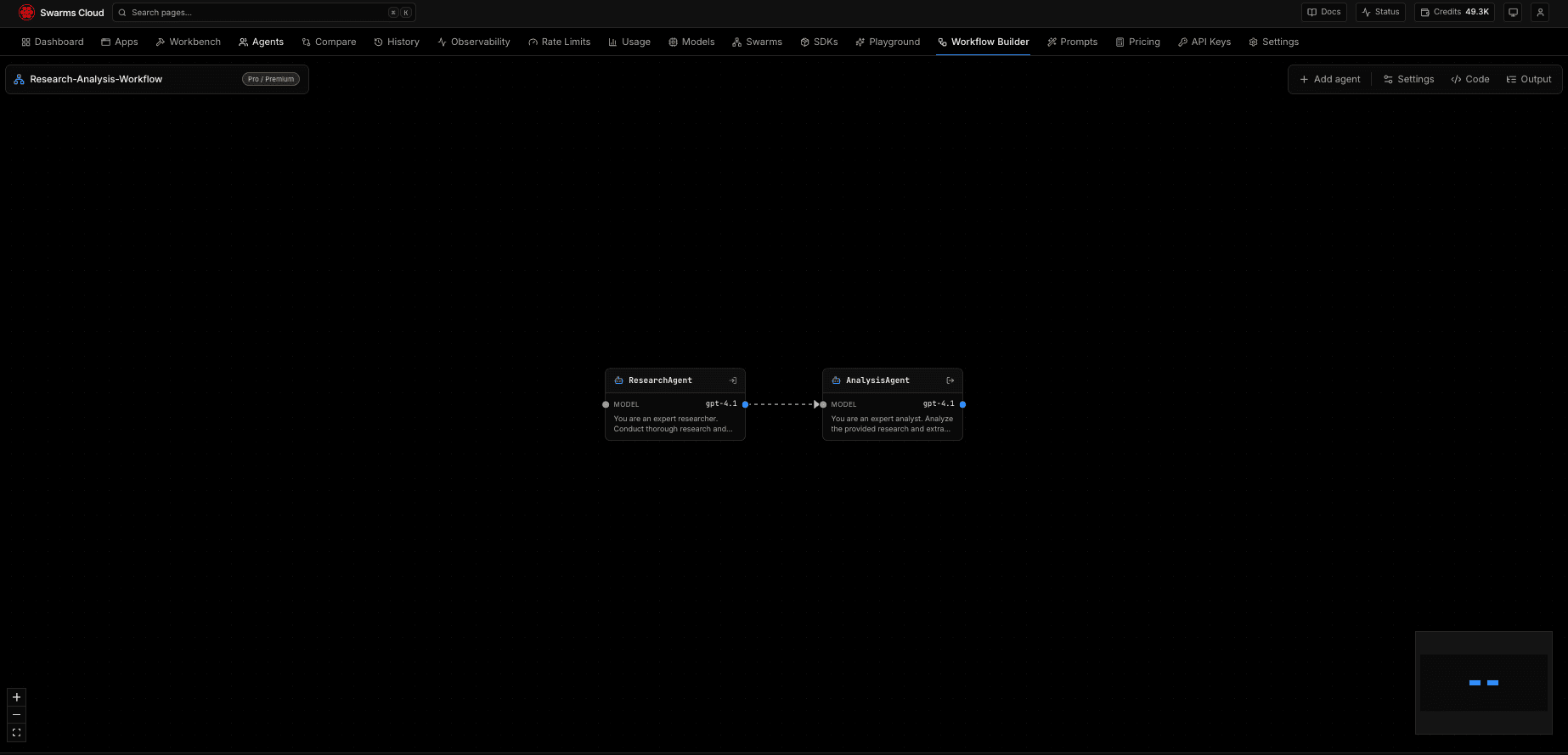
The Workflow Builder is the visual counterpart. Drag agents onto a canvas, connect them into a directed graph, and run the graph. It catches cycles before the run rather than after, which matters because an agent inside a cycle never appears in a topological layer and therefore never runs: without that check you get a completed request that quietly skipped everything the loop contained. Workflows save, so a graph you build today is still there next week.
Chat is for the conversational path. Build a roster and talk to it. With one agent you get a normal chat with full conversation memory. Add more agents and every turn runs the whole roster as a concurrent swarm, with each agent's reply arriving as its own attributed bubble carrying its name, model, and cost for that turn. Conversations persist across reloads, and the roster rail uses the same agent editor as the rest of the platform, so a chat agent can carry a temperature, a fallback model, an MCP server, and tools.
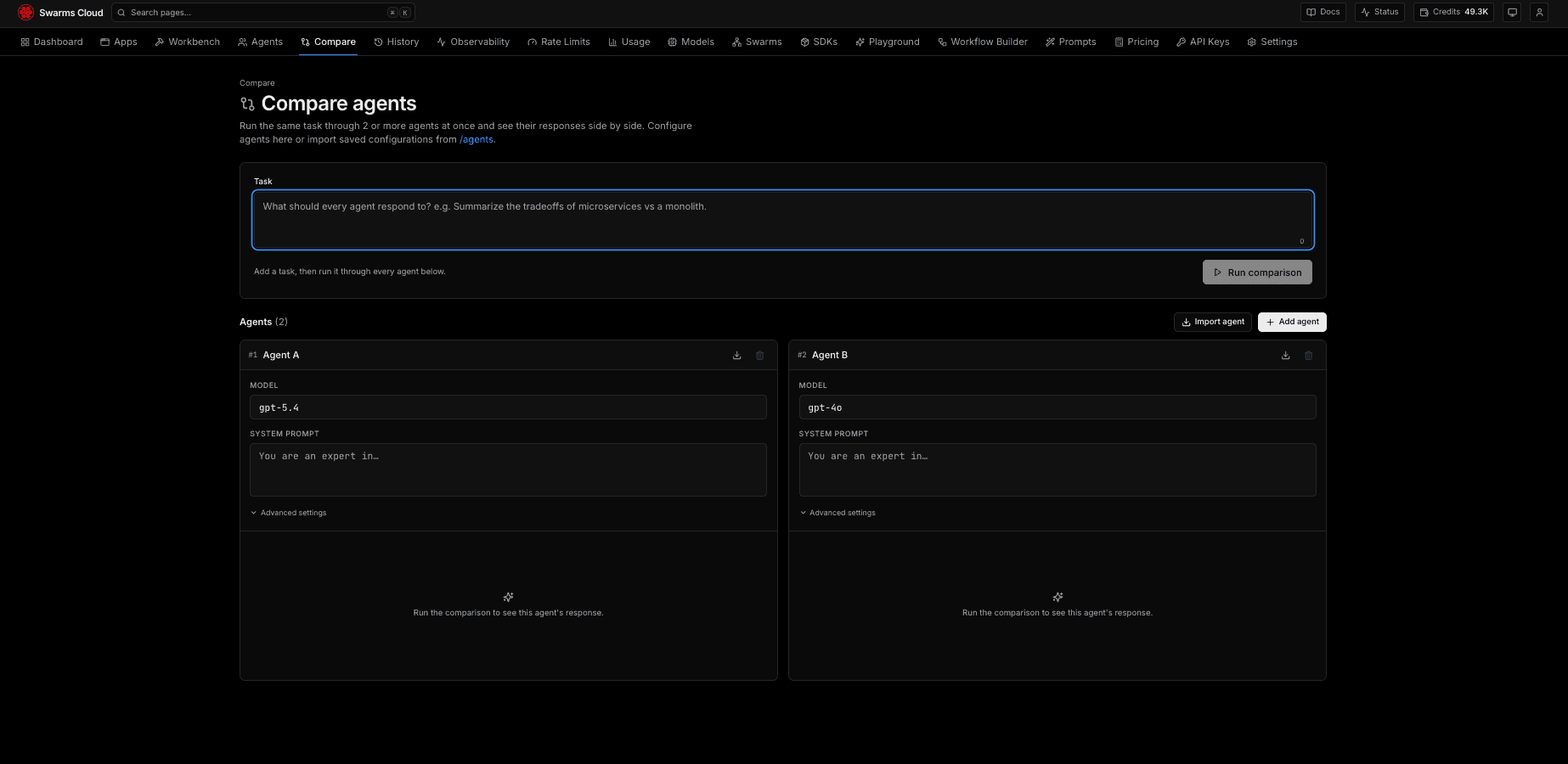
Compare answers the question that comes up immediately after you build something: is this actually better? Run the same task through multiple agent configurations and read the outputs side by side, with the reasoning and sampling parameters exposed so you can vary one thing at a time. It turns model and prompt selection into an experiment instead of an argument.
Scaling to Thousands of Completions
This is where the platform earns the word cloud.
Batch runs one agent configuration over up to 500 tasks. Paste them, upload a CSV, or hand over JSON. The run shows per-task progress with an ETA, you can retry only the failures rather than the whole job, results filter, and a refresh mid-run does not lose the work. Behind the scenes the run is chunked to the largest size the endpoint accepts, so a 500-task batch is ten round trips rather than fifty.
Grid runs the matrix. A task list on one axis, an agent list on the other, and every cell is a completion. Fifty tasks against fifty agents is 2,500 completions from a single button. The matrix renders before the run so you can see the shape you are about to produce, then fills in as results land, with each cell carrying its own state and usage accumulating as it goes. The header row and task column stay pinned while you scroll a wide grid, and clicking a cell opens its full detail in a side sheet. Everything exports to CSV.
Grid is the surface that changes how people evaluate agents. Comparing eight prompts against twelve tasks by hand is a day of work that nobody does. As a grid it is one run, and the answer is a table you can sort.
Graph workflows and batched grid workflows are available directly through the API as well, so anything you can drive from the console you can drive from code.
A Page for Every Agent, and Every Run
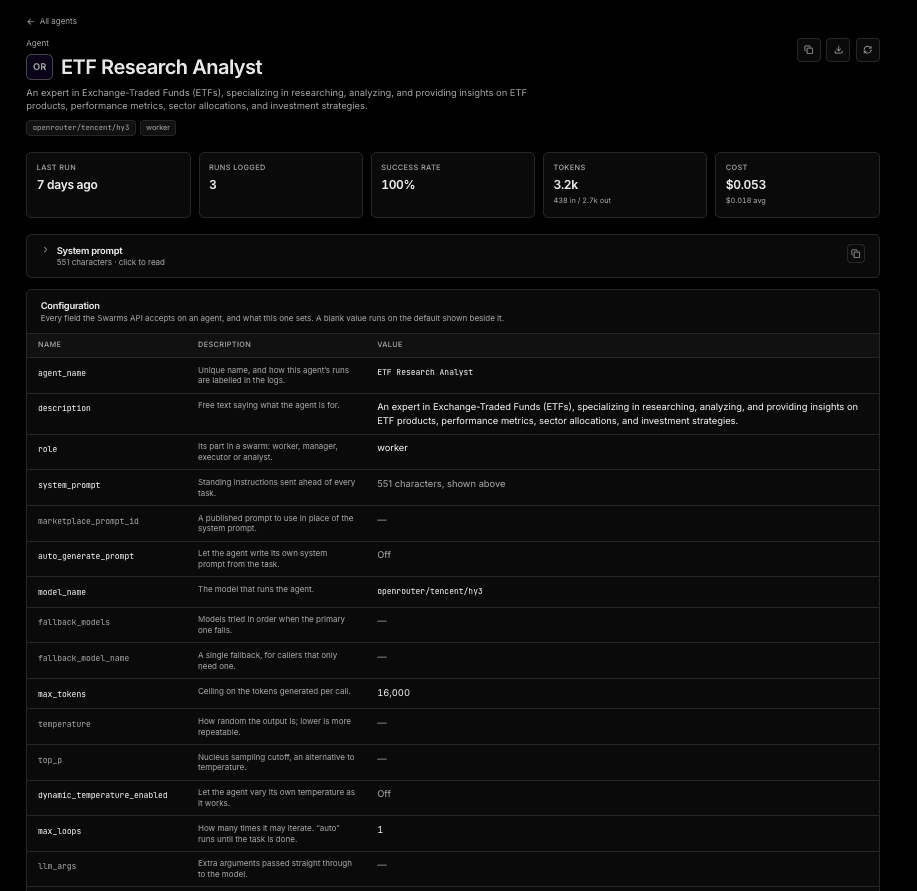
Every agent in your account has its own page: its activity, its cost across every run, its full system prompt, and all 34 configuration fields the API accepts, with the API's own defaults filled in wherever you set nothing. That last detail matters more than it sounds. Most agent bugs are configuration bugs, and most configuration bugs are a field you never set behaving in a way you did not expect. Seeing the effective configuration, rather than only the part you typed, is how those get caught.
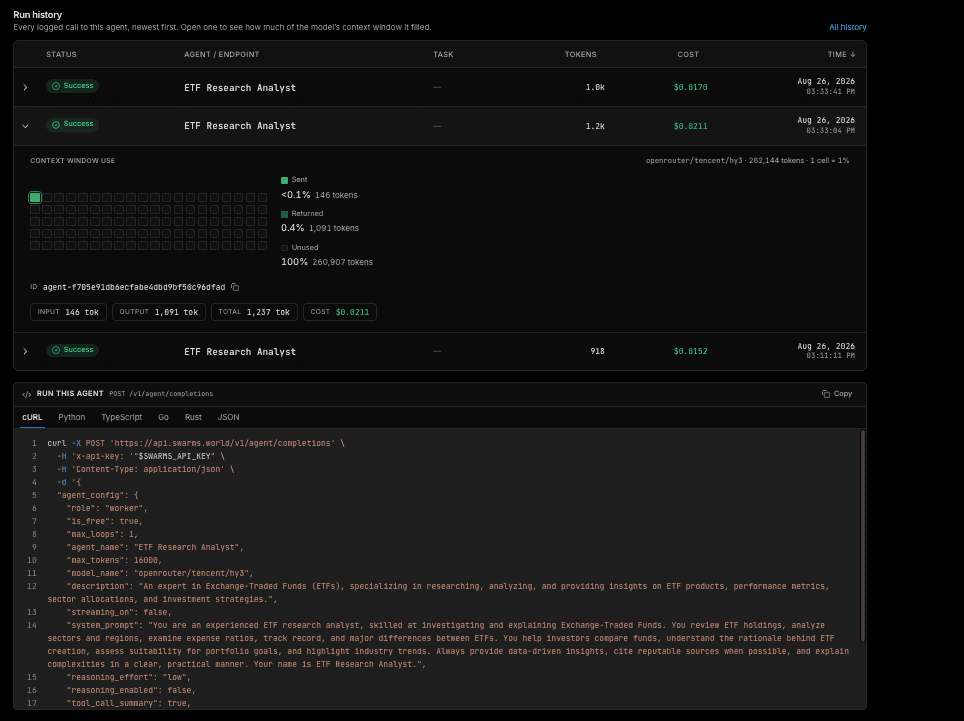
Each agent page also shows, run by run, how much of the model's context window the call actually filled. A grid of cells per run makes the difference between an agent using two per cent of its window and one brushing the ceiling visible at a glance, which is the difference between an agent that works and an agent that is about to start truncating.
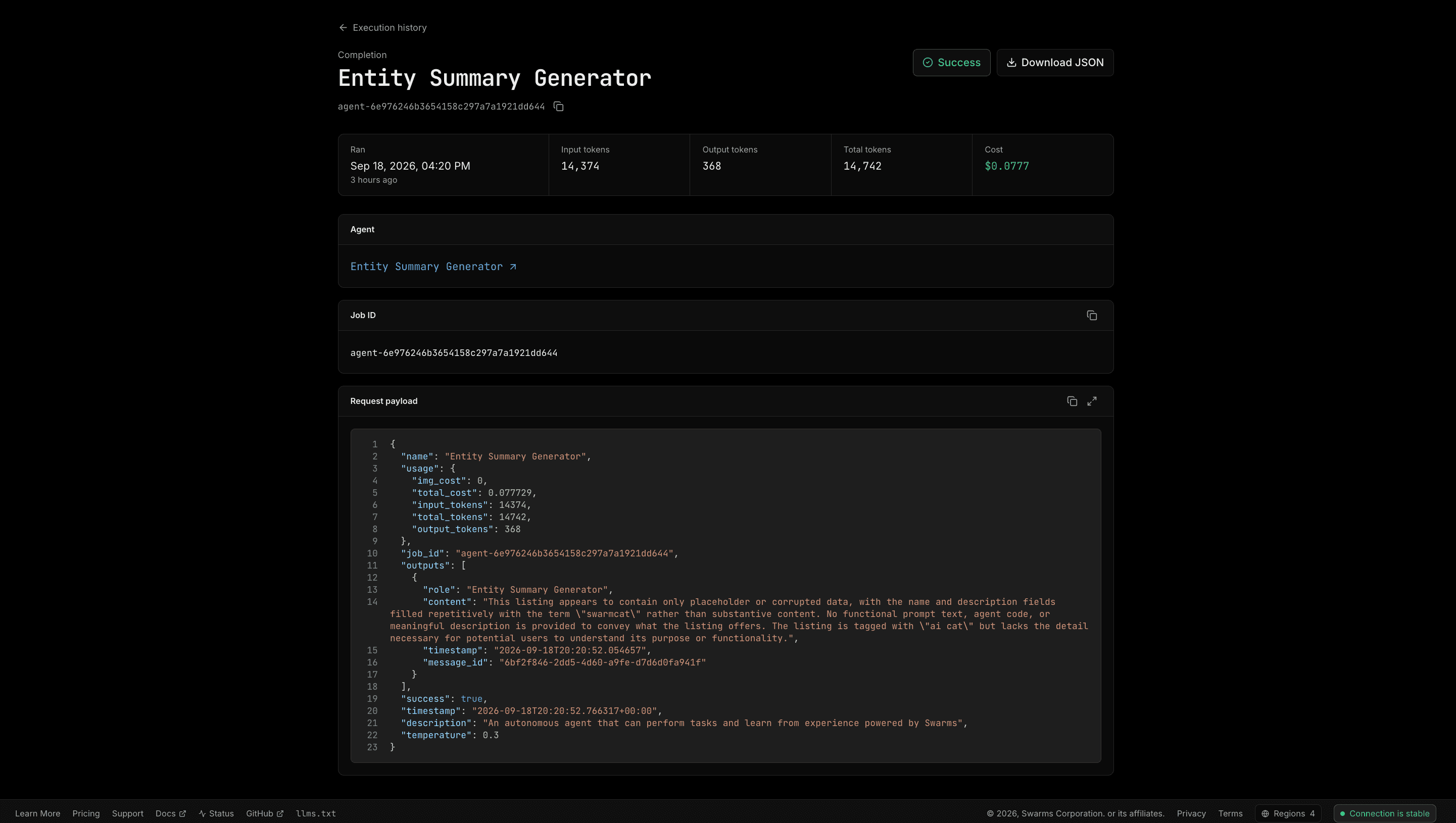
Completion logs cover the other half. Every API request your account has made is in one place, searchable and filterable by agent, endpoint, ID, timestamp, or task text, with search continuing into the raw log body so a string that appeared anywhere in a request or a response will find the run that carried it. Date filters scope the view, and the whole filtered set exports to CSV.
Every completion also has its own page and therefore its own URL. A single run can be linked in a bug report, bookmarked, opened in three tabs for comparison, sent to a teammate, or downloaded as JSON in one click. The page carries the agent it ran as, linked to that agent's page, the job ID, tokens in and out, cost, and the exact request payload and response as formatted JSON. When an agent does something strange, the answer is almost always in that payload: a system prompt that was not what you thought, a temperature left at a default, a model name that silently fell back.
Token Usage aggregates all of it into spend over time, by day, week, month, or a custom range, and projects end-of-month spend from what the period has cost so far. It declines to project when too little of the period has elapsed to answer honestly, which is a small thing that tells you something about how the numbers on this platform are built.
An Encrypted Library for Prompts and Skills
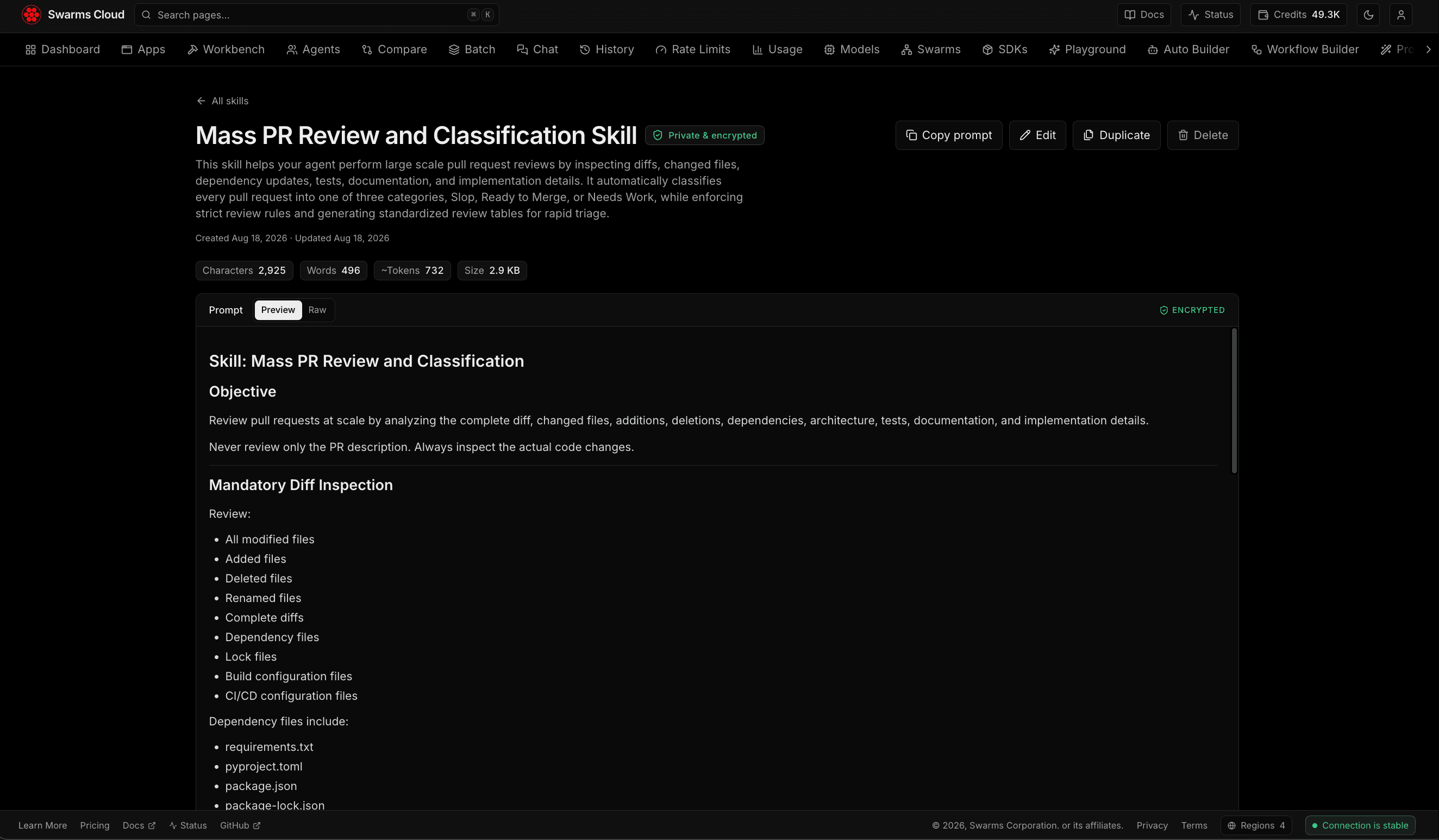
Skills is a private library for the prompts and skill files your agents depend on. Upload many at once in Anthropic's SKILL.md format, plain markdown, or JSON, including whole folders, which is how skills are actually distributed. Search runs across name, description, tags, and content. Every skill gets its own page with inline editing, a stats strip showing character, word, and token counts, and a rendered preview.
Everything is encrypted at rest under a key derived per user, so ownership is enforced by the cryptography as well as by the query: the wrong user's key fails authentication outright. Five first-party starter skills are one click away, including a swarm architecture chooser, a prompt tightener, a cost-aware model picker, an eval rubric writer, and an agent failure triage pack. Prompts generated on the platform save straight into the library.
The reason this belongs in a control plane rather than a repository is that prompts are operational state. They change more often than code, they are edited by people who do not open pull requests, and they carry the intellectual property of an agent team. Keeping them versioned, searchable, and encrypted in the same place that runs them closes a gap most teams paper over with a shared document.
Connected to Everything Else
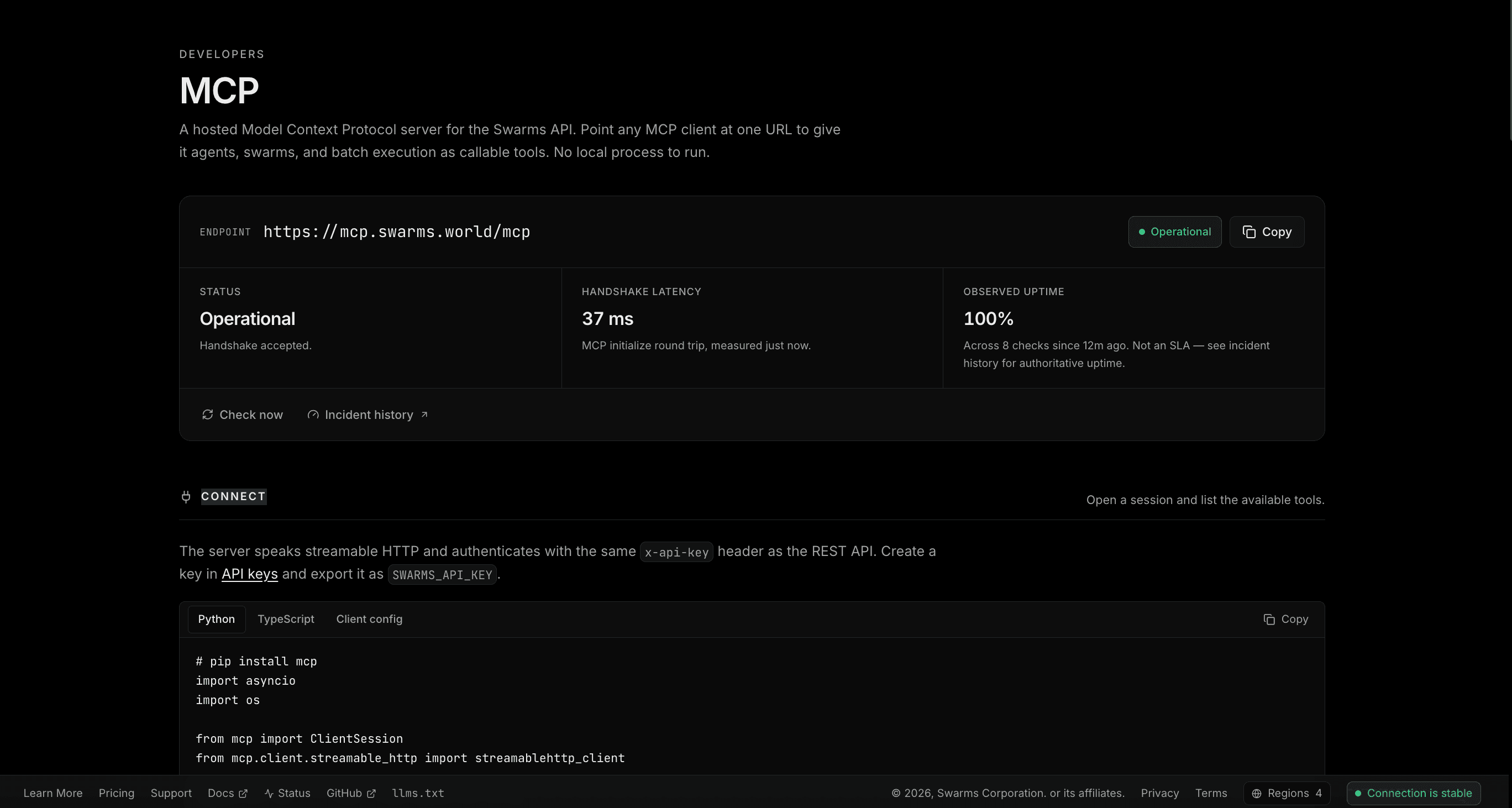
Swarms Cloud hosts a Model Context Protocol server with its own page showing the endpoint, its live status, connection snippets, and the full tool roster read from the server rather than hardcoded. Status comes from a real MCP handshake sent server-side, because a bare request only proves the host is listening, and uptime is reported as observations across N checks rather than dressed up as an SLA.
MCP is how agents reach tools that are not built into the platform. Point an agent at an MCP server and it discovers what that server offers and calls it, with no custom wrappers and no HTTP integration code. Swarms agents can attach several MCP servers at once, and with dynamic tool loading they pull in only the tools a task requires, which keeps a large toolset from being paid for on every call.
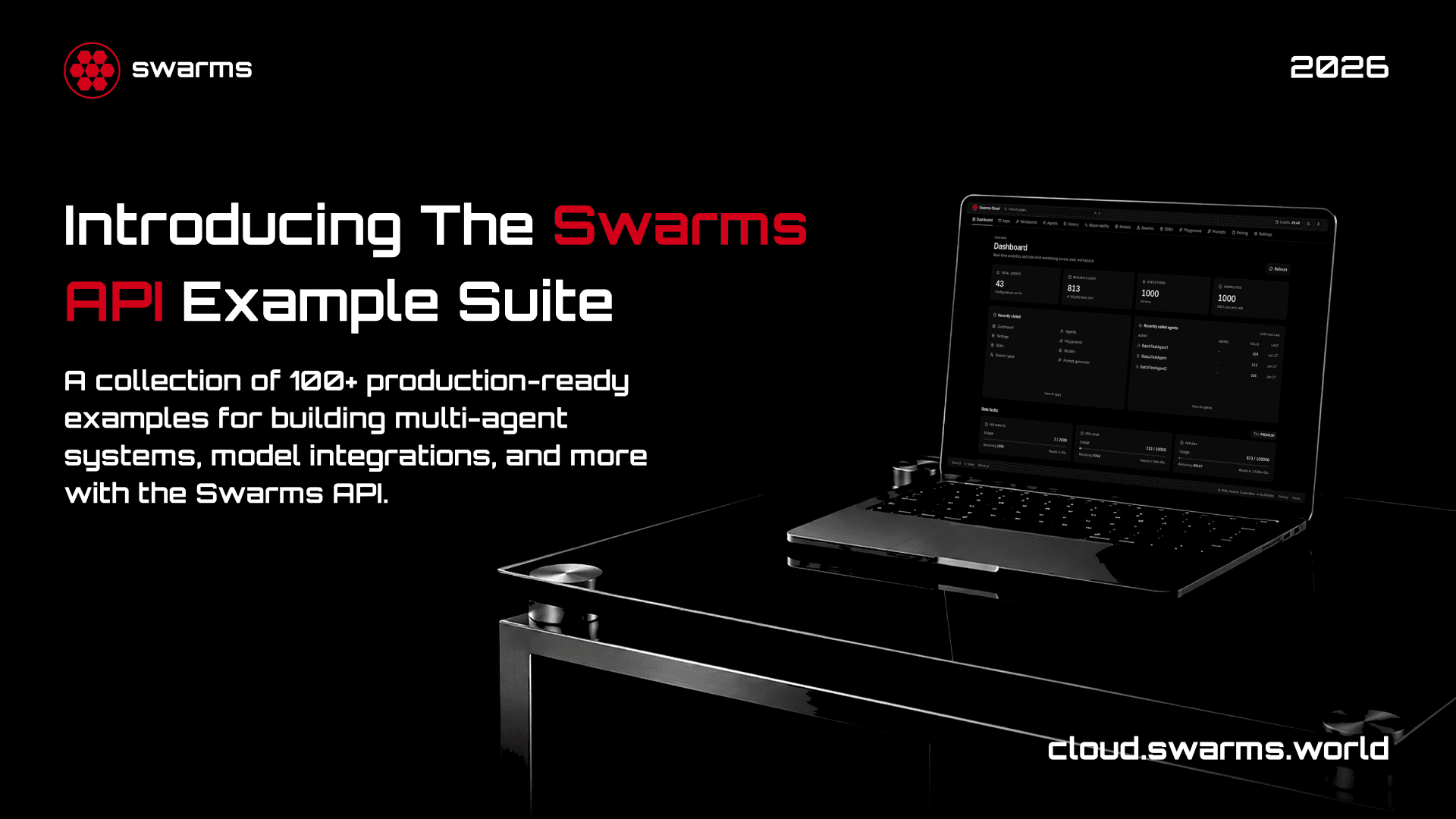
Examples is a browsable gallery of ready-to-run API calls across agents, swarms, batch, and account operations, each expanding into a copyable snippet in every language the platform supports, with real types in the generated Python and TypeScript. Any example opens in the playground with its payload intact, so the path from reading an example to running a modified version of it is two clicks. There are SDKs for the major languages, a Playground for interactive calls, and a machine-readable llms.txt carrying live pricing, every public page, and every architecture, for the agents reading this platform rather than the people.
Scale-to-Zero Hosting With S2A
S2A is scale-to-zero agent hosting, currently in beta. Point it at a GitHub repository and it reads the repo, pre-fills the deployment, and quotes the cost across clouds before you commit to one. Deploy to the cheapest and your agent runs behind an autoscaling HTTPS endpoint that costs nothing while idle.
The dashboard carries a deployments list with search, status filters, and gallery, table, or globe views, a detail page per deployment with metrics, logs, settings, and a timeline, and a catalog of templates to start from. It closes the last gap in the lifecycle: agents designed, run, and observed on the platform can now be hosted on it too.
Security, Billing, and the Rest of the Ecosystem
Security work on the platform is continuous and mostly invisible. Persisted state is wiped on sign-out so a shared browser cannot leak one account's prompts and run output to the next person. CSV exports route through a hardened writer, because spreadsheets execute cells beginning with certain characters as formulas and export columns carry caller-controlled text. API responses that are specific to one user are marked private so no shared cache can replay them to someone else. API key creation is capped per account, and keys can be rotated without erasing the historical spend they paid for.
Billing is a Free, Pro, and Premium ladder chosen during onboarding. Every plan pays the same per token on every model, so a subscription buys access and throughput rather than cheaper tokens. Upgrades apply immediately with proration, downgrades keep what you paid for until the period ends, and subscription status is visible next to your tier rather than something you discover through a failed call. New accounts start with $5 in free API credits, and the referral program gives both sides $10 in credits when someone signs up through your link.
One account covers the whole ecosystem. The same login reaches Swarms Cloud, the Swarms Marketplace where 6,000+ agents, prompts, and tools are published and monetized, and AgentHQ, the interactive office for running Claude and Codex agents. An agent you build on Cloud can be listed on the Marketplace without a second identity, and the same API key works across all of it.
Getting Started
Create an account, generate an API key, and make your first call. The quickstart on every architecture page is one click from a key, and the Examples gallery has a working call for whatever you are trying to do first. If you prefer to start from the console, the Auto Agent Builder will give you a roster from one sentence, and Chat will let you talk to it a minute later.
If you are already running agents somewhere else, the fastest way to see what the platform gives you is to point your existing workload at the API for a day and then open the history page sorted by cost descending. Most teams find something surprising in the first thirty seconds.
Conclusion
Swarms Cloud is the infrastructure layer for agent teams: one key across 2,000+ models, 16 architectures for arranging agents, builders that design a roster from a sentence or a canvas, runners that take one task to five hundred and one matrix to thousands of completions, a page for every agent and every run, an encrypted library for the prompts underneath them, a hosted MCP server for the tools around them, and scale-to-zero hosting for the ones that graduate to production.
The through-line is that none of this is the interesting part of your product, and all of it has to exist. Building it yourself is a quarter of engineering time that produces no differentiated value. Swarms Cloud is that quarter, already built, with the numbers on the screen matching the numbers on your invoice 🦾
Links and Resources