GuidesEngineering
How to Run 100 AI Agents in Parallel in Python
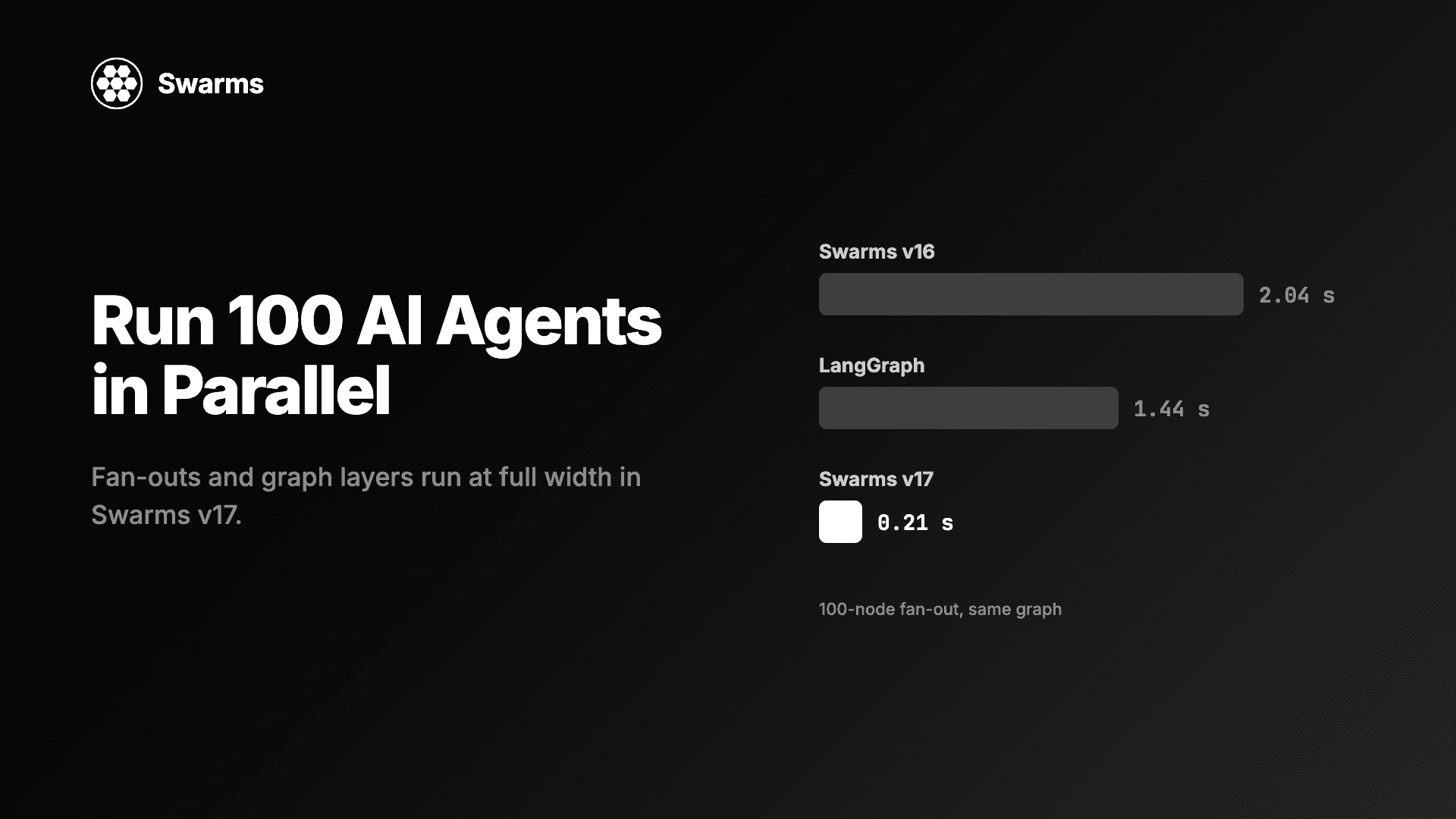
Run AI agents in parallel in Python: a 100-agent fan-out in Swarms v17 takes 0.21 s, down from 2.04 s (LangGraph: 1.44 s). Code for full width and async caps.
Kye Gomez11 min read

Run AI agents in parallel in Python: a 100-agent fan-out in Swarms v17 takes 0.21 s, down from 2.04 s (LangGraph: 1.44 s). Code for full width and async caps.
If you want to run AI agents in parallel in Python, the code that starts them is short. What decides how many actually run at once is a limit you may not know you have: a thread pool sized to your CPU, a default cap of 32, an event loop executor you never configured. This guide shows how to run 100 agents at full width with Swarms v17 "InterLink" using ConcurrentWorkflow, GraphWorkflow and the async fan-out helper, then how to cap concurrency on purpose, per provider, when rate limits push back. Every code block below was run against the Swarms 17.0.0 source with 100 agents before publishing.
An agent call spends almost all of its time waiting on a model API. The CPU is idle during that wait, and Python releases the GIL, so threads overlap well. That makes the right pool size the number of calls you want in flight, and CPU count has nothing to do with it.
Before v17, Swarms used the wrong limit in two places. ConcurrentWorkflow capped its default pool at 32 agents, and GraphWorkflow sized its pool to 95% of CPU cores. On a 12-core machine, a 100-node layer ran in waves of 11. In v17 both run every agent at once by default (#2956, #2957): ConcurrentWorkflow sizes its pool to len(agents), and GraphWorkflow sizes it to the widest layer of the graph.
The v17 changelog measured a fan-out of independent nodes, with each agent replaced by a 200 ms sleep, taking the median of three runs (#2957):
| Nodes | v16 | v17 | LangGraph |
|---|---|---|---|
| 8 | 0.206 s | 0.204 s | 0.205 s |
| 32 | 0.614 s | 0.208 s | 0.413 s |
| 100 | 2.036 s | 0.211 s | 1.436 s |
| 256 | 4.877 s | 0.219 s | 3.280 s |
A 100-node fan-out goes from 2.04 s to 0.21 s, against 1.44 s for LangGraph on the same graph. The sleep stands in for a model call so the benchmark measures scheduling: 0.21 s for 100 nodes of 200 ms each means all 100 ran in one wave. With real models, the wall time of a full-width layer is roughly the time of its slowest call. For a side-by-side of the two graph APIs, see Swarms GraphWorkflow vs LangGraph.
pip install -U swarms
# optional: RouteHub for model calls and rustworkx for graphs
pip install -U "swarms[fast]"
The examples mix providers, so set the key for each one you use: OPENAI_API_KEY, ANTHROPIC_API_KEY, GEMINI_API_KEY, DEEPSEEK_API_KEY, MISTRAL_API_KEY, GROQ_API_KEY. The changelog reports that swarms[fast] cuts per-call overhead by more than half and peak memory from about 220 MB to 100 MB, which adds up when 100 calls are in flight.
ConcurrentWorkflow gives every agent the same task and runs them all at once. Here 100 analysts are spread across four providers, using small, fast models because each agent answers in two sentences.
import time

from swarms import Agent, ConcurrentWorkflow

# Cheap, fast models from four providers, 25 agents each.
models = [
    "gpt-5.4-mini",
    "anthropic/claude-haiku-5-5",
    "groq/openai/gpt-oss-120b",
    "mistral/mistral-large-latest",
]
sectors = ["energy", "banking", "retail", "logistics", "healthcare"]

agents = [
    Agent(
        agent_name=f"Analyst-{n:03d}",
        system_prompt=(
            f"You are an equity analyst covering {sectors[n % len(sectors)]}. "
            "Answer in two sentences."
        ),
        model_name=models[n % len(models)],
        max_loops=1,
        print_on=False,
    )
    for n in range(100)
]

workflow = ConcurrentWorkflow(agents=agents)  # max_workers defaults to len(agents)

start = time.perf_counter()
results = workflow.run("What is the biggest risk to your sector next quarter?")
print(f"{len(results)} answers in {time.perf_counter() - start:.2f} s")

for message in results[:3]:
    print(message["role"], "->", message["content"][:80])
With the default output_type="dict-all-except-first", run() returns a list of 100 messages, one per agent, in agent order, each with the agent's name as role and its answer as content. The workflow records each agent's answer (via agent_answer), so each content is the agent's reply alone. print_on=False keeps 100 agents from printing 100 panels.
If an agent raises, the default on_error="store" records it under the role "<name> (failed)" with content "Error: ..." and lets the other 99 finish. Pass on_error="raise" to abort the run on the first failure instead.
Spreading agents over four providers does more than vary the answers. Rate limits are per provider account, so 25 requests each to four providers is far gentler than 100 to one.
When the parallel layer sits between other steps, use GraphWorkflow. This graph has a brief writer, 100 reviewers in parallel, and an editor that reads all 100 reviews.
import time

from swarms import Agent, GraphWorkflow

def make_agent(name, model, prompt):
    return Agent(
        agent_name=name,
        system_prompt=prompt,
        model_name=model,
        max_loops=1,
        output_type="final",  # record each node's answer, not its transcript
        print_on=False,
    )

brief = make_agent(
    "Brief-Writer", "gpt-5.4",
    "Turn the task into a short brief that a reviewer can act on.",
)
reviewers = [
    make_agent(
        f"Reviewer-{n:03d}",
        ["gpt-5.4-mini", "anthropic/claude-haiku-5-5", "groq/openai/gpt-oss-120b"][n % 3],
        f"You review product feedback as customer persona #{n}. Give one concrete objection.",
    )
    for n in range(100)
]
editor = make_agent(
    "Editor", "anthropic/claude-sonnet-5-5",
    "Group the reviewers' objections into themes and rank them by how often they appear.",
)

graph = GraphWorkflow(name="persona-review")  # max_parallel_nodes=None: full layer width
for agent in [brief, *reviewers, editor]:
    graph.add_node(agent)
graph.add_edges_from_source("Brief-Writer", [r.agent_name for r in reviewers])
graph.add_edges_to_target([r.agent_name for r in reviewers], "Editor")

start = time.perf_counter()
outputs = graph.run("Launch plan: a $9/month tier with no API access.")
print(f"{len(outputs)} nodes in {time.perf_counter() - start:.2f} s")
print(outputs["Editor"][:200])
print(graph.usage)
The graph compiles to three layers (1, 100 and 1 nodes) and the middle layer runs in one wave, so the run takes about three model calls of wall time. run() returns a dict keyed by node id, which is the agent's name. GraphWorkflow stores whatever each agent's run returns, so set output_type="final" on the agents; under the Agent default each node's output would be its whole conversation. graph.usage sums provider tokens over every agent in the graph.
The model choice follows the work: a mid-tier model writes the one brief, three cheap models from three providers handle the 100 reviews, and Claude Sonnet 5.5 does the single long-context synthesis at the end.
Inside an async application, use run_agents_concurrently_async. In v17 it awaits each agent's arun and takes max_concurrency (#3093). Results come back in input order, and the first exception propagates. None means no cap; a value below 1 raises ValueError.
import asyncio
import time
from concurrent.futures import ThreadPoolExecutor

from swarms import Agent, run_agents_concurrently_async

agents = [
    Agent(
        agent_name=f"Summariser-{n:03d}",
        system_prompt="Summarise the task in one sentence.",
        model_name=["gpt-5.4-mini", "groq/openai/gpt-oss-120b"][n % 2],
        max_loops=1,
        output_type="final",
        print_on=False,
    )
    for n in range(100)
]

async def main():
    # Agent.arun runs Agent.run in a worker thread (asyncio.to_thread), and the
    # event loop's default pool has min(32, CPU cores + 4) threads. Size it to the fan-out.
    asyncio.get_running_loop().set_default_executor(ThreadPoolExecutor(max_workers=len(agents)))

    for cap in (None, 20):
        start = time.perf_counter()
        results = await run_agents_concurrently_async(
            agents, "Summarise today's market news.", max_concurrency=cap
        )
        print(f"max_concurrency={cap}: {len(results)} results in {time.perf_counter() - start:.2f} s")

    print(results[0])

asyncio.run(main())
The set_default_executor line matters. Agent.arun is still asyncio.to_thread(self.run) in 17.0.0 (native async is tracked in #2711), so every in-flight agent holds a thread from the event loop's default executor. Python sizes that pool to min(32, os.cpu_count() + 4), 16 threads on a 12-core laptop. Without the line, max_concurrency=None still runs 100 agents in waves of 16. With it, None runs all 100 at once and max_concurrency=20 runs five waves of 20. Once native arun lands, the semaphore alone will set the width.
CouncilAsAJudge.arun and MajorityVoting.arun take the same max_concurrency argument, so the same cap works for panels of judges and voters.
A single global cap is the wrong shape when 100 agents span several providers, because each provider enforces its own limit. Group the agents by model and give each group its own cap, then run the groups side by side:
import asyncio
from collections import defaultdict
from concurrent.futures import ThreadPoolExecutor

from swarms import Agent, run_agents_concurrently_async

# How many requests each provider account can take at once. Set these from
# your own rate-limit tier; the numbers here are placeholders.
PROVIDER_CAPS = {
    "gpt-5.4-mini": 40,
    "anthropic/claude-haiku-5-5": 10,
    "groq/openai/gpt-oss-120b": 25,
    "deepseek/deepseek-v4-pro": 15,
}
# A backup model on a different provider for each primary.
FALLBACK = {
    "gpt-5.4-mini": "groq/openai/gpt-oss-120b",
    "anthropic/claude-haiku-5-5": "gpt-5.4-mini",
    "groq/openai/gpt-oss-120b": "gpt-5.4-mini",
    "deepseek/deepseek-v4-pro": "anthropic/claude-haiku-5-5",
}
models = list(PROVIDER_CAPS)

agents = [
    Agent(
        agent_name=f"Grader-{n:03d}",
        system_prompt="Grade the answer from 1 to 10 and give one reason.",
        model_name=models[n % len(models)],
        fallback_model_name=FALLBACK[models[n % len(models)]],
        retry_attempts=3,  # client-side retries per model, with backoff on rate limits
        max_loops=1,
        output_type="final",
        print_on=False,
    )
    for n in range(100)
]

async def main():
    asyncio.get_running_loop().set_default_executor(ThreadPoolExecutor(max_workers=len(agents)))

    by_model = defaultdict(list)
    for agent in agents:
        by_model[agent.model_name].append(agent)

    task = "Answer to grade: 'Water boils at 100 C at sea level.'"
    groups = list(by_model.items())
    results = await asyncio.gather(*(
        run_agents_concurrently_async(group, task, max_concurrency=PROVIDER_CAPS[model])
        for model, group in groups
    ))

    for (model, group), answers in zip(groups, results):
        print(f"{model}: {len(answers)} answers, at most {PROVIDER_CAPS[model]} in flight")

asyncio.run(main())
Each of the four groups has 25 agents and its own semaphore, so Anthropic never sees more than 10 requests at once while OpenAI takes up to 40.
Two layers of resilience sit underneath. retry_attempts travels with every request as the client's num_retries, and rate-limit errors back off exponentially. If a model still fails, the agent moves to its fallback: fallback_model_name is folded into fallback_models as [model_name, fallback], and only an AgentLLMError moves an agent down that list. Every run starts again from the primary. A fallback call goes to the backup provider outside that provider's group semaphore, so leave some headroom in the caps.
If you pass fallback_models directly, list the primary first. In 17.0.0 the first entry becomes the agent's model_name, whatever you passed as model_name.
ConcurrentWorkflow gives every agent the same task. When each agent has its own input, use batched_grid_agent_execution, which pairs agents[i] with tasks[i]:
from swarms import Agent, batched_grid_agent_execution

samples = [
    "The checkout page froze twice before my order went through.",
    "Arrived a day early and the packaging was perfect.",
    "Twelve dollars a month is too much for what it does.",
    "My parcel has been stuck in the depot for a week.",
]
reviews = [f"Review #{n}: {samples[n % len(samples)]}" for n in range(100)]

agents = [
    Agent(
        agent_name=f"Tagger-{n:03d}",
        system_prompt="Tag the review with one of: bug, praise, pricing, shipping. Reply with the tag only.",
        model_name="gpt-5.4-mini" if n % 2 else "anthropic/claude-haiku-5-5",
        max_loops=1,
        output_type="final",
        print_on=False,
    )
    for n in range(100)
]

# One task per agent. max_workers defaults to 95% of CPU cores here, so set it.
tags = batched_grid_agent_execution(agents, reviews, max_workers=len(agents))

failed = [t for t in tags if isinstance(t, Exception)]
print(len(tags), "tagged,", len(failed), "failed")
print(tags[0])
Results are in input order, and a failed agent's slot holds its exception, so one bad call does not cost you the other 99 results.
The v17 full-width change covered the two workflows. The function helpers in swarms.structs.multi_agent_exec still size their pools from CPU count when you omit max_workers: run_agents_concurrently(agents, task, max_workers=...) and batched_grid_agent_execution both default to 95% of cores. run_agents_with_different_tasks(pairs, batch_size=10) goes further and runs its batches one after another, 10 pairs at a time by default. Pass max_workers (and a larger batch_size) when you want width. The changelog lists HierarchicalSwarm and MixtureOfAgents pools as still defaulting to 95% of CPU cores too.
Full width is the default; throttling is one argument. max_workers caps a ConcurrentWorkflow, and max_parallel_nodes caps every layer of a GraphWorkflow:
import time

from swarms import Agent, ConcurrentWorkflow, GraphWorkflow

agents = [
    Agent(
        agent_name=f"Worker-{n:03d}",
        model_name="anthropic/claude-haiku-5-5",
        max_loops=1,
        output_type="final",
        print_on=False,
    )
    for n in range(100)
]

# At most 10 requests in flight, for a provider tier that allows little concurrency.
throttled = ConcurrentWorkflow(agents=agents, max_workers=10)
start = time.perf_counter()
throttled.run("Name one prime number.")
print(f"max_workers=10: {time.perf_counter() - start:.2f} s")

graph = GraphWorkflow(max_parallel_nodes=10)  # the same cap for a graph's widest layer
for agent in agents:
    graph.add_node(agent)
start = time.perf_counter()
outputs = graph.run("Name one prime number.")
print(f"max_parallel_nodes=10: {len(outputs)} nodes in {time.perf_counter() - start:.2f} s")
Both runs take about ten model calls of wall time, since 100 agents go through 10 slots. The old 32-agent cap existed to guard provider rate limits, so if you see 429 errors or connection-pool warnings with a large roster, this is the setting to reach for.
agent_name. GraphWorkflow uses it as the node id and raises on a duplicate, and the outputs of both workflows are labelled with it.output_type="final" on agents whose raw return value you store, as in GraphWorkflow nodes and the helper functions. ConcurrentWorkflow already extracts each answer.print_on=False on 100 agents saves you 100 terminal panels.max_workers or max_parallel_nodes. Several providers: a semaphore per provider, as in the grouped async example.GraphWorkflow (#3102) is the next large speedup for uneven graphs.When the number of agents is only known at run time, for example one agent per file or per finding, have a lead agent plan the fan-out instead of wiring it yourself. That is the orchestrator-worker pattern with PhasedFanOutWorkflow.
Build a list of Agent objects and pass it to ConcurrentWorkflow(agents=agents).run(task). In Swarms 17 the pool defaults to one thread per agent, so 100 agents run at once. Use GraphWorkflow when the parallel layer sits between other steps, and run_agents_concurrently_async inside async code.
In the v17 benchmark, a fan-out of 100 independent nodes, each replaced by a 200 ms sleep, took 0.211 s (median of three runs), down from 2.036 s in v16. LangGraph took 1.436 s on the same graph.
Pass max_workers to ConcurrentWorkflow, max_parallel_nodes to GraphWorkflow, or max_concurrency to run_agents_concurrently_async. For several providers, group agents by model and give each group its own max_concurrency.
Agent.arun runs the agent in a worker thread, and the event loop's default executor has min(32, os.cpu_count() + 4) threads. Call loop.set_default_executor(ThreadPoolExecutor(max_workers=len(agents))) before the fan-out.
Yes. Each Agent takes its own model_name, so one workflow can mix OpenAI, Anthropic, Groq, Mistral, DeepSeek and Gemini models. Spreading agents across providers also spreads the load across separate rate limits.
pip install -U swarmsStart with ConcurrentWorkflow(agents=agents) for a flat fan-out, move to GraphWorkflow when the wide layer sits inside a pipeline, and add caps only where a provider needs them. The concurrency changes, the benchmark and the PRs behind them are in the Swarms v17 "InterLink" changelog. The reference docs are at docs.swarms.world, and the source is on GitHub.
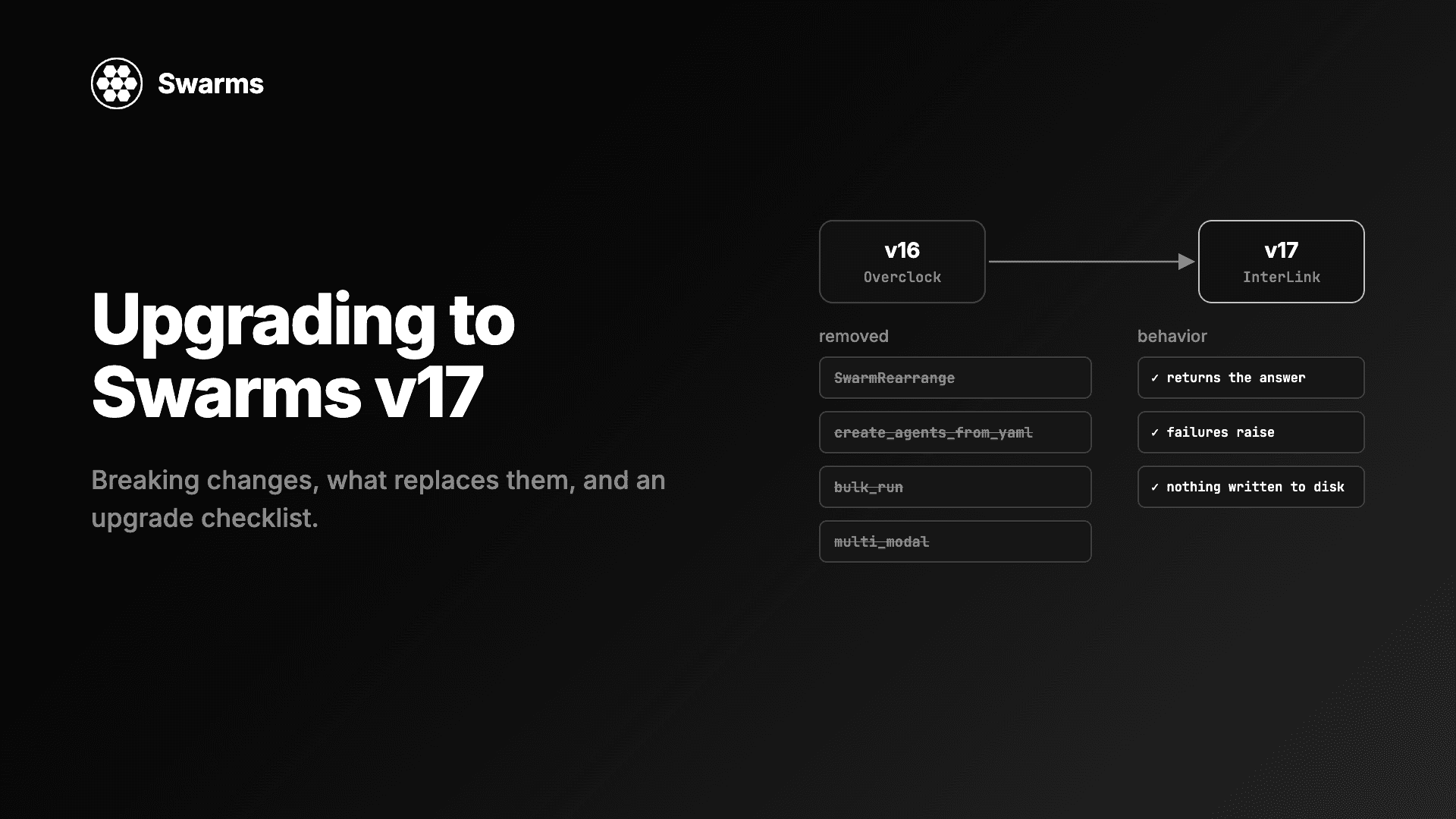
Swarms v17 upgrade and migration guide: every removed class and parameter in InterLink, what to use instead, the changed defaults, and an upgrade checklist.
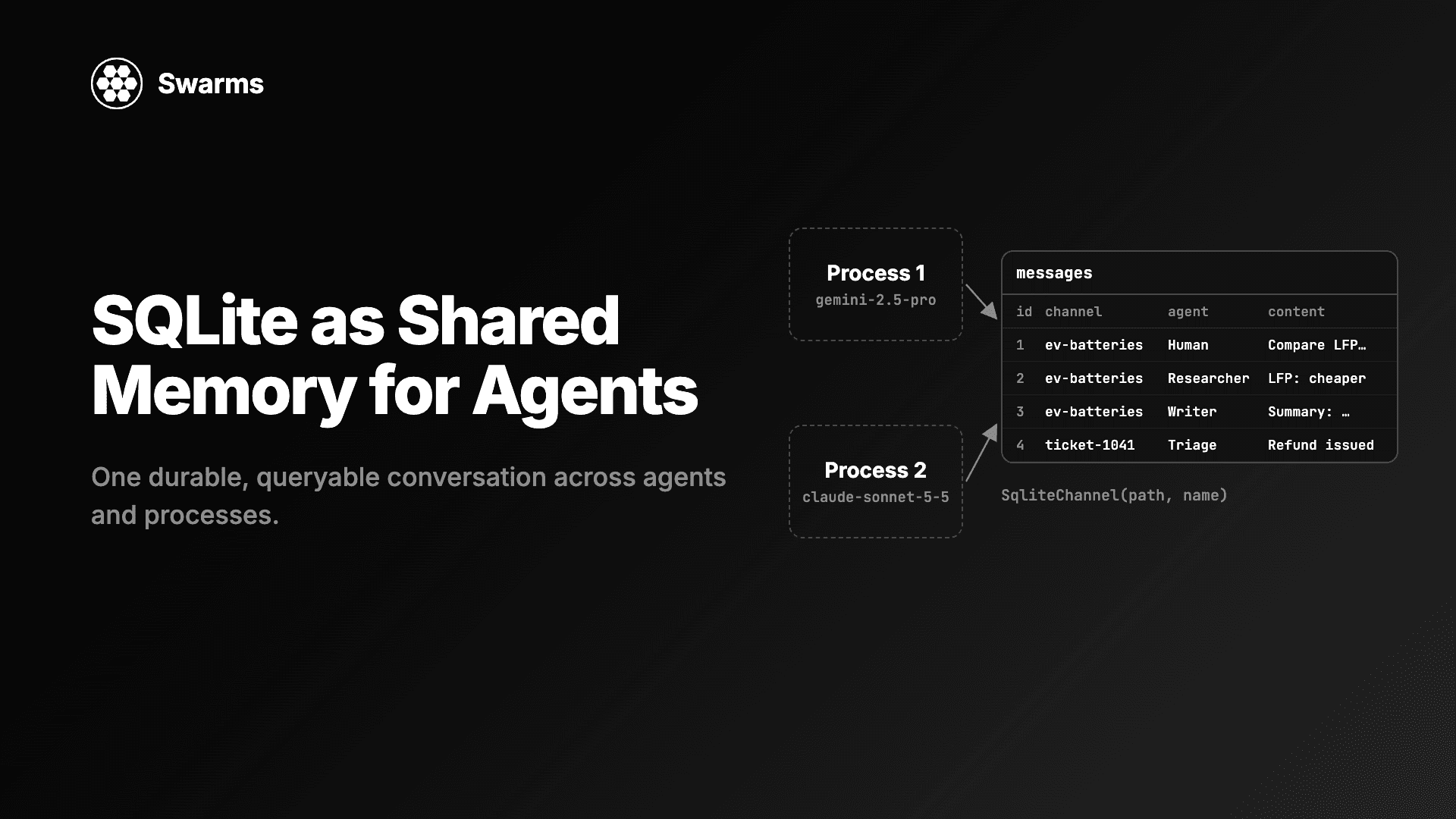
Shared memory for AI agents with SQLite: SqliteChannel gives agents and processes one durable, queryable conversation history. Store, share and run SQL over it.
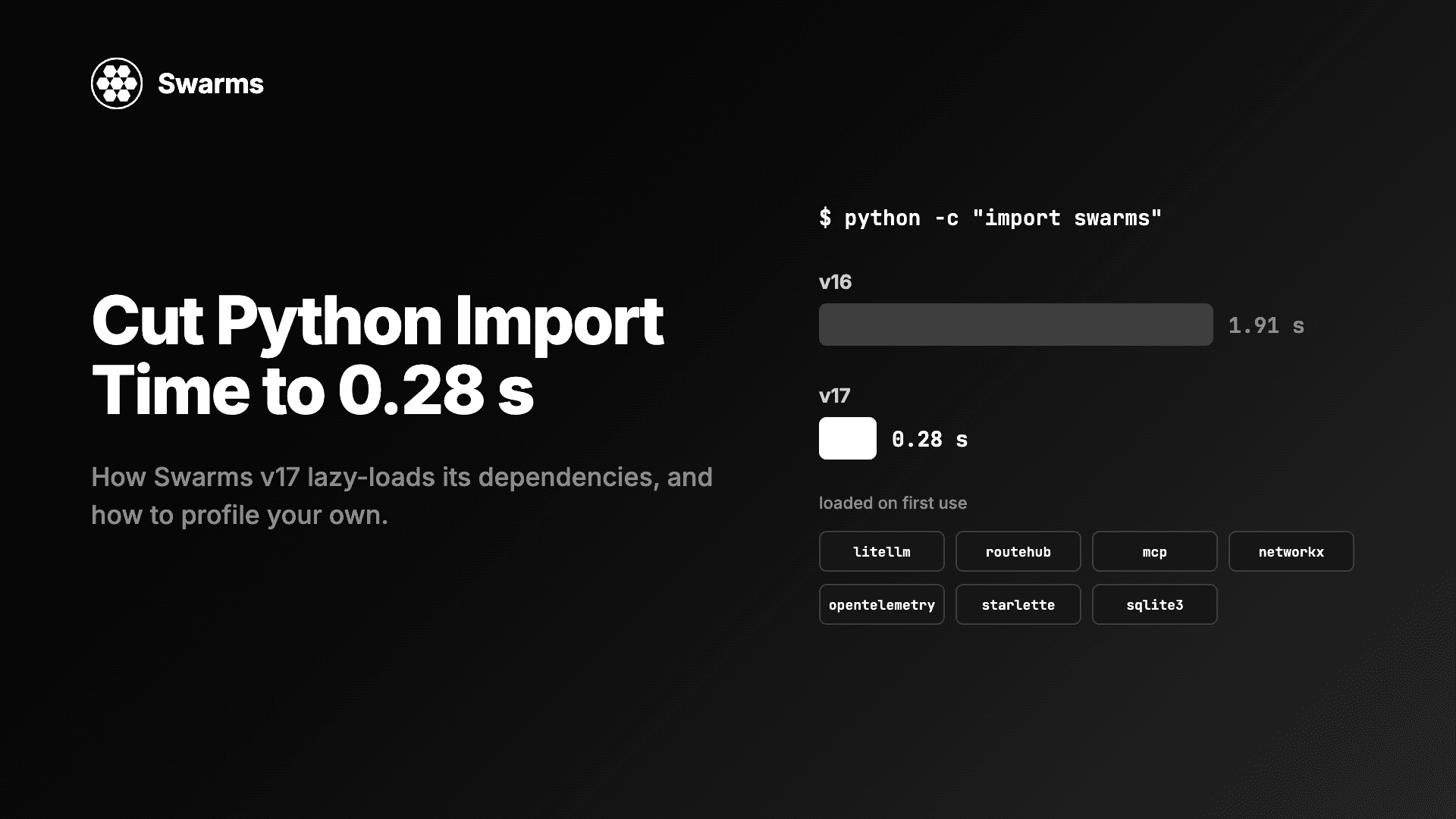
Reduce Python import time and agent cold start: import swarms fell from 1.91 s to 0.28 s with lazy loading and no disk writes. How to profile your own imports.