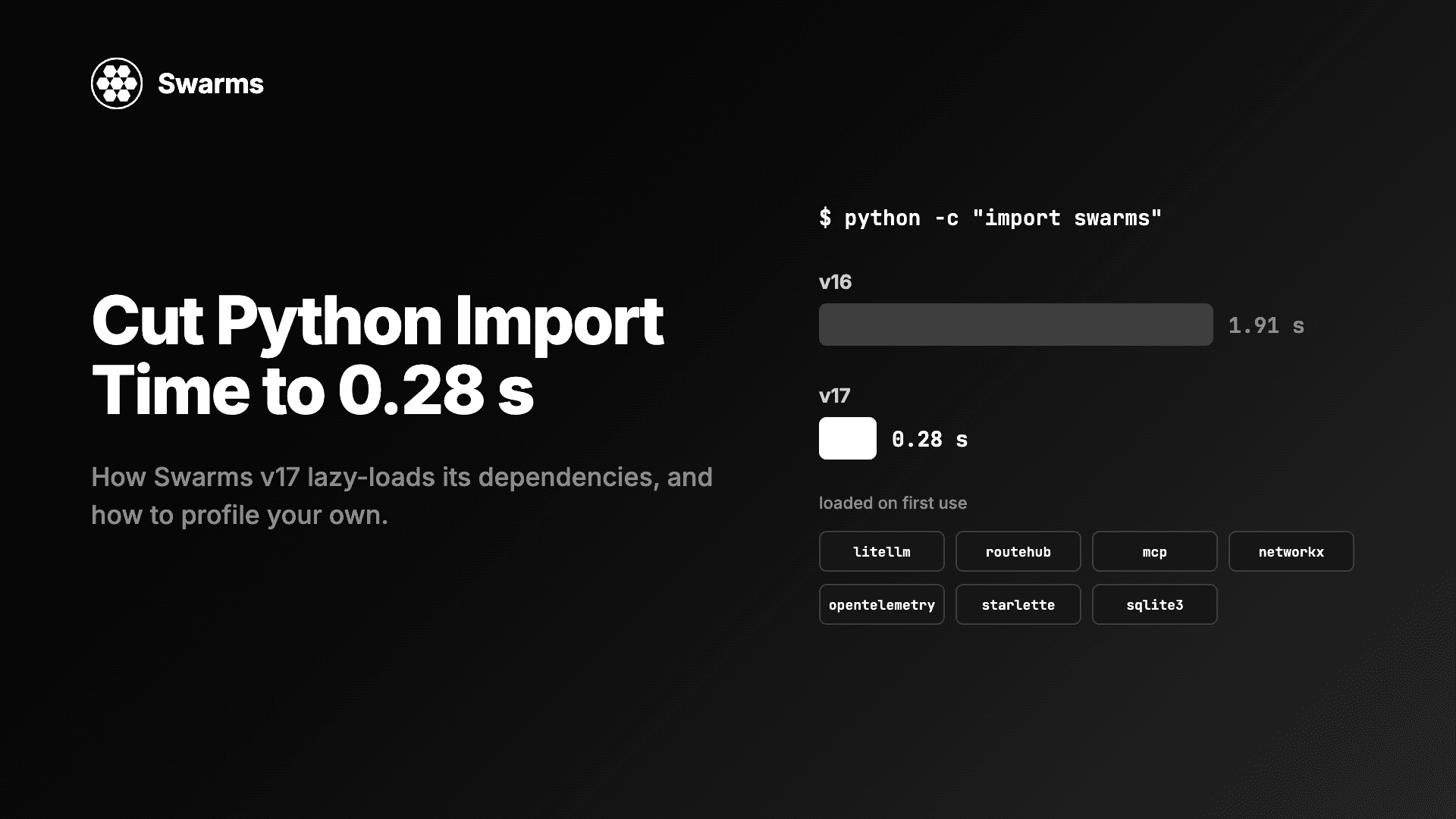
In Swarms v16, import swarms took 1.91 seconds. In Swarms v17 "InterLink" it takes 0.28 seconds. Nothing about what the framework can do changed. The difference is when it pays for its dependencies: litellm, RouteHub, mcp, networkx, OpenTelemetry, starlette and sqlite3 now load the first time something uses them, import swarms writes nothing to disk, and building an Agent whose limits are set opens no network connection.
This guide is for developers who want to reduce Python import time in an agent framework or in their own package, and for anyone fighting a slow agent cold start in a serverless function or a CLI. It covers why import time matters, how to measure it properly, the specific changes that took Swarms from 1.91 s to 0.28 s, and the same patterns written as small, runnable code you can copy into your own package.
Why Python import time matters for AI agents
Two seconds sounds small until you count how often a process starts.
- Serverless cold starts. On AWS Lambda, Cloud Run or any scale-to-zero platform, every new container imports your code before it can answer. Import time lands directly on the first user's latency, and again every time the platform scales out.
- CLIs.
swarms --help should not take two seconds. Neither should any command-line tool that happens to import an agent framework at the top of the file.
- Tests. Test runners that spawn subprocesses, or CI jobs that run many small scripts, pay the import on every process.
- Workers and cron jobs. A queue worker that restarts after each job, or a cron task that wakes up every minute, starts a fresh interpreter each time.
- Side effects. A slow import usually means the import is doing work: creating directories, opening sockets, starting thread pools. Those are worse than slow. They fail on read-only filesystems and on hosts without network access.
An agent framework is especially prone to this, because it integrates with everything. Every provider SDK, protocol client, graph library and exporter you add to the top of a module becomes a cost that every user pays at import, including the ones who never use that feature.
How to measure Python import time
Measure before changing anything. There are three questions to answer: how long does the import take, which modules are responsible, and what else does the import do.
Time the import in fresh processes
Timing an import inside a long-running interpreter is misleading, because Python caches modules in sys.modules and a second import is free. Start a new interpreter for every sample and take the median. This script does that for any module:
"""Time an import in fresh Python processes and report the median."""
import statistics
import subprocess
import sys

MODULE = "swarms"  # change to any module you want to measure
RUNS = 9

# Runs inside each child process: time only the import statement.
CHILD = (
    "import time\n"
    "t0 = time.perf_counter()\n"
    f"import {MODULE}\n"
    "print(time.perf_counter() - t0)\n"
)


def import_seconds() -> float:
    """Start a new interpreter, import MODULE, return the seconds it took."""
    result = subprocess.run(
        [sys.executable, "-c", CHILD],
        capture_output=True,
        text=True,
        check=True,
    )
    return float(result.stdout.strip().splitlines()[-1])


import_seconds()  # warm-up: the first run pays for cold disk caches and .pyc writes
samples = sorted(import_seconds() for _ in range(RUNS))

print(f"import {MODULE}: median {statistics.median(samples):.3f} s over {RUNS} fresh processes")
print(f"min {samples[0]:.3f} s, max {samples[-1]:.3f} s")
Two details matter. The warm-up run is discarded, because the very first import after an install also compiles .pyc files and reads cold pages from disk. And the median is reported, because one slow sample (another process grabbing the CPU) should not move the result. Expect numbers to vary between machines and between runs on a busy laptop; compare versions on the same machine, back to back.
The Swarms numbers quoted below come from the v17 changelog, which reports the median of nine fresh processes on one machine (macOS, Python 3.12), with telemetry on as it is by default, v16 against v17.
Find the slow imports with python -X importtime
Once you know the total, find out where it goes. CPython has a built-in import profiler:
python -X importtime -c "import swarms" 2> importtime.log

# the 20 largest cumulative times (microseconds, second column)
sort -t'|' -k2 -n importtime.log | tail -20
Each line has three columns: the module's own time (self), the time including everything it imported (cumulative), and the module name, indented by how deep in the import tree it sits. Read it from the cumulative column: find the largest entries, then follow the indentation down until you hit a module whose self time is large or whose children are a third-party library you did not expect to load. PYTHONPROFILEIMPORTTIME=1 does the same thing as -X importtime when you cannot change the command line.
The text gets long fast (a framework import can be a thousand lines). tuna turns the log into an interactive tree you can click through in a browser:
pip install tuna
tuna importtime.log
A module loads only once per process, so its cost is charged to whichever module imported it first. If requests shows up under your logging module, the cost belongs to requests; logging was simply the first module to need it.
Check what an import loads and writes
Timing tells you how slow; it does not tell you what the import did. The next script runs import swarms and builds an Agent in a fresh process inside an empty temporary directory, then reports which heavy libraries were loaded and whether any files appeared:
"""Check what `import swarms` and building an Agent load and write."""
import json
import os
import subprocess
import sys
import tempfile

HEAVY = [
    "litellm", "routehub", "mcp", "networkx", "rustworkx", "graphviz",
    "opentelemetry", "starlette", "anyio", "toml", "sqlite3",
]

CHILD = r"""
import json, sys, time

t0 = time.perf_counter()
import swarms
t1 = time.perf_counter()

from swarms import Agent

agent = Agent(
    agent_name="Cold-Start-Probe",
    model_name="gpt-5.4-mini",
    max_loops=1,
    context_length=200_000,  # set both limits, so the model catalog is never consulted
    max_tokens=4_096,
)
t2 = time.perf_counter()

heavy = json.loads(sys.argv[1])
loaded = sorted(h for h in heavy if any(m == h or m.startswith(h + ".") for m in sys.modules))
print(json.dumps({"import_s": t1 - t0, "agent_s": t2 - t1, "loaded": loaded}))
"""

with tempfile.TemporaryDirectory() as workdir:
    env = {k: v for k, v in os.environ.items() if k != "WORKSPACE_DIR"}
    result = subprocess.run(
        [sys.executable, "-c", CHILD, json.dumps(HEAVY)],
        cwd=workdir, env=env, capture_output=True, text=True, check=True,
    )
    report = json.loads(result.stdout.strip().splitlines()[-1])
    written = sorted(os.listdir(workdir))

print(f"import swarms:   {report['import_s']:.3f} s")
print(f"Agent(...):      {report['agent_s'] * 1000:.1f} ms")
print(f"heavy libraries: {report['loaded'] or 'none'}")
print(f"files written:   {written or 'none'}")
On Swarms 17.0.0 with SWARMS_TELEMETRY_ON=False and RouteHub installed, the heavy-library line reads none and the files line reads none. Three things change that result, and each one is expected:
- With telemetry on (the default), building the agent records an init span, which loads the OpenTelemetry SDK.
- With
SWARMS_LLM_BACKEND=litellm, building the agent imports litellm, because litellm keeps settings like drop_params as module globals that have to be set on the module. RouteHub takes them per call, so it can wait until the first request.
- Without
context_length and max_tokens, the agent looks its model up in the backend's catalog to fill them in, which imports the backend at construction.
The probe uses gpt-5.4-mini only as a model name; nothing is sent to OpenAI, so it runs without an API key.
How Swarms cut import swarms from 1.91 s to 0.28 s
Here are the headline numbers from the v17 changelog (median of nine fresh processes, one machine):
| v16 | v17 |
|---|
import swarms | 1.91 s | 0.28 s |
import swarms + Agent(...), RouteHub installed | 2.09 s | 0.51 s |
import swarms + Agent(...), litellm forced | 2.30 s | 1.83 s |
Heavy libraries loaded by import swarms | litellm, mcp, networkx, rustworkx, graphviz, OpenTelemetry SDK, starlette, anyio, toml, sqlite3 | none of them |
Files written by import swarms | agent_workspace/ and agent_workspace/error.txt | none |
No single change did it. Eleven PRs each moved one cost off the import path. The largest:
| What moved off the import path | Saving measured in the PR |
|---|
| litellm or RouteHub, imported on the first model call | ~800 ms for litellm |
mcp, imported when a server is used | ~400 ms |
| networkx, rustworkx, graphviz, through a lazy module | 47.8 ms → 1.0 ms |
| The OpenTelemetry API, with telemetry off | 15 modules → 0 |
anyio and starlette, loaded only when MCPDeployer serves | 4.8 ms → 0.5 ms |
The bootup thread pool and the workspace mkdir | no disk write at import |
The techniques behind those rows are general. Here is each one, with where it lives in the Swarms source.
Import the model client on the first call
The largest single cost was the LLM client library. In v17 every litellm import in the package goes through one module, swarms/utils/llm_backend.py. It decides at import which backend to use (RouteHub if it is installed, litellm otherwise, or whatever SWARMS_LLM_BACKEND says) using importlib.util.find_spec, which checks that a package exists without importing it. The library itself is imported inside backend_module(), the first time a completion is requested.
Everything else the rest of Swarms needs from the client, like get_model_info or the exception classes, is served by a module-level __getattr__ (PEP 562): the first access to llm_backend.AuthenticationError imports the backend, fetches the attribute and caches it in the module's globals, so later lookups are ordinary dictionary reads. Callers write llm_backend.get_model_info(...) and never know the import was deferred.
This is also why litellm's import cost stopped mattering for many users. The PR that deferred it measured about 800 ms saved for litellm alone (we looked at where that time goes in Why Is LiteLLM Slow?). Deferring it means a program that imports Swarms but has not made a model call yet does not pay for it, and pip install "swarms[fast]" swaps in RouteHub, which is cheaper to import when the first call does arrive.
Lazy module proxies for optional libraries
GraphWorkflow supports networkx, rustworkx and graphviz. Most programs that import Swarms never build a graph. swarms/structs/graph_workflow.py binds each library name to a small proxy object whose __getattr__ imports the real module the first time any attribute is read:
nx = _LazyModule("networkx")
rx = _LazyModule("rustworkx") if RUSTWORKX_AVAILABLE else None
The rest of the file keeps writing nx.DiGraph() exactly as before. Availability flags use find_spec, so checking whether rustworkx is installed costs a directory lookup and no import. The PR measured this path going from 47.8 ms to 1.0 ms.
Function-level imports and TYPE_CHECKING
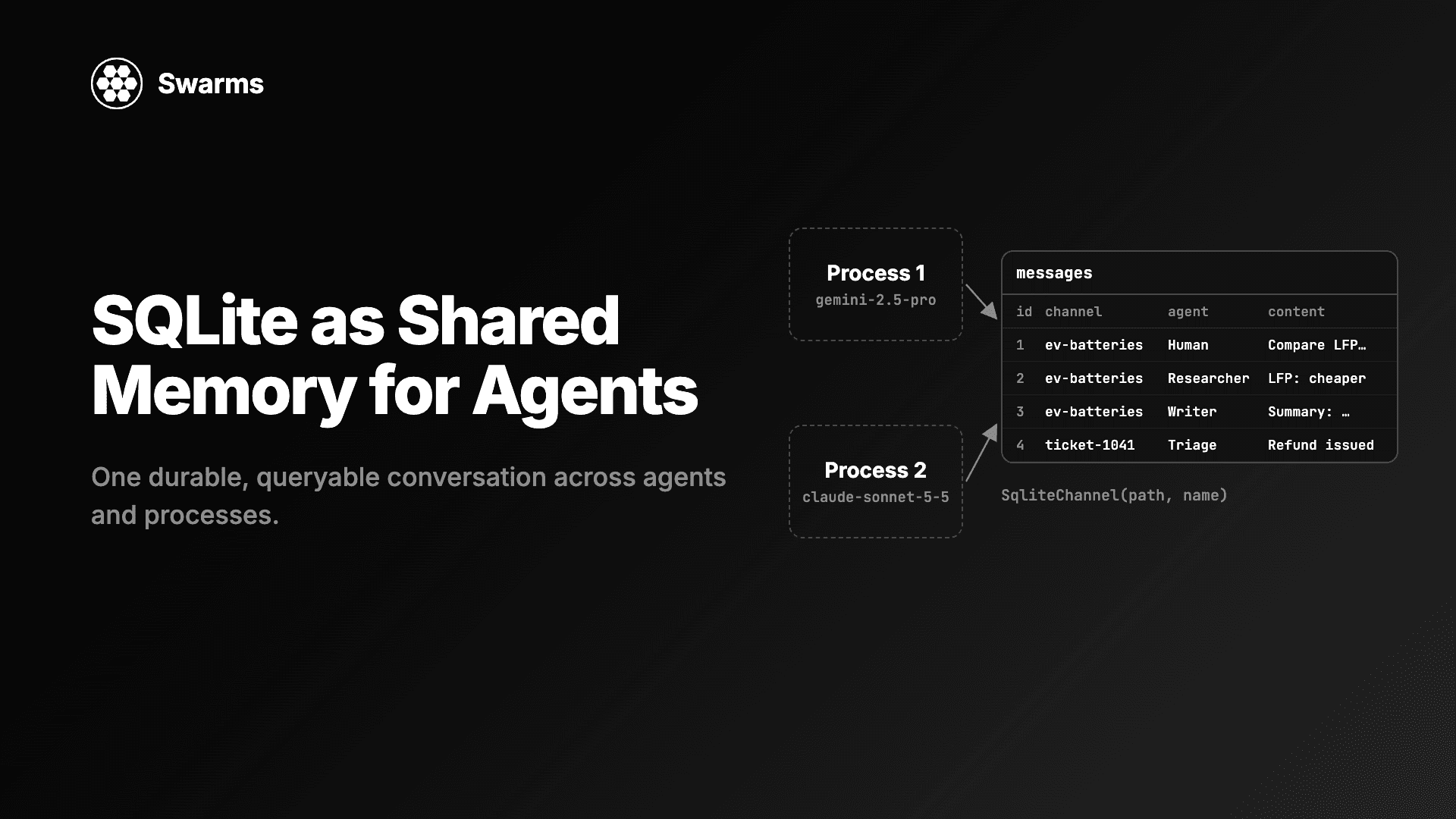
The mcp package costs about 0.4 s to import. swarms/tools/mcp_manager.py imports it inside the functions that open a connection, and keeps the type names available to type checkers with an if TYPE_CHECKING: block, which is False at runtime. The same move applies to small modules that only a few paths need: SqliteChannel imports sqlite3 in its constructor, so a program that never opens a SQLite channel never loads it.
Function-level imports are cheap after the first call (a dictionary lookup in sys.modules), so the only cost is a slightly less tidy file.
Telemetry that costs nothing when it is off
Telemetry is on by default in Swarms. With SWARMS_TELEMETRY_ON=False, v17 imports no OpenTelemetry module at all, and trace_run returns your methods undecorated, so Agent.run carries no tracing wrapper. When it is on, the SDK and exporter load on the first trace rather than at import. The switch is read when Swarms is imported, so set it in the environment (or a .env file) before your program starts.
No disk writes at import, no network at Agent()
v16 created an agent_workspace/ directory and an error.txt file in the current directory as a side effect of import swarms. v17 only records the default WORKSPACE_DIR path in the environment; the directory is created on the first real write. Workflows no longer autosave by default, and log files are written only with SWARMS_LOG_FILES=True. That matters most on read-only filesystems, which is what many serverless platforms give you outside /tmp.
Building an agent also stopped reaching for the network. On RouteHub, Agent() used to download OpenRouter's model catalog just to log "may not be supported" warnings: 162 ms online, and 10 seconds on a host that cannot reach it. Those checks now run only with SWARMS_STRICT_MODEL_CHECK=true, and an agent with context_length and max_tokens set builds in 13 ms with no connection opened.
How to reduce import time in your own Python package
The same three patterns work in any package. The examples below use sqlite3 as a stand-in for an expensive dependency, so they run with nothing installed; swap in pandas, torch, networkx or a provider SDK.
Lazy public names with PEP 562 module __getattr__
Say your package exports a light Client and a heavier ReportStore. Users write from fastpkg import ReportStore and you want that to keep working, but import fastpkg should not load the store's dependencies. Lay the package out like this:
fastpkg/
    __init__.py
    client.py
    store.py
demo.py
fastpkg/__init__.py imports the light parts eagerly and resolves the heavy ones on first access:
"""fastpkg: cheap to import, loads its heavy parts on first use (PEP 562)."""
import importlib
from typing import TYPE_CHECKING, Any

from fastpkg.client import Client  # light: imported eagerly

# Public name -> the submodule that defines it.
_LAZY = {
    "ReportStore": "fastpkg.store",
}

__all__ = ["Client", *_LAZY]

if TYPE_CHECKING:  # type checkers and IDEs still see the real classes
    from fastpkg.store import ReportStore


def __getattr__(name: str) -> Any:
    """Called only when `name` is not already a module global."""
    module_name = _LAZY.get(name)
    if module_name is None:
        raise AttributeError(f"module {__name__!r} has no attribute {name!r}")
    value = getattr(importlib.import_module(module_name), name)
    globals()[name] = value  # cache it: later lookups never reach __getattr__
    return value


def __dir__() -> list:
    return sorted(set(globals()) | set(__all__))
fastpkg/client.py and fastpkg/store.py:
# fastpkg/client.py
class Client:
    def __init__(self, name: str):
        self.name = name
# fastpkg/store.py
import sqlite3  # stands in for any expensive dependency


class ReportStore:
    def __init__(self, path: str = ":memory:"):
        self.conn = sqlite3.connect(path)
        self.conn.execute("CREATE TABLE IF NOT EXISTS reports (body TEXT)")

    def add(self, body: str) -> None:
        self.conn.execute("INSERT INTO reports VALUES (?)", (body,))

    def count(self) -> int:
        return self.conn.execute("SELECT COUNT(*) FROM reports").fetchone()[0]
And demo.py, run from the directory that contains fastpkg/:
import sys

import fastpkg

print("after import:      store loaded =", "fastpkg.store" in sys.modules)

client = fastpkg.Client("cli")
print("after Client:      store loaded =", "fastpkg.store" in sys.modules)

store = fastpkg.ReportStore()  # first access runs __getattr__ and imports the module
store.add("nightly run ok")
print("after ReportStore: store loaded =", "fastpkg.store" in sys.modules, "| rows:", store.count())

from fastpkg import ReportStore  # `from` imports go through __getattr__ too
print(ReportStore is fastpkg.ReportStore)
python demo.py prints False, False, then True | rows: 1, then True. A few details make this pattern hold up in a real package:
- Raise
AttributeError for unknown names. hasattr, getattr(module, name, default) and the import system all rely on it.
- Cache into
globals(). After the first access the name is a normal global and __getattr__ is never called for it again.
- Keep
TYPE_CHECKING imports. Without them, editors and type checkers lose the types of every lazy name.
- Watch
from fastpkg import *. A star import asks for every name in __all__, which triggers every lazy import at once. That is correct behavior, and a reason to avoid star imports of your own package internally.
Swarms itself uses this pattern for swarms.__version__, which reads the installed distribution's metadata only when something asks for the version.
A lazy proxy for one heavy dependency
When the expensive thing is a third-party module used throughout one file, a proxy object is less invasive than moving every import into functions. This is the same shape as _LazyModule in Swarms' graph_workflow.py:
"""A module-level stand-in that imports the real module on first attribute access."""
import importlib
import sys
from typing import Any


class LazyModule:
    def __init__(self, name: str):
        self._name = name
        self._module = None

    def __getattr__(self, attr: str) -> Any:
        if self._module is None:
            self._module = importlib.import_module(self._name)
        return getattr(self._module, attr)


sqlite3 = LazyModule("sqlite3")  # swap in networkx, pandas, torch, ...


def count_rows() -> int:
    conn = sqlite3.connect(":memory:")  # the real import happens here, once
    conn.execute("CREATE TABLE t (x INTEGER)")
    conn.executemany("INSERT INTO t VALUES (?)", [(1,), (2,), (3,)])
    return conn.execute("SELECT COUNT(*) FROM t").fetchone()[0]


print("before first use:", "sqlite3" in sys.modules)
print("rows:", count_rows())
print("after first use: ", "sqlite3" in sys.modules)
It prints False, rows: 3, True. The proxy only intercepts attribute access, so isinstance(x, sqlite3.Connection) works (the attribute read triggers the import) but passing the proxy itself somewhere that expects a real module object does not. The standard library also has importlib.util.LazyLoader, which makes a real module object that executes on first attribute access; it is a good fit when you need an actual ModuleType.
Guard the import budget in CI
Import time regresses quietly: one new top-level import pandas in a utility module and every user pays for it. A test that runs the import in a fresh process and checks sys.modules catches it on the pull request that introduces it:
"""test_import_budget.py: fail CI when an import-time regression lands."""
import json
import subprocess
import sys

PACKAGE = "swarms"
MUST_STAY_LAZY = ["litellm", "routehub", "mcp", "networkx", "starlette"]


def modules_loaded_by_import() -> set:
    code = f"import json, sys; import {PACKAGE}; print(json.dumps(sorted(sys.modules)))"
    out = subprocess.run([sys.executable, "-c", code], capture_output=True, text=True, check=True)
    return set(json.loads(out.stdout))


def test_heavy_dependencies_stay_lazy():
    loaded = modules_loaded_by_import()
    eager = [name for name in MUST_STAY_LAZY if name in loaded]
    assert not eager, f"import {PACKAGE} now loads {eager}"


if __name__ == "__main__":
    test_heavy_dependencies_stay_lazy()
    print("ok: none of", MUST_STAY_LAZY, "load at import")
Run it with pytest test_import_budget.py or directly with python test_import_budget.py. Checking module names is more stable in CI than a wall-clock threshold, which flakes on shared runners. Change PACKAGE and the list for your own project.
Reducing agent cold start in serverless functions
Import is only the first part of a cold start. For an agent, the full path is: start the interpreter, import the framework, build the agent, make the first model call. Swarms v17 shortens the middle two, and a few habits keep the rest short.
"""A serverless-style handler: import once per container, one fresh Agent per request."""
import json
import time

from swarms import Agent  # module scope: paid once per cold start


def build_agent() -> Agent:
    return Agent(
        agent_name="Ticket-Triage",
        model_name="anthropic/claude-haiku-5-5",
        system_prompt=(
            "Classify the support ticket as billing, bug or how-to. "
            "Reply with the label only."
        ),
        max_loops=1,
        context_length=100_000,  # limits you set yourself: no model catalog lookup at build time
        max_tokens=256,
        output_type="final",     # return the reply, not the conversation
        print_on=False,          # no console panels in a function log
    )


def handler(event, context=None):
    started = time.perf_counter()
    agent = build_agent()  # cheap in v17, and no history leaks between requests
    label = agent.run(event["ticket"])
    return {
        "statusCode": 200,
        "body": json.dumps({
            "label": label,
            "agent_build_and_run_ms": round((time.perf_counter() - started) * 1000, 1),
        }),
    }


if __name__ == "__main__":
    for ticket in ["I was charged twice this month.", "The export button does nothing."]:
        print(handler({"ticket": ticket}))
Classification is a short, high-volume task, so a small fast model (Claude Haiku 5.5) fits. It needs ANTHROPIC_API_KEY set; use OPENAI_API_KEY, GEMINI_API_KEY and so on for other providers. Notes for running this in production:
- Import at module scope. The platform keeps the container warm between requests, so the import is paid once per container.
- Build the agent per request, or call
agent.reset(). An Agent keeps its conversation in short_memory across run() calls, so a module-level agent reused by every request would send earlier tickets along with each new one. Since construction with context_length and max_tokens set opens no connection, a fresh agent per request is the simple fix.
- Set
output_type="final". The default output type returns the conversation after the first input; "final" returns the agent's reply, which is what a handler should send back.
- Install
swarms[fast]. RouteHub makes model calls instead of litellm. In the changelog's benchmark against a local OpenAI-compatible server, cold start to first answer went from about 1,140 ms with litellm to about 580 ms with RouteHub, and peak memory from about 210 MB to 100 MB. Lower memory also lets you pick a smaller (cheaper) function size. Moving existing litellm code is covered in How to Migrate from LiteLLM to RouteHub.
- Decide on telemetry.
SWARMS_TELEMETRY_ON=False removes OpenTelemetry from the process entirely. Leave it on if you want the traces; its exit flush is capped at one second, so an unreachable collector cannot hold a function open for long.
- Point
WORKSPACE_DIR at /tmp if you opt into autosave. With the v17 defaults nothing is written, so a read-only filesystem is fine.
- Measure in the real environment. Run the timing script above inside your container image. Cold storage on a fresh container is slower than a laptop's warm disk cache.
FAQ
How do I measure Python import time?
Run python -X importtime -c "import yourpackage" 2> importtime.log to see per-module self and cumulative times, and open the log with tuna for a tree view. For a single trustworthy number, time the import in several fresh subprocesses and take the median, as the first script in this post does.
Why is my Python import so slow?
Usually because a module near the top of your package imports a large third-party library at module scope, even though most programs never use it. Provider SDKs, data libraries, protocol clients and telemetry exporters are the common ones. Side effects at import (creating directories, starting threads, network checks) add to it. -X importtime shows which import chain is responsible.
What is PEP 562 module __getattr__?
PEP 562 (Python 3.7) lets a module define __getattr__(name), which Python calls when an attribute is not found in the module's globals. Packages use it to resolve heavy public names on first access, so import package stays fast while from package import HeavyThing keeps working. Define __dir__ alongside it so the lazy names still show up in dir() and autocompletion.
How fast is import swarms in v17?
0.28 s, down from 1.91 s in v16 (median of nine fresh processes on one macOS machine with Python 3.12, telemetry on). Importing and building an Agent takes 0.51 s with RouteHub installed. Expect different absolute numbers on your hardware; compare versions on the same machine.
Does lazy loading make the first model call slower?
The first call pays for importing the client library, the cost that used to be paid at import. Total time to the first answer is no worse, and programs that never reach a model call (CLIs printing help, tests, workers waiting on a queue) skip it entirely. Installing swarms[fast] makes that first import much cheaper.
Get started
pip install -U swarms

# RouteHub for model calls and rustworkx for graphs
pip install -U "swarms[fast]"
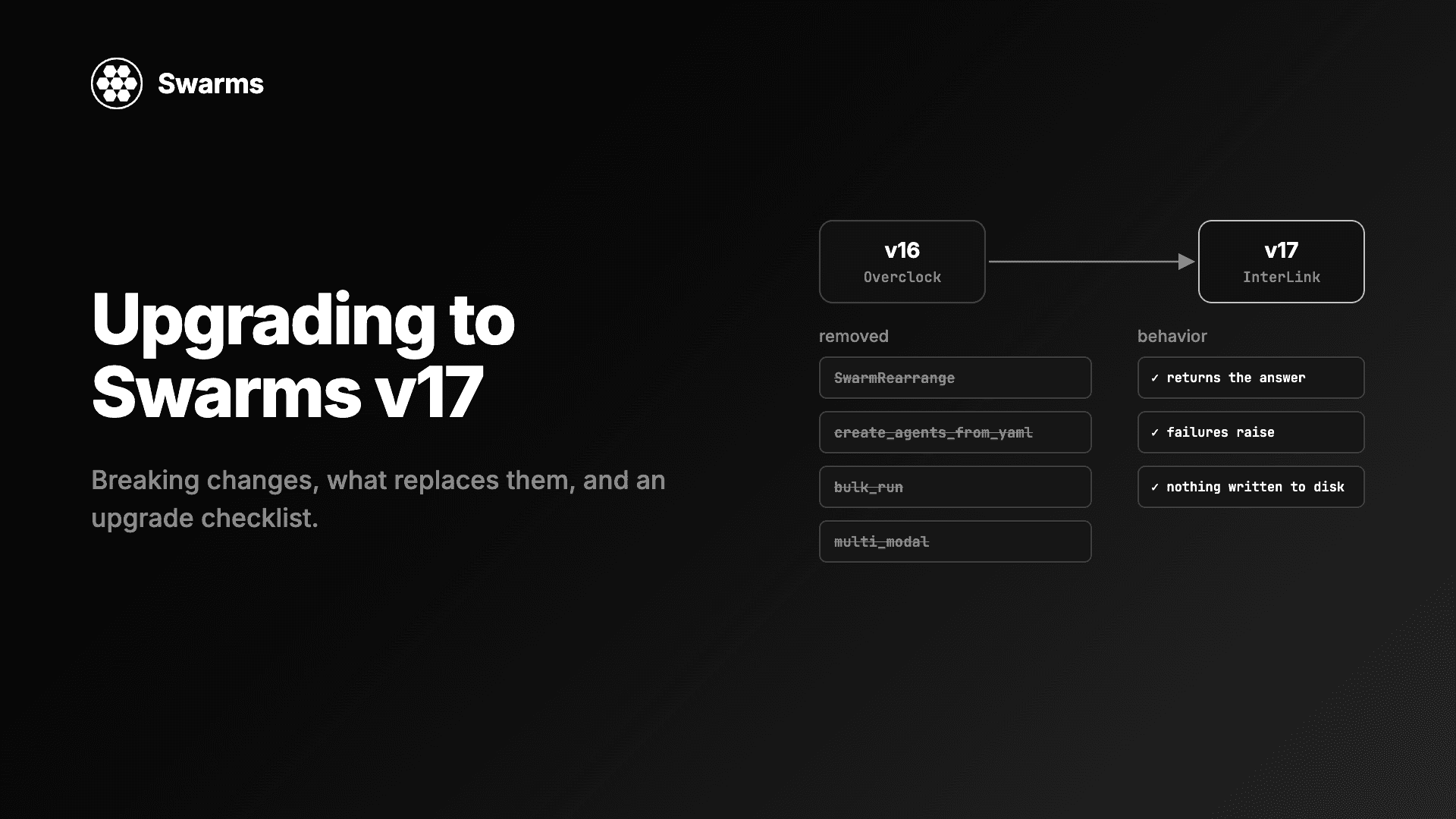
Then run the timing script from this post against your own environment, and the import probe against your own package. If you are upgrading an existing project, read Upgrading to Swarms v17: Breaking Changes and Migration Guide first, since v17 also changes some defaults.