Most teams that run human-in-the-loop AI agents end up building the same thing: a small web page where someone approves or corrects what the agents produced. Email is a simpler place for that loop. Everyone already has a mail client on their laptop and phone, threads keep the history in order, and a reply works without a login, a dashboard or a new tool to learn.
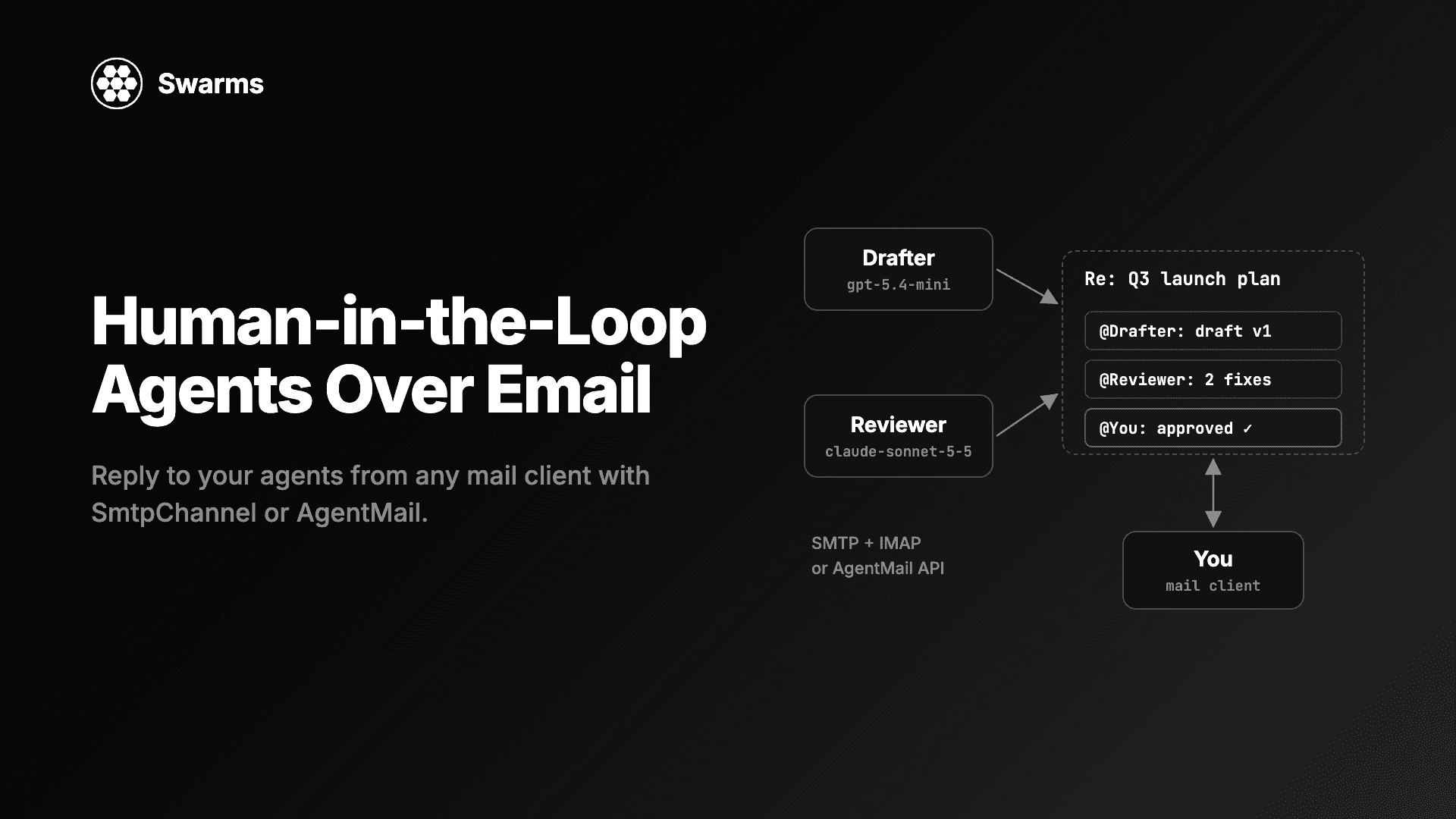
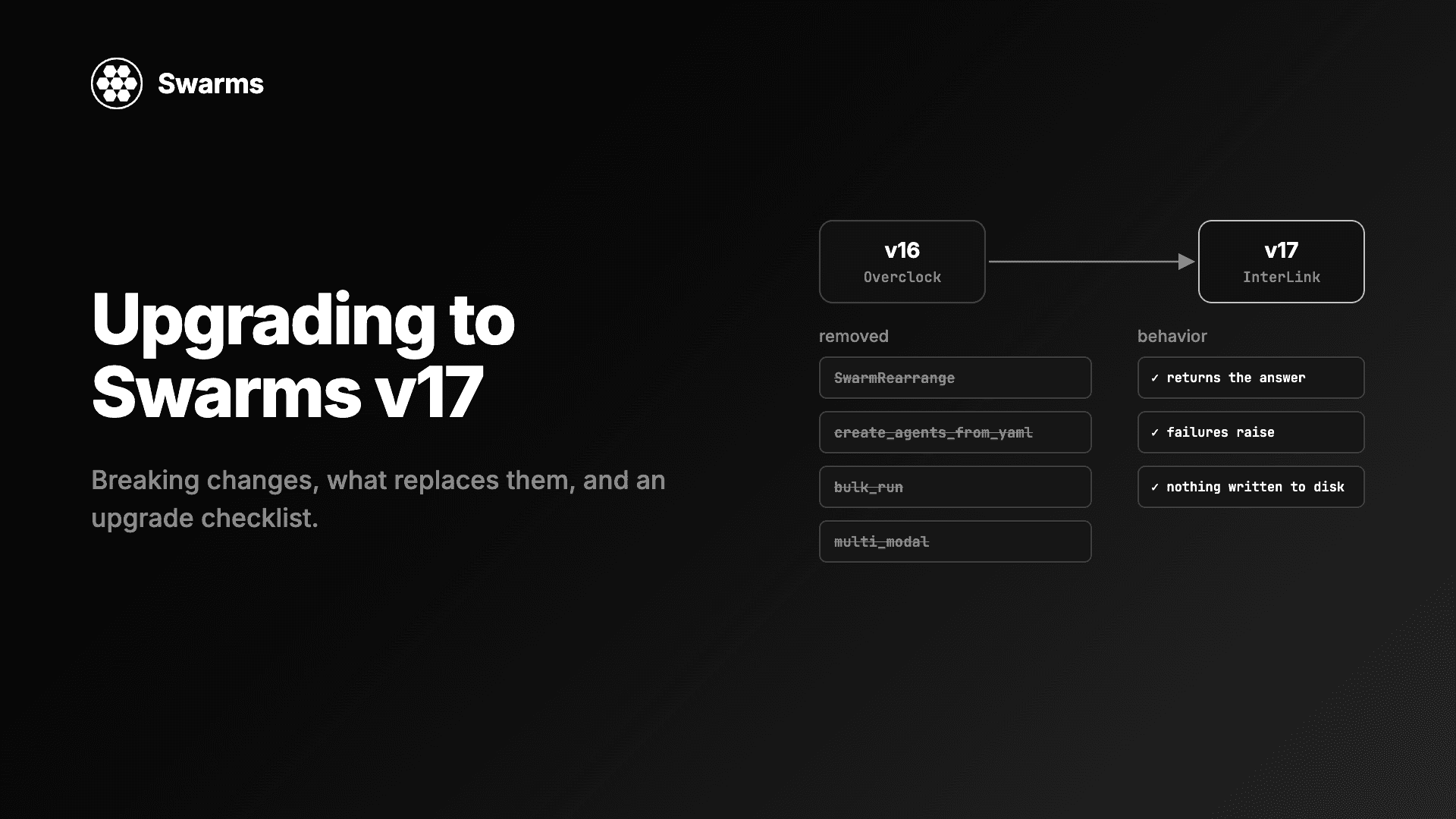
Swarms v17 "InterLink" ships two channels that make an email thread the conversation agents read and write: SmtpChannel, which uses your own mailbox over SMTP and IMAP, and AgentMailChannel, which uses an AgentMail inbox over its REST API. This guide builds a review and approval workflow with both. Agents on different model providers draft and review a piece of work and email it to you. You reply from Gmail or Outlook. The next run reads your reply and finishes the job. Every Python file below was run against Swarms 17.0.0 before publishing; the mail servers were replaced with local stand-ins for the test, as explained at the end.
What human in the loop means for AI agents
A human-in-the-loop agent system is one where a person reviews, corrects or approves agent output at defined points, and the agents use that input in their next step. The person is part of the conversation the agents read, and their decision changes what happens next.
Three patterns cover most cases:
- Approval gates. Agents prepare something (release notes, a customer reply, a refund, a pull request description) and stop until a person says yes.
- Corrections. The person replies with changes, and an agent applies them.
- Questions. An agent asks for a fact it cannot find, and the answer becomes context for the rest of the run.
All three need the same plumbing: a way to send the person the current state, a way for them to answer, and a way for the next agent run to see that answer.
Why email works for human-in-the-loop agents
- Nothing to install or host for the reviewer. The approver uses the mail client they already have, on any device.
- Threads are already a conversation. Email clients group replies by
In-Reply-To and References headers, which is exactly the ordered history agents need.
- It is asynchronous. A person can answer in ten minutes or two days. The agents do not hold a process open while they wait; the next run picks up the reply.
- There is a record. The full exchange, including who approved what and when, sits in the mailbox.
The cost is latency. Email is the right medium for decisions measured in minutes or hours, and the wrong one for a loop that needs an answer in under a second.
How Swarms puts an email thread in the agent loop
In Swarms v17, any Agent (and nine structures, including SequentialWorkflow, ConcurrentWorkflow and HierarchicalSwarm) takes a channel=. Before a run, the agent reads the channel as prior turns. It posts the task once, so agents sharing a channel see one copy. After a successful run it posts its final answer under its agent_name. A failed run posts nothing.
With an email channel, each post is an email in one thread. A person's reply is read back as a message from their address, with the quoted history below it removed. So the loop is:
- Agents run and post to the thread. You get an email for each post.
- You reply from your mail client.
- The next agent run reads the thread, including your reply, and acts on it.
| Channel | Where the thread lives | You need |
|---|
SmtpChannel | A mailbox you already run, over SMTP (send) and IMAP (read) | SMTP and IMAP hosts and a password; standard library only |
AgentMailChannel | An AgentMail inbox, over its REST API | An AgentMail inbox and AGENTMAIL_API_KEY |
Set up SmtpChannel with your own inbox
SmtpChannel sends each post to the people in to and to its own from_address. It then reads from_address's mailbox over IMAP to rebuild the thread. Use a dedicated mailbox for the agents, such as release-agents@yourco.com, so their thread search only sees agent mail.
Gmail app passwords and credentials
The password comes from the password argument or the SMTP_PASSWORD environment variable; without either, the constructor raises ValueError. The username defaults to SMTP_USERNAME, then to from_address. For Gmail, turn on 2-Step Verification for the agents' account, create an app password, and use that:
export SMTP_PASSWORD="abcd efgh ijkl mnop" # a Gmail app password (the normal account password is refused)
Microsoft 365 is not supported, because it no longer accepts passwords over IMAP. The channel needs a server that still accepts a password (normal or app-specific) over both SMTP and IMAP.
Every SmtpChannel parameter
| Parameter | Default | What it does |
|---|
from_address | required | The mailbox the agents send as and read from |
to | required | One address or a list; each gets every post and can reply |
smtp_host | required | The SMTP server, such as smtp.gmail.com |
imap_host | required | The IMAP server, such as imap.gmail.com |
username | SMTP_USERNAME, then from_address | Login for both servers |
password | SMTP_PASSWORD | Missing raises ValueError |
smtp_port | 587 | 465 uses implicit TLS; any other port uses STARTTLS |
imap_port | 993 | IMAP over TLS |
mailbox | "INBOX" | The IMAP folder holding the thread; for Gmail, use "[Gmail]/All Mail" if posts do not reach the inbox |
subject | "Swarms conversation" | The thread's subject line |
thread_id | None | The Message-ID of a thread's first message, to join an existing thread |
timeout | 30.0 | Seconds to wait on each server |
Two details from the source matter later. Each post carries an X-Swarms-Agent header naming the speaker, and its body is sent as base64 of the exact bytes, so a post reads back exactly as it was written. And thread_id must look like <id@domain>; anything else raises ValueError, because the IMAP header search matches substrings and clear() deletes what it matches.
Step 1: Agents draft and review, then email you
The workflow: a drafter writes release notes from a changelog, a reviewer checks the draft and asks you to approve, and both posts land in your inbox. The models are chosen for the job. gpt-5.4-mini is cheap and fast for a first draft. anthropic/claude-sonnet-5-5 does the careful reading. Each provider needs its API key in the environment (OPENAI_API_KEY, ANTHROPIC_API_KEY, and GEMINI_API_KEY for the AgentMail example later).
Save this as request_review.py:
from pathlib import Path

from swarms import Agent, SequentialWorkflow, SmtpChannel

CHANGELOG = """
- Added CSV export to the reports page
- Fixed a crash when a project name contained an emoji
- Removed the legacy v1 API (announced in March)
"""

channel = SmtpChannel(
    from_address="release-agents@gmail.com",
    to="you@yourco.com",
    smtp_host="smtp.gmail.com",
    imap_host="imap.gmail.com",
    mailbox="[Gmail]/All Mail",
    subject="Release notes 4.2: review needed",
)

drafter = Agent(
    agent_name="Drafter",
    system_prompt="You write short, plain customer-facing release notes from a changelog.",
    model_name="gpt-5.4-mini",
    max_loops=1,
    print_on=False,
)
reviewer = Agent(
    agent_name="Reviewer",
    system_prompt=(
        "You check the draft in the conversation against the changelog. "
        "List anything wrong, missing or risky, then ask the approver to reply "
        "APPROVE or describe the changes they want."
    ),
    model_name="anthropic/claude-sonnet-5-5",
    max_loops=1,
    print_on=False,
)

workflow = SequentialWorkflow(agents=[drafter, reviewer], max_loops=1, channel=channel)
workflow.run(f"Write release notes for version 4.2 from this changelog:\n{CHANGELOG}")

# The thread's first Message-ID: later runs pass it as thread_id to join the same thread.
Path("review_thread.txt").write_text(channel.thread_id)
print(f"Sent {len(channel.messages())} emails in thread {channel.thread_id}")
It prints something like Sent 3 emails in thread <swarms-9dae...@gmail.com>. The three emails are the task, the drafter's notes and the reviewer's notes, all with the subject Release notes 4.2: review needed. The first one starts the thread and its Message-ID becomes channel.thread_id; each later post sets In-Reply-To and References, so your mail client shows them as one conversation.
The workflow owns the channel, so its two agents do not post separately and every message goes out once. Saving thread_id to a file is what lets a different process, hours later, join the same thread.
Step 2: Reply from your mail client
Open the thread and reply as you would to a colleague:
APPROVE, but say the v1 API removal happens on December 1, and drop the emoji line.

On Wed, Nov 4, 2026 at 7:25 PM <release-agents@gmail.com> wrote:
> ...
SmtpChannel finds your reply because it references the thread's first message. It reads it as a message from your address, and it strips the quoted history (an On ... wrote: block, a From: / Sent: header block, an Original Message separator, and trailing > lines) before the agents see it. The text above comes back as:
APPROVE, but say the v1 API removal happens on December 1, and drop the emoji line.
Quote stripping applies only to mail without the X-Swarms-Agent header, so a > blockquote inside an agent's own answer survives.
Step 3: The next agent run reads your reply
Save this as check_replies.py. It joins the thread with the saved thread_id, looks for a reply from the approver that has not been handled yet, and only then runs an editor agent on anthropic/claude-opus-5-5. The editor runs once per decision and its output goes to customers, so it gets the strongest model.
from email.utils import parseaddr
from pathlib import Path

from swarms import Agent, SmtpChannel

APPROVER = "you@yourco.com"


def main():
    channel = SmtpChannel(
        from_address="release-agents@gmail.com",
        to=APPROVER,
        smtp_host="smtp.gmail.com",
        imap_host="imap.gmail.com",
        mailbox="[Gmail]/All Mail",
        subject="Release notes 4.2: review needed",
        thread_id=Path("review_thread.txt").read_text().strip(),
    )

    thread = channel.messages()
    replies = [
        i for i, m in enumerate(thread)
        if parseaddr(m["agent_name"])[1].lower() == APPROVER
    ]
    if not replies:
        print("No reply from the approver yet.")
        return
    last_reply = replies[-1]
    if any(m["agent_name"] == "Editor" for m in thread[last_reply:]):
        print("The latest reply is already handled.")
        return

    print(f"Approver wrote: {thread[last_reply]['content']!r}")

    editor = Agent(
        agent_name="Editor",
        system_prompt=(
            "The conversation holds a draft, a review, and the approver's email reply. "
            "Apply exactly what the approver asked for and output the final release notes."
        ),
        model_name="anthropic/claude-opus-5-5",
        max_loops=1,
        output_type="final",
        print_on=False,
        channel=channel,
    )
    print(editor.run("Produce the final release notes, following the approver's latest reply."))


main()
Run it before you reply and it prints No reply from the approver yet. Run it after and it prints your reply, then the final notes, and the editor's task and answer are emailed to you in the same thread. Run it again and it prints The latest reply is already handled. If you reply a second time ("Shorter, please"), the next run sees a newer approver message with no editor answer after it and runs the editor again. That is the whole human-in-the-loop cycle, driven by email.
What the editor's model receives, in order: its system prompt, the task, the drafter's notes, the reviewer's notes, your reply, and its own task. Earlier messages reach the model as prior turns without the speaker's name attached, which is why the system prompt says what the conversation holds.
parseaddr matters here. A reply's speaker is its From address, and depending on the channel that can be you@yourco.com or Kye <you@yourco.com>; comparing the parsed address handles both.
To check for replies on a schedule, run it from cron (with the same environment variables set for the cron job):
*/10 * * * * cd /srv/release-review && python check_replies.py >> review.log 2>&1
The same workflow on AgentMail
If you do not want to run or configure a mailbox, AgentMailChannel keeps the thread in an AgentMail inbox. Each post is an email from the inbox to the people in to; the first starts the thread and the rest reply in it.
| Parameter | Default | What it does |
|---|
inbox_id | required | The inbox the agents send from, such as release-review@agentmail.to |
to | required | One address or a list; each gets every post and can reply |
subject | "Swarms conversation" | The subject of the first email |
thread_id | None | An existing AgentMail thread to join |
api_key | AGENTMAIL_API_KEY | Missing raises ValueError |
base_url | "https://api.agentmail.to" | Use https://api.agentmail.eu for the EU host |
timeout | 30.0 | Seconds to wait for each call |
Set AGENTMAIL_API_KEY, create the inbox in AgentMail, and the request script needs only a new channel. This version also swaps the drafter to gemini/gemini-2.5-pro, to show that each agent can sit on a different provider:
from pathlib import Path

from swarms import Agent, AgentMailChannel, SequentialWorkflow

CHANGELOG = """
- Added CSV export to the reports page
- Fixed a crash when a project name contained an emoji
- Removed the legacy v1 API (announced in March)
"""

channel = AgentMailChannel(
    inbox_id="release-review@agentmail.to",
    to="you@yourco.com",
    subject="Release notes 4.2: review needed",
)

drafter = Agent(
    agent_name="Drafter",
    system_prompt="You write short, plain customer-facing release notes from a changelog.",
    model_name="gemini/gemini-2.5-pro",
    max_loops=1,
    print_on=False,
)
reviewer = Agent(
    agent_name="Reviewer",
    system_prompt=(
        "You check the draft in the conversation against the changelog. "
        "List anything wrong, missing or risky, then ask the approver to reply "
        "APPROVE or describe the changes they want."
    ),
    model_name="anthropic/claude-sonnet-5-5",
    max_loops=1,
    print_on=False,
)

workflow = SequentialWorkflow(agents=[drafter, reviewer], max_loops=1, channel=channel)
workflow.run(f"Write release notes for version 4.2 from this changelog:\n{CHANGELOG}")

Path("review_thread.txt").write_text(channel.thread_id)
print(f"Sent {len(channel.messages())} emails in AgentMail thread {channel.thread_id}")
channel.close()
For the reply check, keep check_replies.py as it is and replace the SmtpChannel(...) constructor (and its import) with this one:
from pathlib import Path

from swarms import AgentMailChannel

channel = AgentMailChannel(
    inbox_id="release-review@agentmail.to",
    to="you@yourco.com",
    subject="Release notes 4.2: review needed",
    thread_id=Path("review_thread.txt").read_text().strip(),
)
Here thread_id is AgentMail's own thread id, which the channel sets after its first post. When a joined channel posts for the first time, it replies to the thread's newest message, which is usually your reply.
Under the hood, the first post is POST /v0/inboxes/{inbox_id}/messages/send, later posts are POST .../messages/{message_id}/reply, messages() reads GET .../threads/{thread_id} (following next_page_token across pages), and clear() is DELETE .../threads/{thread_id}. Any non-2xx reply raises httpx.HTTPStatusError.
The v17 changelog records what building against the live API changed. AgentMail adds its own footer and the quoted thread to each body, and its extracted text kept a free-plan footer and cut posts at lines such as Sent from my iPhone. So the channel sends two headers, X-Swarms-Agent and X-Swarms-Length, and reads an agent's post back as exactly the first X-Swarms-Length characters. A person's reply uses AgentMail's extracted_text, without the quoted history. And the agent headers are believed only on mail labelled sent, so a reply carrying a forged X-Swarms-Agent: Editor header is still read as the person who sent it.
Production notes for email human-in-the-loop agents
Persist the thread id. A new process only finds the thread through thread_id. Store it (a file, a database row, the ticket the review belongs to) as soon as the first post returns.
Delivery lag. Posts made through one SmtpChannel instance are visible to it at once, because it merges its own posts by Message-ID. Another instance or process sees a post only after the mailbox receives its copy, so until then it can miss an answer or post a task again. Running the reply check every few minutes from cron, as above, leaves plenty of time for delivery.
Who can speak in the thread. Anyone who replies to the thread with its references becomes a turn the agents read. Keep the approval decision tied to an address, as check_replies.py does with APPROVER. With SmtpChannel, the speaker of any message carrying an X-Swarms-Agent header is taken from that header, so use a mailbox that only the agents send from and that outsiders do not write to; AgentMailChannel trusts that header only on its own sent mail.
Starting over. clear() deletes the thread from the mailbox and starts a new one on the next post. On SmtpChannel it needs the server's IMAP UIDPLUS extension (it raises without it), because a plain EXPUNGE would also remove unrelated mail already flagged for deletion. On AgentMailChannel, emails already delivered stay in the recipients' mailboxes.
Test with your mail server first. The v17 release notes say SmtpChannel's thread search has not yet been run against live Gmail, Microsoft 365 or Dovecot servers, and AgentMailChannel has not been run on a paid plan or the EU host. Send one test thread through your own setup before an approval depends on it.
Many recipients. to takes a list. Everyone on it gets every post and can reply; decide in code whose reply counts, as above.
Agents on other machines. The email thread is the shared state, so the request and the reply check can run on different hosts. For agents that need to share a conversation faster than email, see How to Run AI Agents Across Multiple Machines With One Shared Conversation, which uses HttpChannel and a small server you run.
FAQ
What is a human-in-the-loop AI agent?
It is an agent workflow where a person reviews, corrects or approves the agents' output at set points, and the agents use that input in their next step. Typical uses are approval gates before something goes to customers, corrections to drafts, and questions an agent cannot answer alone.
How do I let AI agents email me and read my reply?
In Swarms, pass channel=SmtpChannel(...) (your own mailbox) or channel=AgentMailChannel(...) (an AgentMail inbox) to an agent or a workflow. Each post becomes an email in one thread. Your reply is read back as a message from your address, with the quoted history removed, and the next run sees it as a prior turn.
Does SmtpChannel work with Gmail?
Yes, with an app password: use smtp.gmail.com and imap.gmail.com, set SMTP_PASSWORD to the app password, and set mailbox="[Gmail]/All Mail" if posts do not reach the inbox. Microsoft 365 is not supported, because it no longer accepts passwords over IMAP.
SmtpChannel or AgentMailChannel: which should I use?
Use SmtpChannel when you already have a mailbox and want everything on your own mail server; it uses only the Python standard library. Use AgentMailChannel when you would rather not configure SMTP and IMAP; you need an AgentMail inbox and AGENTMAIL_API_KEY.
Do the agents wait while I decide?
No process has to stay open. The agents post and exit. A later run, from cron or any scheduler, joins the thread with its thread_id, reads your reply and continues.
Get started
Set SMTP_PASSWORD (or AGENTMAIL_API_KEY) and your model provider keys, run request_review.py, reply to the email, and run check_replies.py. The Swarms v17 InterLink changelog covers all six channels and the rest of the release, and multi-agent collaboration patterns has more ways to arrange the agents around the approval step.
Documentation · GitHub · Channel examples