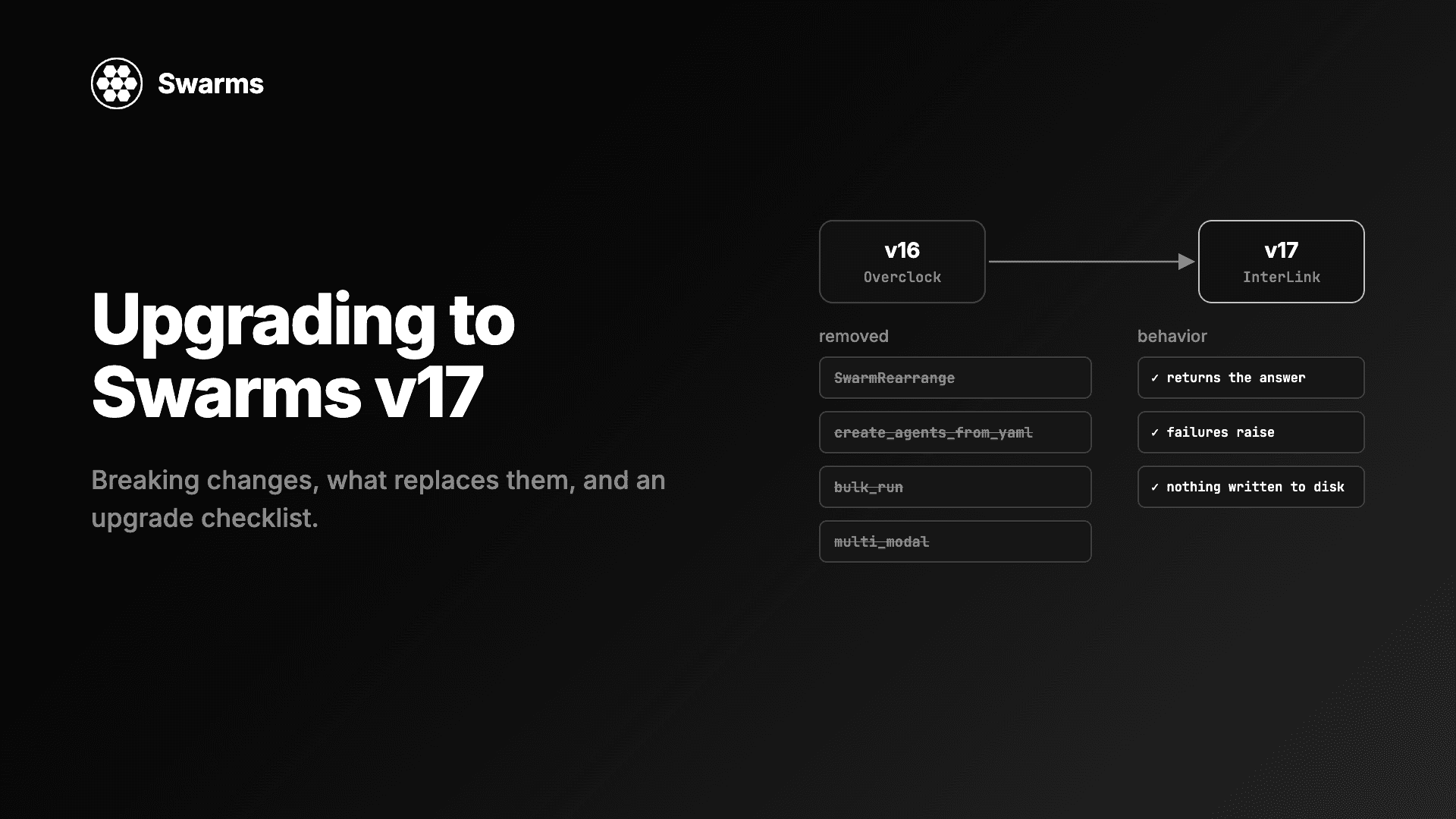
When a multi-agent pipeline gives you a bad answer, the first question is which agent went wrong, and most setups make that hard to answer. To debug multi-agent systems you need the conversation itself: what each agent was given, what it said, and in what order. This guide shows how to get that as a plain Markdown file with FileChannel from Swarms v17 "InterLink". Every agent message is appended to the file as it is posted, so you can tail -f it during a run, read it afterwards, and edit it to steer the next run. It also covers what a failed run leaves behind, how to stream an autonomous agent's tool calls, and what telemetry records.
Every Python block below is a complete program and was run against Swarms 17.0.0 before publishing.
Why it is hard to debug multi-agent systems
A single agent has one prompt and one answer. A pipeline of four agents has four prompts that were built from each other's answers, and the failure you see at the end is often caused earlier:
- Errors travel downstream. A wrong assumption from the first agent becomes a fact for the second, and the final writer presents it confidently. The last output tells you little about where it started.
- Return values are not transcripts. Under its default
output_type, Agent.run returns the agent's whole conversation, and structures return their own formats. Neither gives you a single ordered record of who said what.
- Logs show calls. Request logs give you model names, latencies and token counts. They rarely show the text one agent handed to the next.
- Concurrent output interleaves. Three agents printing at once produce one unreadable stream.
- Reruns cost money and change. If the only way to inspect step three is to rerun steps one and two, every debugging attempt costs tokens and gives slightly different text.
A transcript fixes most of this. If every message lands in one file, in order, under the name of the agent that said it, you can read the run like a chat log, find the first message that is wrong, and fix the conversation from that point instead of rerunning everything. Our guide to multi-agent system failure modes covers the failures that return plausible output instead of an error; a transcript is how you spot them.
How FileChannel writes a live transcript
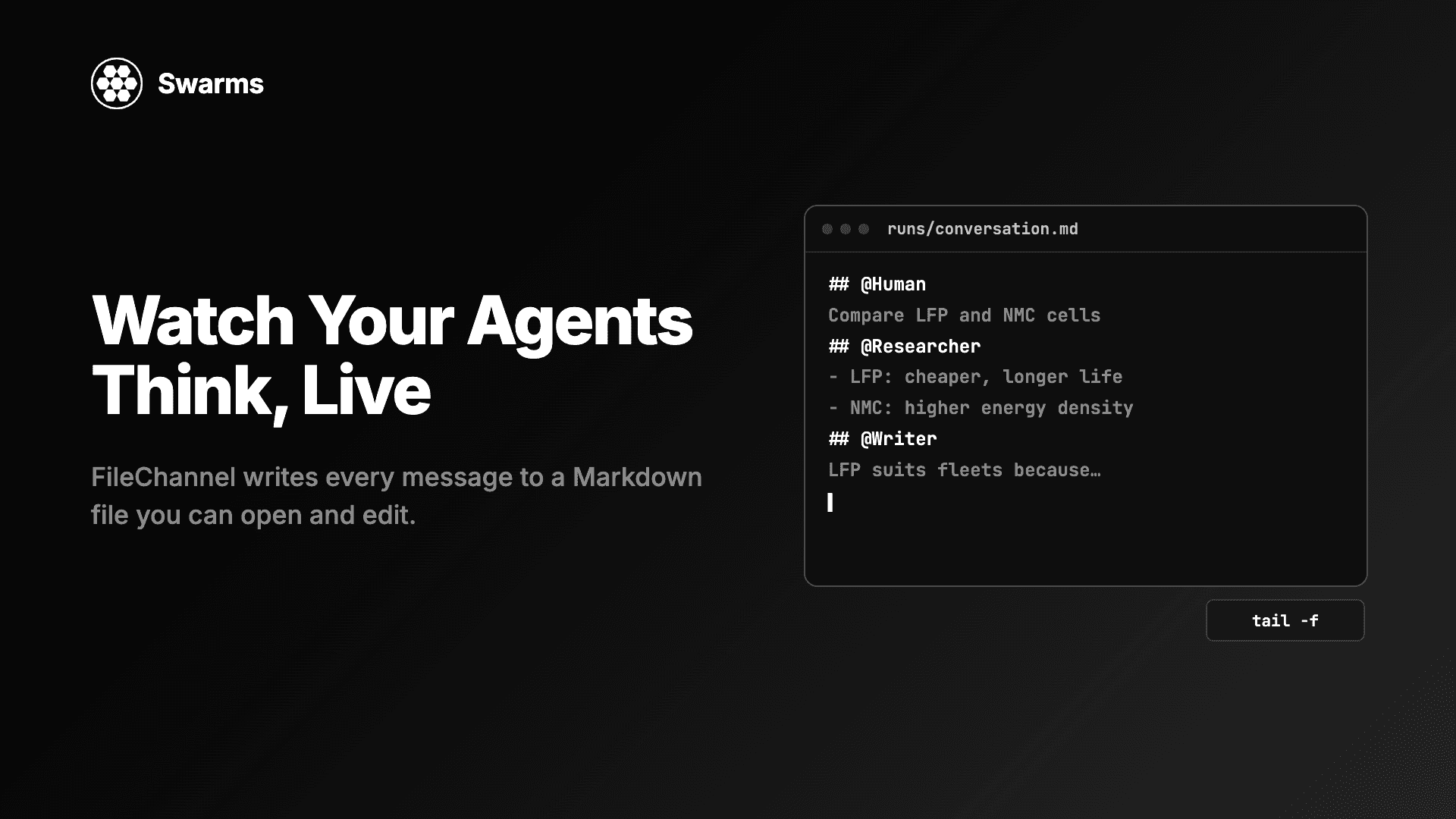
FileChannel is one of the six comms channels in Swarms 17. It takes a path ending in .md or .txt (anything else raises ValueError), creates the file on the first post, and appends each message as a ## @name header followed by the text:
## @User

Checkout latency jumped from 200 ms to 4 s at 14:05 UTC. ...

## @Investigator

1. The cache TTL change at 14:00 ...

## @Writer

# Postmortem: checkout latency on November 3

...
The speaker is everything after ## @ on that line, so names with spaces work. A message body runs until the next ## @ line, so ordinary Markdown inside an answer, including headings such as # Postmortem, is kept as written. messages() parses the file from disk on every call; nothing is cached, so the file is the conversation.
If you have not used channels yet, the companion guide on how to make AI agents talk to each other in Python explains the full interface and the other five channels.
Record a multi-agent run to a Markdown file
Install Swarms and set a key for each provider you use (OPENAI_API_KEY, ANTHROPIC_API_KEY, GEMINI_API_KEY, DEEPSEEK_API_KEY, MISTRAL_API_KEY, GROQ_API_KEY):
This pipeline investigates an incident. The Investigator runs on gpt-5.4, the Skeptic on Gemini 2.5 Pro so the critique comes from a different model family, and the Writer on Claude Haiku 5.5, because turning a finished discussion into a page is a cheap, fast job.
from swarms import Agent, FileChannel, SequentialWorkflow

investigator = Agent(
    agent_name="Investigator",
    system_prompt=(
        "You read incident notes and list the most likely root causes, "
        "with the evidence for each."
    ),
    model_name="gpt-5.4",
    max_loops=1,
    print_on=False,
)
skeptic = Agent(
    agent_name="Skeptic",
    system_prompt=(
        "You challenge the root causes in the conversation. For each one, say "
        "what evidence is missing or what else could explain it."
    ),
    model_name="gemini/gemini-2.5-pro",
    max_loops=1,
    print_on=False,
)
writer = Agent(
    agent_name="Writer",
    system_prompt="You write a one-page postmortem from the conversation.",
    model_name="anthropic/claude-haiku-5-5",
    max_loops=1,
    print_on=False,
)

channel = FileChannel("runs/postmortem.md")
channel.clear()  # fresh transcript for this run

workflow = SequentialWorkflow(
    agents=[investigator, skeptic, writer],
    max_loops=1,
    channel=channel,
)
workflow.run(
    "Checkout latency jumped from 200 ms to 4 s at 14:05 UTC. A cache TTL "
    "change shipped at 14:00 and a DNS provider reported issues at 14:10."
)
print(f"Transcript: {channel.path} ({len(channel.messages())} messages)")
It prints Transcript: runs/postmortem.md (4 messages): the task under User, then one message per agent. channel.clear() deletes the file first. Leave it out and the run continues the previous transcript instead, which is useful later in this guide and confusing when you did not mean it.
Pass the channel to the structure; its agents need none of their own. In 17.0.0, SequentialWorkflow, AgentRearrange, ConcurrentWorkflow, GraphWorkflow, MixtureOfAgents, GroupChat, HierarchicalSwarm, PlannerWorkerSwarm and MajorityVoting accept channel=, and SwarmRouter forwards it to the swarm it builds. If a member agent also has a channel, the structure detaches it with a warning, so each message is written once.
Watch the agents work with tail -f
Open a second terminal before you start the run:
tail -f runs/postmortem.md
Each agent's answer appears as soon as that agent finishes, under its own header. In a sequential pipeline you see the conversation grow one turn at a time, and a long pause before a header tells you which agent is slow. Any editor that reloads changed files works too. Messages are written whole when they are posted, so the file shows completed turns; for token-by-token output, use streaming (covered below).
tail -f needs the file to exist. With channel.clear() in the script, start the run first, or create an empty file with touch runs/postmortem.md and use tail -F, which keeps following the path when the file is deleted and recreated.
Add timings and sizes to every message
FileChannel is a normal class, so you can extend it. This subclass also prints when each message landed and how long it was, which is a quick way to find the agent that is slow or the one that writes three times more than the others:
import time

from swarms import Agent, ConcurrentWorkflow, FileChannel


class TimedFileChannel(FileChannel):
    """A FileChannel that also prints when each message lands and how long it is."""

    def __init__(self, path: str):
        super().__init__(path)
        self.started = time.perf_counter()

    def post(self, agent_name: str, content: str) -> None:
        super().post(agent_name, content)
        elapsed = time.perf_counter() - self.started
        print(f"[{elapsed:6.2f}s] {agent_name}: {len(str(content))} chars")


def make_agent(name: str, model: str) -> Agent:
    return Agent(
        agent_name=name,
        system_prompt="Review the pull request description for problems in your area.",
        model_name=model,
        max_loops=1,
        print_on=False,
    )


channel = TimedFileChannel("runs/review.md")
channel.clear()

ConcurrentWorkflow(
    agents=[
        make_agent("Security", "anthropic/claude-sonnet-5-5"),
        make_agent("Performance", "deepseek/deepseek-v4-pro"),
        make_agent("Style", "groq/openai/gpt-oss-120b"),
    ],
    channel=channel,
).run("PR #482: cache user sessions in Redis and drop the Postgres lookup.")
It prints one line for the task and one per reviewer, each with the seconds since the channel was created and the message length. Security gets the stronger Claude Sonnet 5.5; the other two reviews are narrower and run on cheaper, faster models.
Read the timings with one detail in mind: ConcurrentWorkflow posts answers in agent order, so the file always reads Security, Performance, Style. The first answer is posted as soon as Security finishes, and each later one once that agent and every agent before it have finished. A late timestamp on Style can mean Security was slow. In a sequential pipeline each timestamp is the moment that agent finished.
Read the transcript from Python
The same file is data. A few lines of Python give you an index of the run:
from swarms import FileChannel

channel = FileChannel("runs/postmortem.md")

for i, message in enumerate(channel.messages()):
    preview = message["content"].replace("\n", " ")[:60]
    print(f"{i:>2}  {message['agent_name']:<13} {len(message['content']):>6} chars  {preview}")
One line per message, with the speaker, the length and the opening words. Scanning that list is often enough to see where a run went off course: an answer that is far too short, a speaker that answered the wrong question, or a step that repeated the previous one.
Edit the transcript between runs to steer the next run
This is the most useful part of a file transcript. A structure given a non-empty channel seeds its conversation from it, so the next run reads whatever the file says now, including your edits.
Say the Skeptic's answer was wrong. Open runs/postmortem.md in an editor, replace the body under ## @Skeptic with what it should have said, and save:
## @Skeptic

The DNS incident started at 14:10, five minutes after latency rose, so it cannot be the trigger.
You can also add a turn of your own from code. Then run only the step you want to redo, on the same file:
from swarms import Agent, FileChannel, SequentialWorkflow

channel = FileChannel("runs/postmortem.md")
channel.post(
    "Human",
    "The cache TTL change is confirmed as the cause. Drop the DNS theory and "
    "rewrite the summary around the TTL change.",
)

writer = Agent(
    agent_name="Writer",
    system_prompt="You write a one-page postmortem from the conversation.",
    model_name="anthropic/claude-sonnet-5-5",
    max_loops=1,
    print_on=False,
)
SequentialWorkflow(agents=[writer], max_loops=1, channel=channel).run(
    "Rewrite the postmortem with the correction above."
)

print(channel.messages()[-1]["content"])
When we ran this after hand-editing the Skeptic's message, the Writer's model received the original task, the Investigator's answer, the edited Skeptic text, its own earlier draft as an assistant turn, the Human correction, and the new task. Only the Writer ran again; the Investigator and Skeptic cost nothing the second time. The file now ends with the correction, the new task under User and the new ## @Writer message.
A few rules keep edits safe:
- Keep each
## @name line on its own line. A body line that starts with ## @ becomes a new message when the file is read back.
- Deleting a message removes it from what the next agent sees. Renaming a header changes who said it. Rows under an agent's own
agent_name come back to that agent as its own assistant turns.
- Edit between runs. While a run is going, agents append to the file, and a save from an editor holding an older copy can overwrite their messages.
- To branch, copy the file and point the new run at the copy.
What a failed run leaves in the transcript
An agent posts its answer only after a successful run. A failed model call raises, and the channel keeps what was posted before the failure. To see it, give an agent a model name the provider will reject:
from swarms import Agent, AgentLLMError, FileChannel

channel = FileChannel("runs/failure.md")
channel.clear()

agent = Agent(
    agent_name="Summarizer",
    model_name="openai/gpt-does-not-exist",  # a model the provider will reject
    max_loops=1,
    output_type="final",
    print_on=False,
    channel=channel,
)

try:
    agent.run("Summarize yesterday's error logs.")
except AgentLLMError as error:
    print(f"Run failed: {str(error).splitlines()[0][:90]}")

print([m["agent_name"] for m in channel.messages()])  # the task, and no answer
The run raises AgentLLMError, which names the agent and the model and is chained to the provider's error, and Swarms logs the traceback before raising. The transcript holds ['Human']: the task was posted, and no half-finished or error text was written as an answer. Structures follow their own failure policy:
SequentialWorkflow raises. When the second of three agents fails, the file ends with the task and the first agent's answer, so the last header tells you how far the run got.ConcurrentWorkflow defaults to on_error="store": the other agents finish, and the failed one is recorded under a ## @Name (failed) header with an Error: ... body. Search the file for (failed) after a fan-out. Pass on_error="raise" to abort the run on the first failure instead.
Because the task is already in the file, a retry on the same channel does not post it twice. fallback_models lists models to try in order, with the primary first:
from swarms import Agent, FileChannel

channel = FileChannel("runs/failure.md")

agent = Agent(
    agent_name="Summarizer",
    # The first model is the primary; the rest are tried in order when it fails.
    fallback_models=["openai/gpt-does-not-exist", "gpt-5.4-mini"],
    max_loops=1,
    output_type="final",
    print_on=False,
    channel=channel,
)
agent.run("Summarize yesterday's error logs.")

print([m["agent_name"] for m in channel.messages()])
It prints ['Human', 'Summarizer']. The primary fails, gpt-5.4-mini answers, and only that answer is posted, under the agent's name. The transcript does not record which model produced it, so if that matters for debugging, check the warning Swarms logs when it falls back, or the telemetry.
A transcript records turns between agents. Inside a single autonomous agent (max_loops="auto"), most of the work is tool calls: create_plan, your tools, subtask_done, complete_task. Before v17, streaming forwarded only text content, so a streaming consumer saw almost nothing of an autonomous run. In v17 the stream carries everything the model emits: text unchanged, reasoning behind a [thinking] header, and each tool call behind a [tool call] <name> header followed by its arguments.
Use both together: the stream for the inside of one agent, the channel for the record.
from swarms import Agent, FileChannel


def get_weather(city: str) -> str:
    """Get the current weather for a city.

    Args:
        city: Name of the city.

    Returns:
        A short weather report.
    """
    return {"Paris": "18C and sunny", "London": "12C and raining"}.get(city, "15C and cloudy")


channel = FileChannel("runs/weather.md")
channel.clear()

agent = Agent(
    agent_name="Weather-Agent",
    model_name="gpt-5.4-mini",
    max_loops="auto",
    tools=[get_weather],
    print_on=False,
    channel=channel,
)

for token in agent.run_stream("Get the weather in Paris and London, then tell me which is warmer."):
    print(token, end="", flush=True)

print("\n\nPosted to the channel:")
print(channel.messages()[-1]["content"])
The stream shows each step as it happens, in this shape:
[tool call] create_plan {"task_description": "...", "steps": [...]}
[tool call] get_weather {"city": "Paris"}
[tool call] subtask_done {"task_id": "fetch_paris", "summary": "...", "success": true}
[tool call] get_weather {"city": "London"}
...
[tool call] complete_task {"task_id": "main_task", "summary": "...", "results": "..."}
The channel gets one message under ## @Weather-Agent: the final answer, which for an autonomous run is the complete_task result (it starts with complete_task result: Task Completion Summary and includes the results and each subtask's summary). The tool calls stay out of the transcript, so it remains readable when agents run for dozens of steps. run_stream runs the agent on a background thread and re-raises any error once the stream ends. arun_stream is the async version, and a streaming_callback gets the same parts.
Telemetry and local log files
Two v17 changes matter when you debug.
Telemetry is on by default and records a lot. Every traced call records its arguments and the full conversation of the structure that made it, every Agent.run records its token usage, and every model call gets its own span with latency, model, finish reason, the exact request and the provider's full response. Dict keys that name credentials are replaced with <redacted>; message text is not scrubbed, so a secret pasted into a prompt is sent as written. Exports go to https://telemetry.swarms.world, so treat it as Swarms' view of your runs; your own debugging record is the transcript. To turn it off:
export SWARMS_TELEMETRY_ON=False
Off means off in v17: no OpenTelemetry module is imported. The switch is read when swarms is imported, including from a .env file, so set it before the import.
Swarms writes no log files unless you ask. To get them while you debug:
export SWARMS_LOG_FILES=True
Log files then go under WORKSPACE_DIR/logs (agent_workspace/logs when WORKSPACE_DIR is unset).
Production notes
- One transcript per run. Use a path with a run id or a date, such as
runs/2026-11-04-postmortem.md, so a new run does not continue an old one by accident.
- The transcript records what agents said. It does not show system prompts, tool calls or which fallback model answered. Use streaming for an agent's inner steps and telemetry or logs for requests.
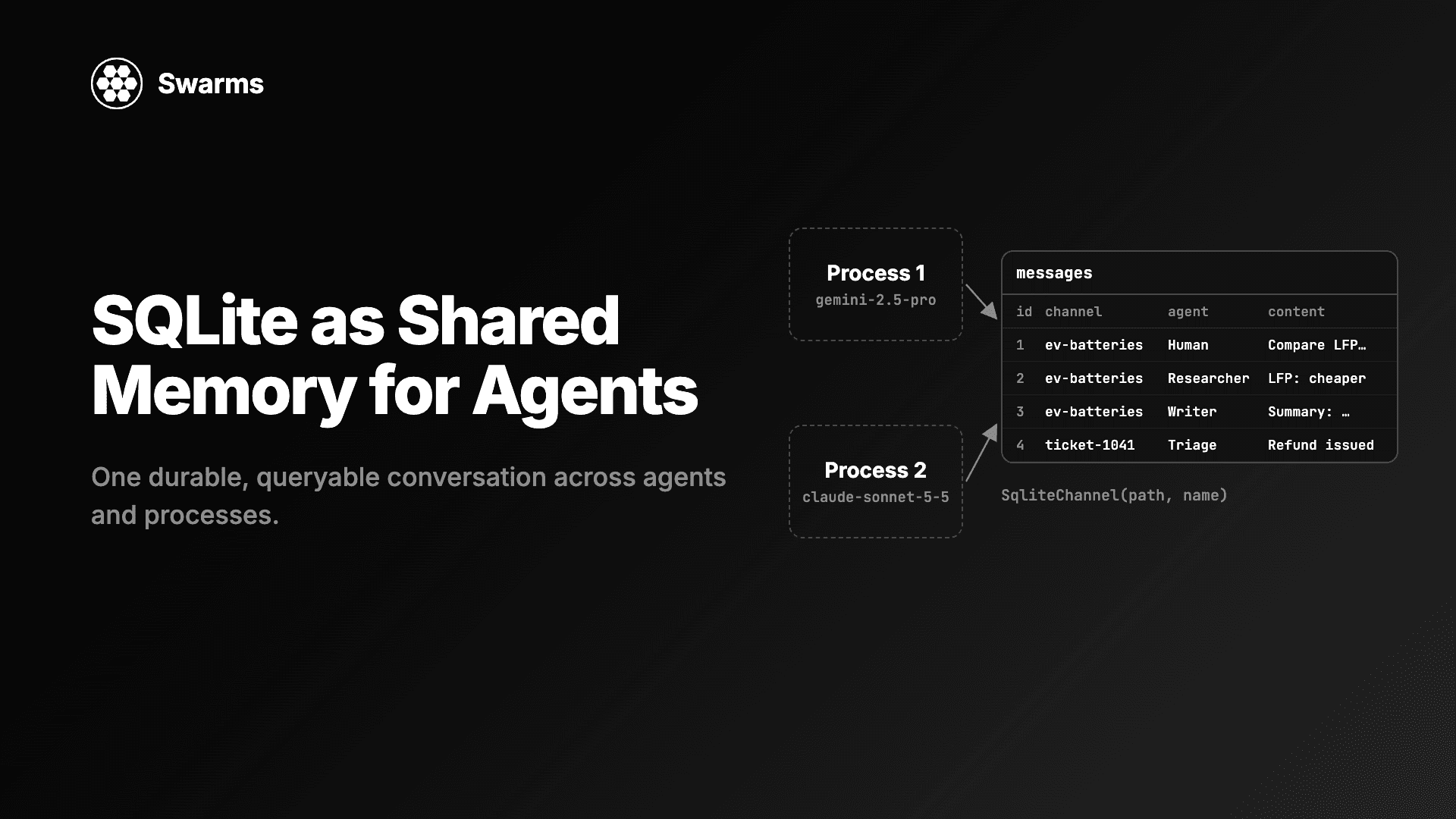
- Switch channels when you scale. When several processes write to one conversation, move to
SqliteChannel, which is safe across threads and processes. The agent code does not change.
- Transcripts contain your data. Prompts and answers are stored as plain text. Keep them out of version control and shared folders if they include customer data.
FAQ
How do I debug a multi-agent system?
Start by recording every message the agents exchange. Give your structure a FileChannel("runs/run.md"), read the file in order, and find the first message that is wrong. Then fix that message or add a correction and rerun only the steps after it, on the same file.
How can I see what my AI agents say to each other in real time?
Pass a FileChannel to the agents or to the structure and run tail -f on the file in another terminal. Each answer appears under a ## @agent_name header as soon as the agent posts it. For each message in code instead of a file, use a QueueChannel and iterate it from a consumer thread.
Can I edit an agent's answer and rerun from that point?
Yes. Edit the file, then point a new structure with only the remaining agents at the same FileChannel. It seeds its conversation from the file as it is on disk, so the next agents see your edited text.
What happens to the transcript when an agent fails?
A failed Agent run posts nothing: it raises AgentLLMError and the file keeps the messages from before the failure, so in a SequentialWorkflow the last header shows how far the run got. With fallback_models, only the successful answer is posted. ConcurrentWorkflow is the exception by default: it records a failed agent as Name (failed) with the error text and lets the others finish.
Does FileChannel slow agents down?
Each post appends one message to a local file, and each read parses the file once. That is small next to a model call, and when a single file gets unwieldy, SqliteChannel keeps the same interface with indexed storage.
Get started
Add channel=FileChannel("runs/debug.md") to the structure you are debugging, run it with tail -f open, and read the file before you change a prompt. The Swarms v17 changelog lists everything that shipped with comms channels, autonomous streaming and telemetry, and how to make AI agents talk to each other in Python covers the other channels. Documentation is at docs.swarms.world and the source is on GitHub.