Already Have Claude Skills, Cursor Rules, or Custom GPTs? Turn Them Into Listings
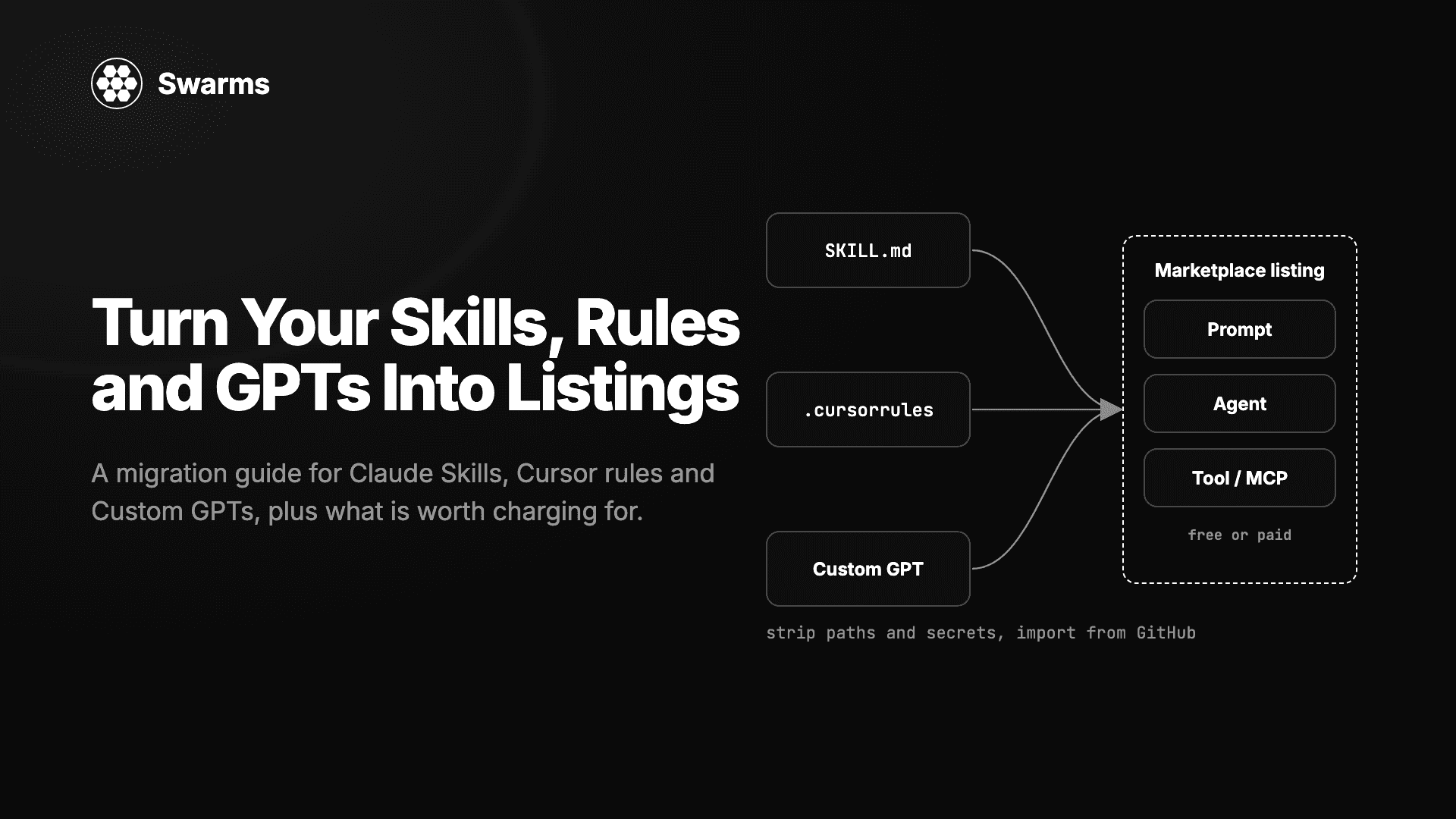
A migration guide for developers sitting on SKILL.md folders, .cursorrules files, or Custom GPT configurations: what maps to a prompt, agent, or tool listing on the Swarms Marketplace, what to strip first, how to import from private GitHub repositories, and what is worth charging for.
Swarms Team9 min read
Most developers who have used coding agents for a year are sitting on a pile of instructions they wrote once and kept refining: a SKILL.md that teaches Claude to review code your team's way, a .cursorrules file that encodes a repository's conventions, a Custom GPT whose system prompt handles a niche domain better than the base model.
Those files are products stored in formats that only work inside one host. This guide covers how to take each format, decide which kind of Swarms Marketplace listing it should become, strip what should never be public, and rewrite it for a buyer who has never seen your workspace.
The three listing types
The marketplace has three kinds of listing. The agent marketplace guide covers them in depth.
Listing type
What it contains
What buyers do with it
Prompt
Natural language instructions only
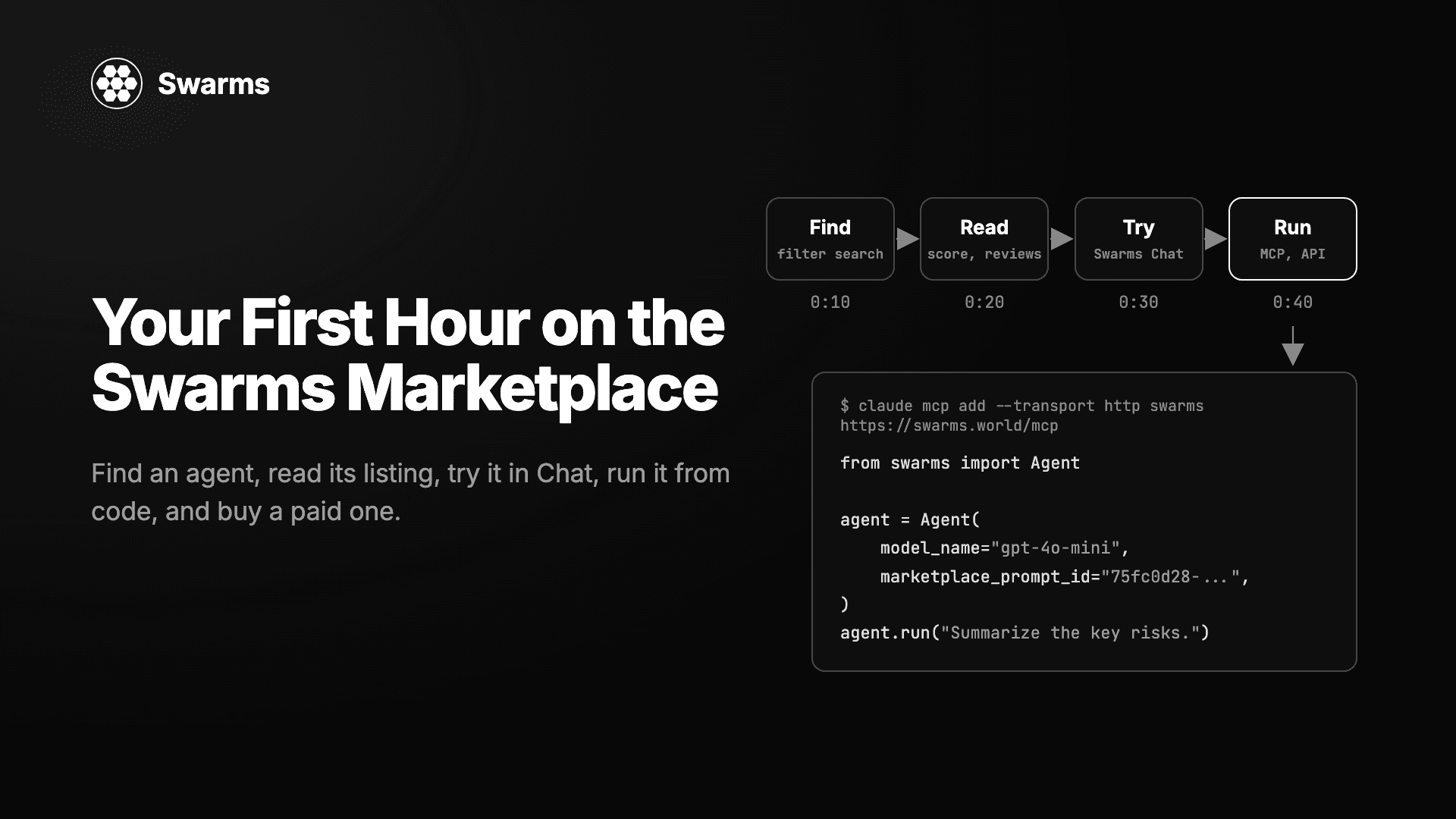
Paste it as a system prompt, export it to ChatGPT or Claude, or load it by marketplace_prompt_id in the Swarms framework
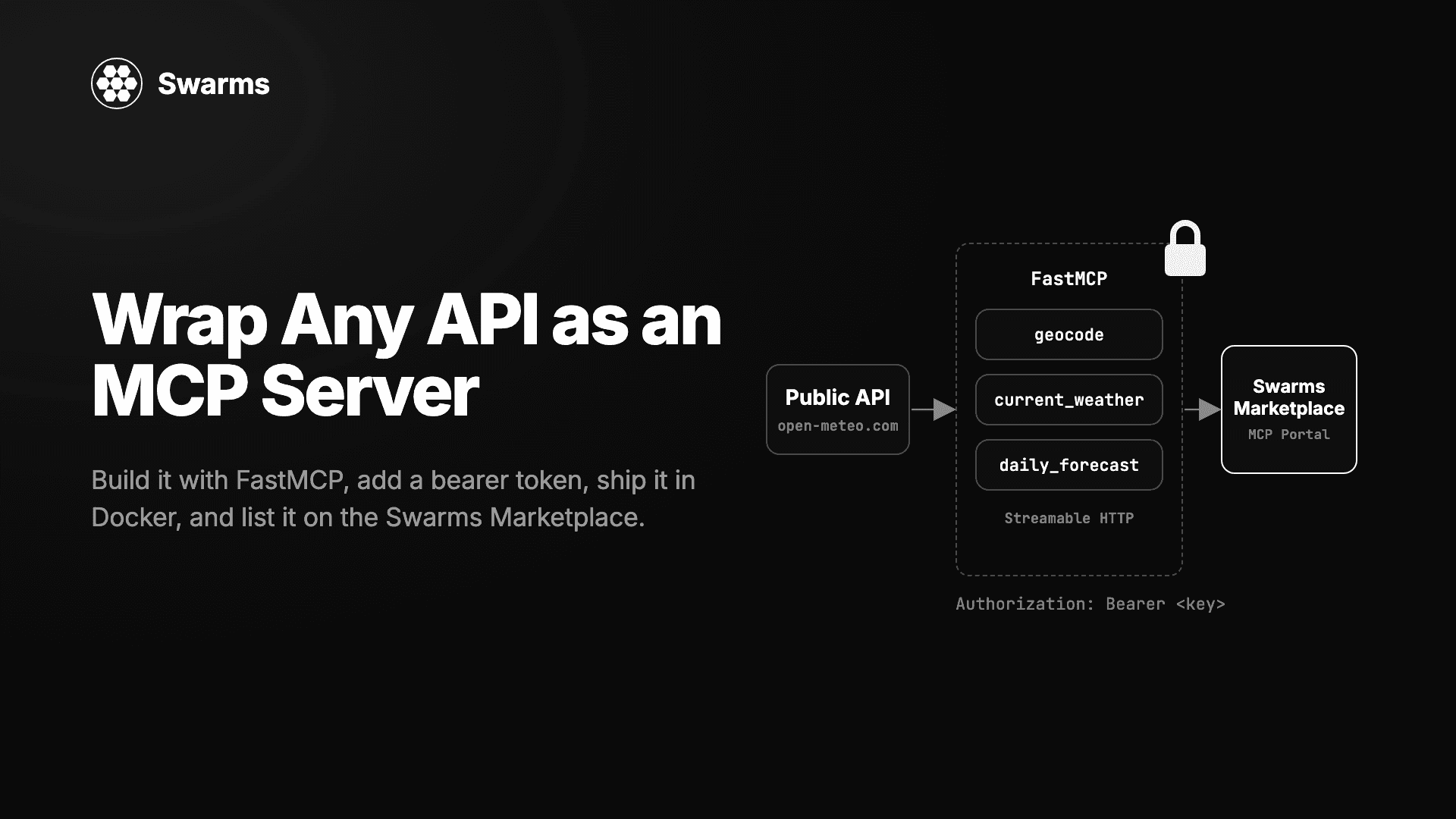
MCP servers are a fourth case in practice. A hosted server is published as an Agent with its URL in the MCP URL tab on the launch page; the marketplace connects to it, reads its tools, and generates connect configs for Claude, Cursor, and VS Code. A code-based server is usually published as a tool or prompt with the MCP category (expanded MCP support post).
Claude Skills
A Claude Skill is a folder with a SKILL.md at the top: YAML frontmatter carrying a name and a description, then a markdown body of instructions, often with scripts or reference files alongside. The description is what the model matches against a task to decide whether to load the skill, so it is usually written as a trigger.
What maps where
Part of the skill
Becomes
Notes
SKILL.md body with no scripts
Prompt
The most common case. The body is already a system prompt in everything but name
SKILL.md body plus scripts/
Agent
Keep the scripts with the instructions, declare dependencies in requirements.txt or pyproject.toml, import from GitHub
A single script the skill calls
Tool
Wrap it as a typed Python function with a docstring
A skill that wraps an MCP server
MCP listing
Publish the server itself; the markdown becomes the description
What to strip
Paths to your machine or company directories. Replace ~/projects/acme/ with a placeholder or an instruction to ask.
References to other skills by name. "After running the deploy-staging skill" assumes the buyer has it. Include the dependency or remove the reference.
Credentials and internal hostnames. The security scan will catch a key, but it should not be in the file at all.
Tool restrictions tuned to your environment. Describe the required tools in prose instead.
Adapting the text
Skills are loaded automatically, so the body often skips the context a human needs. Add an opening paragraph that says what the skill does and when to use it, and expand the trigger-style description into sentences a buyer can evaluate. If the skill relied on files in the folder, inline the relevant parts or name them as inputs.
Cursor rules
Cursor supports two forms: the older .cursorrules, a single plain-text file at the project root, and .cursor/rules/*.mdc files with frontmatter that can set a description, globs patterns for which files the rule applies to, and whether it always applies. Both are instructions to a coding agent about how to work in one repository.
What maps where
Part of the rules
Becomes
Notes
General rules (coding style, review habits, commit conventions)
Prompt
Strip the repository specifics and it is a reusable engineering persona
A rule that drives a full workflow (scaffold, test, lint, deploy) with scripts
Agent
Pair it with the scripts and publish from the repository
A rule scoped by globs to one framework or file type
Prompt, tagged by framework
"How to write Django views" is a product. "How to write views in our monorepo" is not
What to strip
Repository layout, team names, ticket prefixes, internal URLs.packages/api/ and PROJ-1234 mean nothing to a buyer. Describe the pattern rather than the path.
globs patterns and cross-references to other rules. Translate them into a sentence: "apply these rules to TypeScript files in a Next.js project." A listing stands alone.
Adapting the text
Rules files are terse because the author knew the context. State the stack the rules assume, the version range, and what good output looks like. If a rule exists because of a bug class your team kept hitting, say so: the reasoning is the part other teams cannot get from the rule itself. The best rules to sell are scoped to a technology rather than a company.
Custom GPTs
A Custom GPT is configured inside ChatGPT with a name, a description, an instructions block (the system prompt), optional conversation starters, uploaded knowledge files, and optional Actions: external API calls described by an OpenAPI schema with their own authentication settings.
What maps where
Part of the GPT
Becomes
Notes
Instructions block
Prompt
The core asset. Prompt listings export to ChatGPT and Claude with one click, so a buyer can rebuild the GPT or use it elsewhere
Knowledge files
Inline into the prompt, or part of an Agent
Short reference material goes in the prompt body. Large corpora need an agent with retrieval code
Actions (OpenAPI schema plus API)
Tool or MCP listing
Each Action is a typed function call. If you run the API, expose it as an MCP server and publish that
Instructions, Actions, and knowledge as one system
Agent
Rebuild it as a Swarms agent with prompt, tools, and retrieval together
Conversation starters
Listing use cases
Already examples of what the product does
What to strip
Authentication for Actions. API keys and OAuth secrets live in the GPT's Action settings and must not appear in anything you publish. An MCP listing lets you declare that a key is required and where to get one, with a YOUR_API_KEY placeholder in the generated configs.
Knowledge files you do not own. Only republish material you have the right to distribute.
ChatGPT-specific references. "Use the code interpreter" becomes "run Python," so the instruction works in any agent with the equivalent tool.
Real data in few-shot examples. Names, emails, and account details copied from a working session.
Adapting the text
GPT instructions are usually the most polished of the three formats because they were written for other people. The work is separating the parts: the system prompt as a prompt listing, the API behind the Actions as an MCP server, and the whole thing as an agent only if it makes no sense in pieces.
Importing from GitHub, including private repositories
If your skills or rules live in a repository, the launch page reads them directly. On swarms.world/launch, choose Agent and open Import from GitHub. For a public repository, paste the URL. For a private one, click Connect GitHub the first time and choose which repositories to share on GitHub's own install screen.
Selecting a repository fills in the name, the description and README, the main implementation file, the language, the topics as tags, and the dependencies from requirements.txt or pyproject.toml, all editable before you publish.
Private import is built on a GitHub App rather than an OAuth login. You pick repositories explicitly, and unselected ones are invisible to the marketplace. Access is read-only (Contents and Metadata), so the app cannot push or change settings. No token is stored: each import mints a one-hour token scoped to your selection, uses it, and discards it. You revoke access at github.com/settings/installations, effective immediately. The private repository import post explains why this exists: a paid listing cannot point at a public repository without giving away what it sells. A practical pattern is one private repository with a folder per future listing, each with a README that becomes the description.
Keeping some of it private
Some skills say enough about how your company works that they should never be published. Swarms Cloud has a private library for these at cloud.swarms.world/skills, on every plan including Free. It accepts SKILL.md files by drag and drop (frontmatter becomes name, description, and tags; the body becomes the stored skill), plus plain markdown, text, and JSON, so a .cursorrules file or a GPT instruction block imports just as easily.
Prompt bodies are encrypted at rest with AES-256-GCM under a key derived from your account identity, so another account cannot decrypt your entries even if a bug fetched the wrong row. Names, descriptions, and tags are stored as plain text so search stays fast, so keep sensitive material in the body. The private storage post has the details.
A sensible workflow: import everything into the library first, tag what is public-ready, then copy those entries into the launch page. Publishing straight from the library has been described as where the product is heading; today it is a copy step.
What is worth charging for
Publishing is free, and free listings are welcome. But a marketplace full of $5 prompts that say "You are a helpful assistant" helps nobody, so here is a frank rubric. Charge for it if at least two of these are true:
It encodes domain knowledge the model lacks. Correct clinical trial summaries, correct tax treatment for a jurisdiction, correct output for a niche file format. Generic instructions ("be concise, use markdown") carry none.
It is tested, and you can show the output. A workflow you have run fifty times, with example inputs and outputs in the listing, is worth more than one written last night.
It saves hours, measurably. If a buyer would spend an afternoon building the equivalent, price under that afternoon. If ten minutes, list it free and build reputation.
It is hard to reconstruct from the title. If someone can read your listing name and write the prompt themselves, list it free.
Free listings still earn ratings, reviews, and profile visits, which carry over to the paid listings beside them.
Pricing
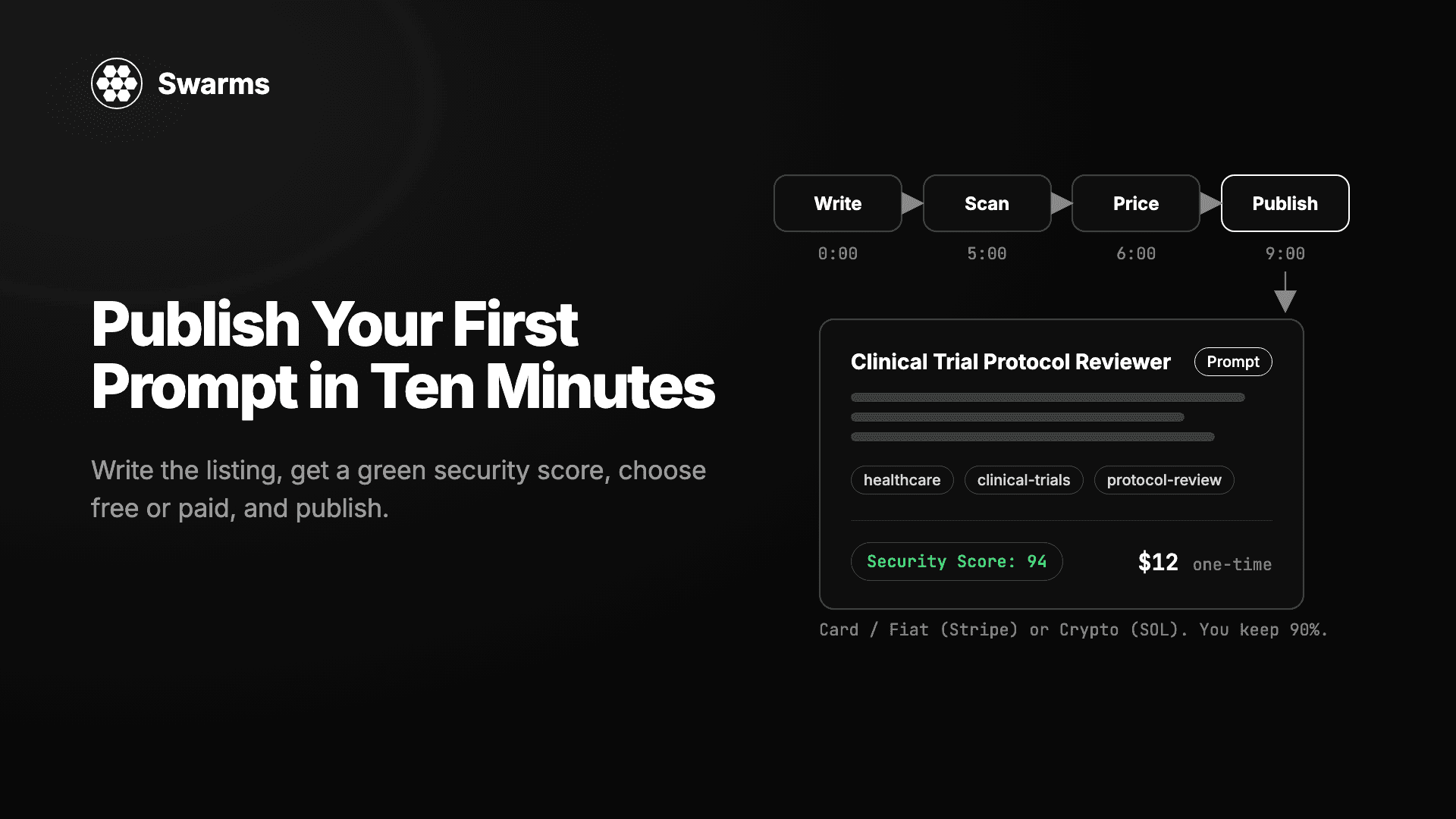
The marketplace takes a flat 10% of every completed sale and you keep 90%, on both payment rails, with no listing fees or seller subscriptions. The selling guide covers the mechanics.
Card payments go through Stripe. Set up a seller account once from the Seller tab in your account settings, price in USD, and buyers in more than 100 countries pay with cards, Apple Pay, Google Pay, and local methods; your share pays out from your Stripe Express balance on Stripe's standard schedule (fiat payments post). Cards reach the buyer with a corporate card and a budget, which is who buys specialized domain prompts.
Crypto payments in SOL settle instantly to the wallet on the listing, in the same transaction as the purchase. The rail is chosen per listing, so one prompt can sell by card and another in SOL under the same account.
Tokenized launches always settle in crypto, and launchpad tokens can be quoted in SOL or USDC. The USDC championship post explains why a dollar-quoted curve tracks demand for your agent rather than the price of SOL, and the recurring competitions that pay prizes in SOL and USDC are built around tokenized launches. For a migrated prompt or ruleset, a direct paid listing is the simpler fit.
For the number itself, the selling guide's advice holds: estimate how much time or expertise a buyer would need to build the equivalent, and price under that. The agent marketplace guide notes creator-set prices typically fall between $1 and $50 for prompts and $20 to $500 or more for agents. A paid listing hides its contents until purchase, so the description and demo output carry the sale.
Security scores and verification
Every prompt on the marketplace gets a Security tab and a Security Score from 0 to 100, produced by SkillScanner, the open source scanner for agent skills and prompts. The score is 100 minus the scanner's risk score, so higher is safer; a green badge means 80 or above (security scores post).
Two things matter for migration. First, the marketplace keeps the first complete scan of a prompt, and editing afterwards does not trigger a new one, so scan before you publish. SkillScanner runs locally in static mode with no API key, and it scans a prompt body or a whole skill folder, scripts included. Second, the habits that cost honest prompts points are the ones that creep into skills and rules files: "ignore previous instructions," URL shorteners or raw http:// links, keys left in examples, instructions inside HTML comments, and shell or network access used without explanation.
Verification is separate. Pro and Premium members get a blue Verified badge next to their username, which tells buyers the account has an active paid plan (it is not an identity check and does not rate your listings), and their products are recommended to other users (verification post). Once listings are live, the Seller Portal shows earnings, sales, reviews, and payouts in one place.
Checklist
Before publishing each migrated file:
Decided the listing type: prompt, agent, tool, or MCP server
Removed private paths, internal hostnames, team names, ticket prefixes, and every credential
Replaced host-specific references (other skills, Cursor globs, ChatGPT features) with plain descriptions of the capability
Added an opening paragraph that says what it does and when to use it, plus example input and output
Ran SkillScanner locally and fixed anything above LOW
Applied the rubric: charge only if it carries real knowledge, is tested, and saves hours
Chose a payment rail per listing and set up Stripe if selling by card
Kept anything company-specific in the private library